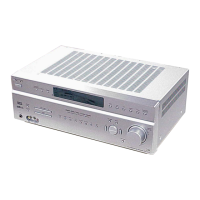
STR-KM5500
9
Name Function
) AMP MENU Press to display the menu of
the receiver. Then, use 7, W,
#, C and (1) to perform
menu operations.
* ENTER Press to enter the value after
selecting a channel, disc or
track using the numeric
buttons of the TV, VCR or
satellite tuner.
MEMORY Press to store a station.
+ MUTING Press to turn off the sound
temporarily.
Press MUTING again to
restore the sound.
Press MUTING and TV (/)
at the same time to activate
the TV’s muting function.
, TV VOL
+
a)
/–
Press TV VOL +/– and TV
(/) at the same time to adjust
the TV volume level.
MASTER
VOL +
a)
/–
Press to adjust the volume
level of all speakers at the
same time.
- MENU/HOME Press to display the menu of
the VCR, DVD player,
satellite tuner or Blu-ray disc
player on the TV screen.
Press MENU/HOME and TV
(/) at the same time to
display the TV’s menu. Then,
use 7, W, #, C and (1)to
perform menu operations.
. /
b)
Press to skip a track of the CD
player, DVD player or Blu-
ray disc player.
REPLAY /
ADVANCE
Press to replay the previous
sceneorfastforwardthe
current scene of the VCR,
DVD player or Blu-ray disc
player.
N/.
b)
Press to
– search tracks in the forward/
reverse direction of the
DVD player.
– start fast forward/rewind of
the VCR, CD player or
Blu-ray disc player.
)
a)b)
Press to start playback of the
VCR, CD player, DVD player
or Blu-ray disc player.
Name Function
9
b)
Press to pause playback or
recording of the VCR, CD
player, DVD player or Blu-
ray disc player. (Also starts
recording with components in
recording standby.)
Y
b)
Press to stop playback of the
VCR, CD player, DVD player
or Blu-ray disc player.
TV CH +/– Press TV CH +/– and TV (/)
atthesametimetoselect
preset TV channels.
PRESET +/– Press to select
– preset stations.
– preset channels of the VCR
or satellite tuner.
TUNING +/– Press to scan a station.
FM MODE Press to select the FM
monaural or stereo reception.
/ TV Press TV and the button with
orange printing at the same
time to enable the TV
operation.
0 RETURN/
EXIT 0
Press to
– return to the previous menu.
– exit the menu while the
menu or on-screen guide of
the VCR, DVD player,
satellite tuner or Blu-ray
disc player is displayed on
the TV screen.
Press RETURN/EXIT 0
and TV (/)atthesametime
to return to the previous menu
or exit the TV’s menu while
the menu is displayed on the
TV screen.
1
7/W/#/C
After pressing DVD/BD
MENU (&), AMP MENU
()) or MENU/HOME (-),
press 7, W, # or C to select the
settings. Then, press to
enter the selection if you have
pressed DVD/BD MENU or
MENU/HOME previously.
Press also to enter the
selection of the receiver,
VCR, satellite tuner, CD
player, DVD player or Blu-
raydiscplayer.


 To Next Page