EasyManua.ls Logo

Sony SX-1070A - User Manual

Sony SX-1070A
48 pages
Print Icon
To Next Page IconTo Next Page
Loading...
3-206-250-03 (1)
2001 Sony Corporation
Infrared Conference
System
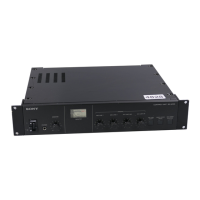
SX-1070A/1130A 赤外線送信機/
Infrared Transmitter
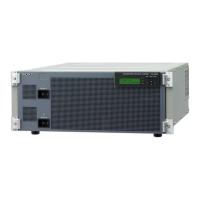
SX-9131A 赤外線輻射機/
Infrared Radiator
SX-9134 赤外線輻射機/
Infrared Radiator
SX-2130 赤外線受信機/
Infrared Receiver
SXA-75 充電器/
Charger
電気製品は安全のための注意事項を守らないと、
火災や人身事故になることがあります。
この取扱説明書には、事故を防ぐための重要な注意事項と製品の取り扱いかたを示してあ
ります。この取扱説明書をよくお読みのうえ、製品を安全にお使いください。お読みに
なったあとは、いつでも見られるところに必ず保管してください。
JP
GB
取扱説明書
Page 2
Instructions for UsePage 26

Questions and Answers

  • A
    Alvin FloresAug 11, 2025
    Why is the OVER indicator light (red) on my Sony Conference System transmitter?
    • L
      Lisa EvansAug 11, 2025
      The OVER indicator illuminates red when the signal input level is excessively high. To resolve this, reduce the output level of the audio source equipment until the OVER indicator turns off and the NORMAL indicator lights up.
  • M
    Misty SalasAug 17, 2025
    What to do if the NORMAL indicator on my Sony Conference System transmitter doesn't light up?
    • P
      Patricia ClarkAug 17, 2025
      If the NORMAL indicator isn't lit, it means the input signal level is too low. Increase the output level of your audio source until the NORMAL indicator illuminates green.
  • M
    mirandaandersenAug 22, 2025
    What to do if the POWER indicator on my Sony SX-1070A Conference System infrared receiver is dim or unlit?
    • R
      robindownsAug 22, 2025
      If the POWER indicator is dim or not lit, the built-in battery likely needs charging. Insert the receiver's battery into the BATTERY CHECK pocket of the charger to assess its charge level. If the charge is low, charge the battery.
  • L
    leahariasAug 29, 2025
    What does it mean if the CHECK indicator is on for the Sony Conference System infrared radiator?
    • J
      Jeanne JacksonAug 29, 2025
      The CHECK indicator lights up if there's an issue with the connections or power. Ensure the connecting cable is correctly connected to the LINE IN/LINE OUT connectors. Also, verify that the POWER switch of the transmitter is set to ON.
  • M
    Marcus ThompsonSep 3, 2025
    What to do if both POWER and CHECK indicators blink on my Sony Conference System SX-9134 infrared radiator?
    • S
      Stacy ThomasSep 3, 2025
      If both the POWER and CHECK indicators are blinking, it indicates that the cooling fan has stopped working. Replace the cooling fan with a new one. Contact your nearest Sony dealer for details.

Sony SX-1070A Specifications

General IconGeneral
ConnectivityWired
Microphone TypeElectret Condenser
Frequency Response50 Hz - 16 kHz
ColorBlack
ConnectorXLR
Weight150g

Related product manuals