EasyManua.ls Logo

Sony Ipela PCS-G50 - User Manual

Sony Ipela PCS-G50
259 pages
Print Icon
To Next Page IconTo Next Page
Loading...
© 2005 Sony Corporation
3-872-304-11 (1)
Video
Communication
System
Operating Instructions (Version 2.0)
Before operating the unit, please read this manual thoroughly and retain it for
future reference.
PCS-G50/G50P

Table of Contents

Other manuals for Sony Ipela PCS-G50

Questions and Answers

  • C
    cruzmichelleJul 31, 2025
    Why is there no sound or low volume on my Sony Conference System?
    • C
      Carlos SmithJul 31, 2025
      If you are experiencing no sound or very low volume on your Sony Conference System, there could be several reasons: * The system volume might be set too low. You can adjust it using the VOLUME +/– buttons on the Remote Commander. * The TV monitor volume could be too low; adjust the TV volume. * The microphone on the remote party may be turned off; ask them to turn it on. * “Mic Select” may not be set correctly; set it up according to the microphone you're using. * Audio input might not be selected properly; set up “Input Select” correctly. * The microphone or external equipment may not be connected correctly; check the connection.
  • D
    dakota17Aug 5, 2025
    What to do if my Sony Conference System has no picture?
    • B
      Beverly Madden DDSAug 5, 2025
      If your Sony Conference System displays no picture, consider these possible causes: * The selected picture source might not be turned on; ensure the video equipment is on. * The video input might not be selected properly; use the VIDEO INPUT SELECT button to select the correct input. * The selected picture source might not be correctly connected; check the connections. * If a voice meeting is in progress, camera movement is prevented; this is normal. Turn the Communication Terminal off and then on again.
  • A
    Anne PooleAug 9, 2025
    What to do if my Sony Conference System has no connection?
    • B
      Brittany ClineAug 9, 2025
      If your Sony Conference System fails to connect, several factors could be responsible: * A wrong number might have been dialed; double-check the number you entered. * The setting of “Line I/F” may be incorrect; set “Line I/F” to the correct interface. * The registered items in the Phone Book might be incorrect; register the party correctly.
  • R
    reyesrobertAug 17, 2025
    How to fix a blurred picture on my Sony Conference System?
    • S
      Sherri AllenAug 17, 2025
      If the picture on your Sony Conference System is blurred: * If manual focus is selected but the picture remains blurred, adjust the focus. * If auto focus is selected and the background is too bright, contrast is too high, or the background/clothes contain fine line patterns, select manual focus and adjust manually.
  • T
    thomas03Aug 22, 2025
    What to do if still pictures or the Phone Book cannot be saved to the “Memory Stick” on my Sony Conference System?
    • R
      Richard YoungAug 22, 2025
      If you are unable to save still pictures or the Phone Book to the “Memory Stick” on your Sony Conference System: * Check if the write-protect tab on the “Memory Stick” is set to LOCK; if so, release the lock. * The “Memory Stick” may be full; use another “Memory Stick.”
  • F
    fkirkAug 27, 2025
    What to do if three indicators blink on the front of Sony Conference System Communication Terminal?
    • X
      xgilmoreAug 27, 2025
      If three indicators on the front of the Communication Terminal of your Sony Conference System are blinking because the fan inside the terminal stops, turn off the system immediately.
  • S
    Samantha RushNov 12, 2025
    Why is my Sony Conference System not connecting?
    • G
      Greg VaughanNov 12, 2025
      If your Sony Conference System is failing to connect, consider the following: * The remote terminal might not permit answering the call because it is operating for setups; ask the remote party to permit answering. * The remote terminal might not be set to auto answer mode; ask the remote party to set the terminal to auto answer mode or to answer manually. * The ISDN telephone numbers might not be set up in the remote terminal (when using bonding); ask the remote party to correctly set up “Area Code” and “Local Number” in the ISDN Setup menu. * The eighth digit and up of the ISDN telephone numbers might not be the same when connecting using bonding (when the remote party uses an older videoconference system); connect without using bonding, or use ISDN telephone numbers that are the...

Summary

Features

Supports ITU-T international videoconferencing standard

Ensures compatibility with international videoconferencing standards for global connectivity.

High transmission speeds and high-quality picture capability

Details the system's ability to handle high bandwidth and deliver clear video quality.

Supports multipoint conference

Enables conferences with multiple participants, enhancing collaboration.

System Components

Basic System Components

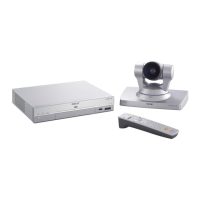
Lists and describes the essential hardware included in the videoconferencing system.

Optional Equipment

Details additional devices that can be connected to enhance videoconferencing capabilities.

System Configuration

System Configuration via a LAN

Guides setting up the system for conferences using a Local Area Network connection.

System Configuration via an ISDN

Details setting up the system for conferences using an ISDN connection.

System Configuration via a LAN for Multipoint Conference

Configures the system for multipoint conferences over a LAN connection.

System Connections

System Connection via a LAN

Illustrates the typical physical connections for a LAN-based system setup.

System Connection via an ISDN

Illustrates the typical physical connections for an ISDN-based system setup.

Preparing the System

Attaching the Remote Control Receiver

Instructions for connecting the remote control receiver for system operation.

Turning the System On;Off

Step-by-step guide on how to power on and off the videoconferencing system.

Setting Up the System for the First Time - Initial Setup Wizard

Language Setup Wizard

Select the on-screen language for menus and messages during initial setup.

Monitor Setup Wizard

Configure monitor connections and signal output assignments for the system.

Using the Menus

Operation

Basic navigation and interaction procedures within the system's menus.

Information

Displays current system status, software versions, and connected equipment details.

Registering Remote Parties in the Phone Book

Registering a New Remote Party

Step-by-step guide to add new contacts to the phone book for easy dialing.

Daily Videoconference

Starting a Conference by Calling a Remote Party

Instructions on how to initiate a videoconference by dialing a remote party.

Receiving a Call from a Remote Party

Procedures for answering incoming calls, either automatically or manually.

Ending the Conference

Steps to properly disconnect from a videoconference session.

Adjusting the Camera

Adjusting the Camera Angle and Zoom

Guide on modifying camera angle and zoom levels during communication.

Adjusting the Focus and Brightness

Instructions for automatically or manually adjusting camera focus and brightness.

Videoconference With Optional Equipment

Using Still Images Stored on a “Memory Stick” for a Videoconference

How to display or transmit still images stored on a Memory Stick.

Recording a Videoconference

Steps to start and stop recording videoconferences to a Memory Stick.

Multipoint Videoconference

Connection Examples for a Multipoint Videoconference

Illustrates connection setups for multipoint conferences using LAN and ISDN.

Installing the MCU Software

Procedure for installing the Multipoint Control Unit (MCU) software.

Videoconference Using SIP

Connection Examples for a Videoconference Using SIP

Illustrates connection setups for SIP-based videoconferences.

Installing the SIP Software

Steps to install the Session Initiation Protocol (SIP) software.

Appendix

Location and Function of Parts and Controls

Identifies and describes the physical components and connectors of the system.

Troubleshooting

Provides solutions for common operational problems and error messages.

Specifications

Lists technical details and performance metrics of the system and its accessories.

Sony Ipela PCS-G50 Specifications

General IconGeneral
Network Interface10Base-T/100Base-TX
Video CodecH.261, H.263, H.264
Audio CodecG.711, G.722, G.728
Video InputComposite, S-Video
ProtocolsH.323, SIP
Frame RateUp to 30 fps
Camera TypePTZ
Image Sensor1/4 type CCD
Video OutputComposite, S-Video
Zoom12x optical zoom
Audio InputMicrophone
Power Supply100-240 V AC, 50/60 Hz
Data PortsRS-232C
CompressionH.264
ResolutionQCIF
Operating Temperature0°C to 40°C (32°F to 104°F)

Related product manuals