EasyManua.ls Logo

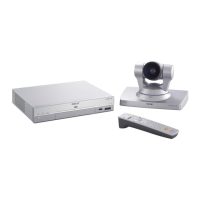
Sony IPELA PCS-XG55 - User Manual

Sony IPELA PCS-XG55
80 pages
Print Icon
To Next Page IconTo Next Page
Loading...
JP
GB
© 2010 Sony Corporation
4-179-432-02 (1)
Supplement for HD Visual
Communication System
ご使用になる前
最初にお読みください!
Before Using this Unit
Please read this before proceeding!
Avant d’utiliser cette unite
Lisez-le avant de continuer!
Vor Verwendung dieses Gerät
Lesen Sie sie bitte, bevor Sie fortfahren!
Antes de utilizar la unidad
Léalo antes de continuar!
Prima di usare l’unita
Leggere attentamente prima di procedere!
Antes de usar esta unidade
Leia antes de continuar!
FR
DE
ES
IT
CS
PT
PCS-XG80/XG80S/XG55/XG55S

Other manuals for Sony IPELA PCS-XG55

Questions and Answers

  • A
    Aaron CrawfordAug 8, 2025
    Why is there no sound on my Sony Conference System, or why is the volume very low?
    • E
      Erica JonesAug 8, 2025
      If you're experiencing low or no sound on your Sony Conference System, there might be a few reasons: * The system volume could be too low. Try adjusting it using the VOLUME +/– buttons on the Remote Commander. * The TV monitor volume might be too low; adjust the TV volume. * The remote party's microphone might be off. Ask them to turn it on. * The audio input might not be selected correctly. Check “Input Select (MIC)” and “Audio Input” in the Audio setup menu. * The microphone or external equipment might not be connected correctly. Check all connections.
  • T
    Teresa MillerAug 16, 2025
    What to do if there is no picture on my Sony IPELA PCS-XG55?
    • E
      Elizabeth BentonAug 16, 2025
      If you're not getting any picture on your Sony Conference System, consider these potential causes: * The selected video equipment might not be turned on. Ensure it is powered on. * The video input might not be selected correctly. Make sure the correct video input is selected. * The selected picture source may not be correctly connected to the system. Check all connections. * The camera's movement might be prevented. Try turning the system off and then on again.
  • S
    Samuel MitchellAug 23, 2025
    How to fix a blurred picture on Sony IPELA PCS-XG55 Conference System?
    • G
      Gregory WatkinsAug 23, 2025
      If the picture on your Sony Conference System is blurred, here are a couple of things to check: * If manual focus is selected but the picture is still blurred, adjust the focus. * If auto focus is selected, but the background is too bright, the contrast is too high, or the background or participants’ clothes contain fine line patterns, select manual focus and adjust manually.
  • C
    Christine DayAug 30, 2025
    Why is my Sony IPELA PCS-XG55 Remote Commander not working?
    • L
      Laura GeorgeAug 30, 2025
      If your Sony Conference System Remote Commander isn't operating, it might be isolated from the communication system. Perform pairing of the Remote Commander with the Camera. If pairing fails, perform pairing of the Remote Commander with the System or Camera Unit.

Sony IPELA PCS-XG55 Specifications

General IconGeneral
BrandSony
ModelIPELA PCS-XG55
CategoryConference System
LanguageEnglish

Related product manuals