EasyManua.ls Logo

Sony PCS-1500 - User Manual

Sony PCS-1500
198 pages
Print Icon
To Next Page IconTo Next Page
Loading...
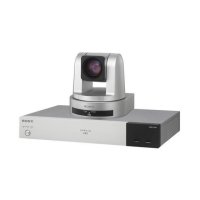
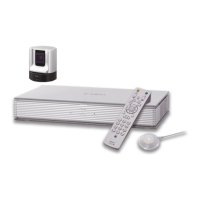
COMPACT CONFERENCE PACKAGE
PCS-1500
PCS-1500P
SERVICE MANUAL
Volume 1 1st Edition
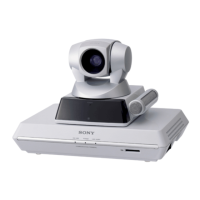
COMPACT PROCESSOR
PCS-P150/P150P
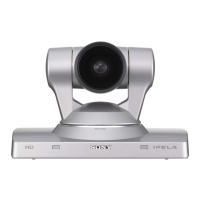
CAMERA UNIT
PCS-C150/C150P
REMOTE COMMANDER
PCS-R150
AC ADAPTOR
PCS-AC15
2BRI BOARD
PCS-I150
V.35 BOARD
PCS-I151
SONY UPGRADE KIT
PCS-UC150
Printed in Japan
Sony Corporation 1999. 9 16
Broadcasting & Professional Systems Company ©1999
PCS-1500 (UC)
PCS-1500P (CE) E
9-955-177-11

Table of Contents

Questions and Answers

  • A
    amonroeAug 19, 2025
    What to do if my Sony PCS-1500 Conference System picture is blurred?
    • H
      hgilbertAug 19, 2025
      If your Sony Conference System picture is blurred, consider these possible causes: * If manual focus is selected, adjust the focus. * If auto focus is selected, but the background is too bright, contrast is too high, or the participants’ clothes contain fine line patterns, select manual focus and adjust manually.
  • D
    Douglas WilsonAug 27, 2025
    What to do if my Sony Conference System shows no picture?
    • S
      sergio53Aug 27, 2025
      If your Sony Conference System shows no picture, consider these possible causes: * Ensure the selected picture source is turned on. * Verify the video input is selected properly using the INPUT buttons. * Confirm that the selected picture source is correctly connected to the system. * If you have installed an optional V.35 Board, make sure the system is connected to an ISDN outlet or a digital line outlet with the terminal adaptor.
  • S
    scharlesSep 3, 2025
    How to fix a Sony PCS-1500 that does not connect with a remote party?
    • J
      Jonathan YoungSep 3, 2025
      If your Sony Conference System does not connect with a remote party: * Ensure the terminal adapter is turned on, if you have installed an optional interface board. * Register the remote party in the system if they have not been registered yet.
  • D
    Daniel CrawfordNov 10, 2025
    Why is my Sony PCS-1500 Conference System not turning on or has no sound?
    • D
      Deborah MontgomeryNov 10, 2025
      If your Sony Conference System isn't turning on, has no sound, or the volume is very low, there could be several reasons: * Ensure the POWER switch is set to on. * Check the batteries in the Remote Commander and replace them if they are low or dead. * Verify that the CONF/DOC/TV selector is set to “CONF.” * Adjust the sound volume using the VOLUME/BRIGHT buttons on the Remote Commander. * Confirm that the remote party hasn't muted their sound. * Make sure the MIC SELECT is set properly according to the microphone being used. * Ensure the audio input is selected correctly with the AUDIO button. * Check that the selected picture source is turned on. * Verify the video input is selected properly using the INPUT buttons. * Confirm that the selected picture source is correc...

Sony PCS-1500 Specifications

General IconGeneral
BrandSony
ModelPCS-1500
CategoryConference System
LanguageEnglish

Related product manuals