7
GB
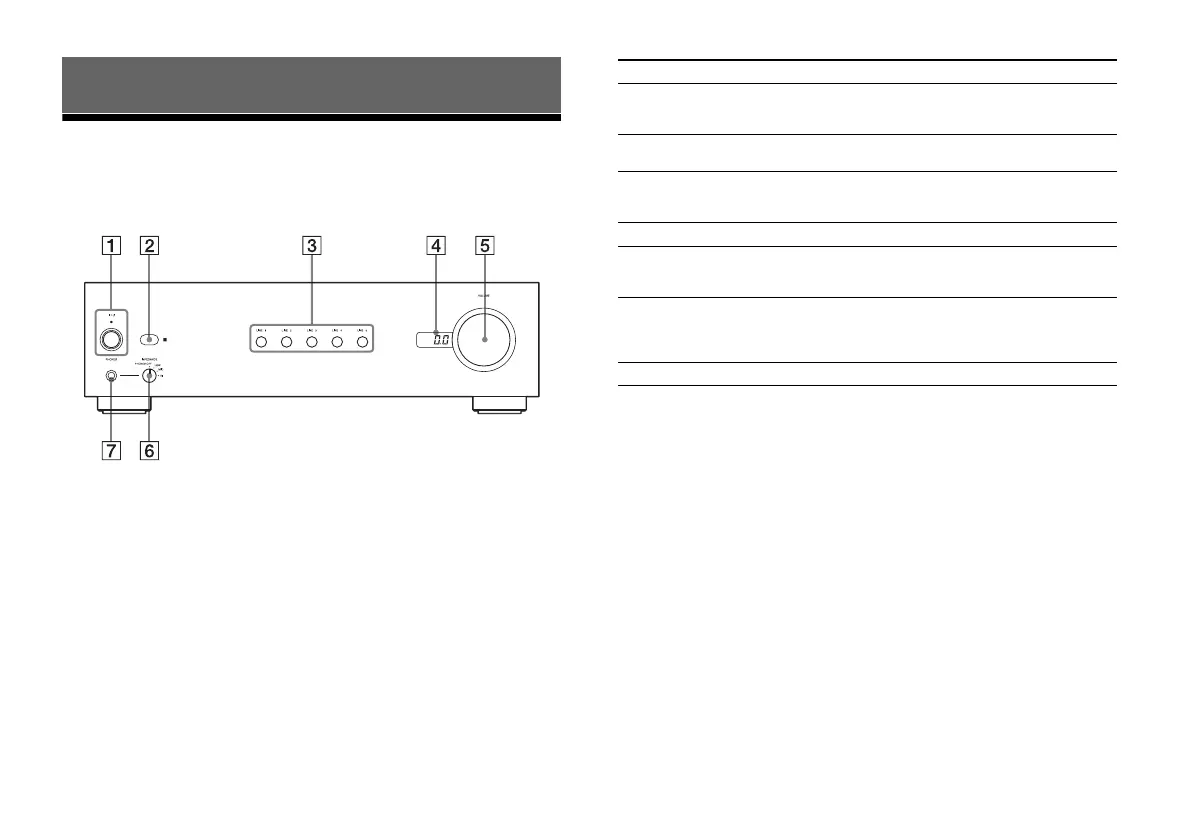
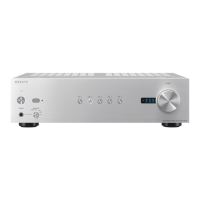
Front panel
Description and location of parts
Parts Functions
(On/Standby) button/
indicator
Turns on or off the amplifier (page 14).
The indicator lights up in green when
the amplifier is turned on.
Remote sensor Receives signals from the remote
control.
LINE 1/2/3/4/5 buttons Select an input source (page 16). The
circle around the button of an input
selected lights up.
VOLUME display Displays the volume level.
VOLUME dial Adjusts the volume level of speakers or
headphones (page 16). The level can be
adjusted from –∞ dB to 0 dB.
IMPEDANCE dial Set the dial to PHONES OFF to output
sound from speakers.
Set it to LOW, MID, or HI to output
sound from headphones (page 17).
PHONES jack Connects headphones.


 To Next Page