EasyManua.ls Logo

Sony TA-E741 - User Sound File Management; Storing Custom Sound Settings; Recalling Stored Sound Settings

Sony TA-E741
23 pages
Print Icon
To Next Page IconTo Next Page
To Previous Page IconTo Previous Page
Loading...
Filing
Your
Own
Sound
Field
Storing
an
Individual
Adjustment
—User
File
Recalling
a
Stored
Adjustment
in
User
File
You
can
store
a
combination
of
the
desired
surround
settings
and
an
equalizer
curve.
You
can
store
up
to
8
patterns
in
the
memory.
The
effects
which
can
be
stored
are
as
follows.
~
Equalizer
curve
~
Surround
mode
and
surround
ON/OFF
-
Super
woofer
ON/OFF
~
Delay
time
Center
level
Rear
level
Super
woofer
level
-
Phase
function
normal/reverse
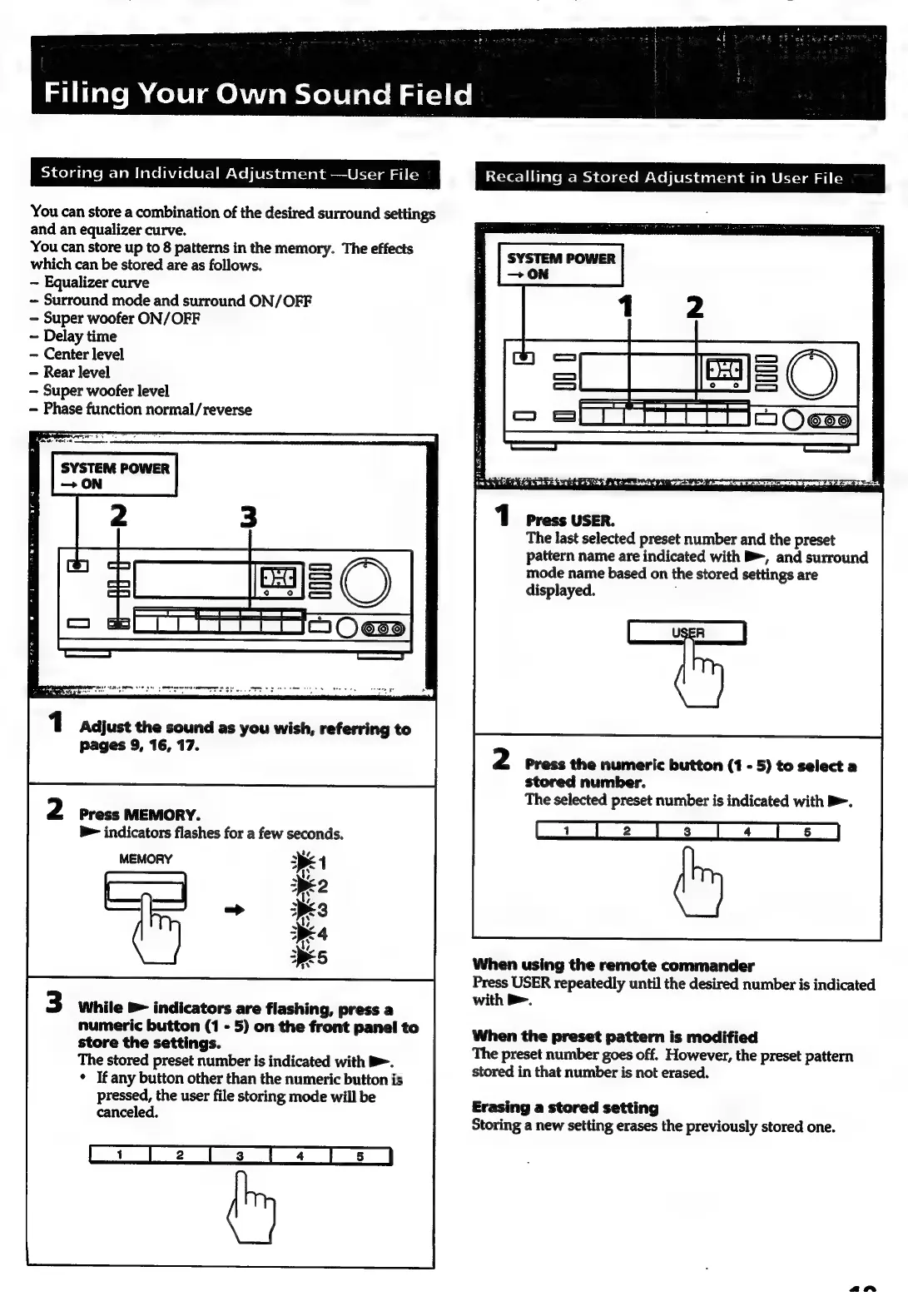
1
press
USER.
The
last
selected
preset
number
and
the
preset
pattern
name
are
indicated
with
B>,
and
surround
mode
name
based
on
the
stored
settings
are
displayed.
1
Adjust
the
sound
as
you
wish,
referring
to
pages
9,
16,
17.
Press
the
numeric
button
(1
-
5)
to
select
a
stored
number.
The
selected
preset
number
is
indicated
with
B>.
rider
weondand
thie
a
Te
VE
Va
a
b>
indicators
flashes
for
a
few
seconds.
*
Ae,
MEMORY
ee
1
pr
When
using
the
remote
commander
Press
USER
repeatedly
until
the
desired
number
is
indicated
with
B>.
While
®
indicators
are
flashing,
press
a
numeric
button
(1
-
5)
on
the
front
panel
to
store
the
settings.
The
stored
preset
number
is
indicated
with
B>.
*
If
any
button
other
than
the
numeric
button
is
pressed,
the
user
file
storing
mode
will
be
canceled,
When
the
preset
pattern
is
modified
The
preset
number
goes
off.
However,
the
preset
pattern
stored
in
that
number
is
not
erased.
Erasing
a
stored
setting
Storing
a
new
setting
erases
the
previously
stored
one.
an

Related product manuals