EasyManua.ls Logo

Sony TA-E741 - Adjusting the Sound; Adjusting Volume; Adjusting the Super Woofer Level; Adjusting Left and Right Sound Balance

Sony TA-E741
23 pages
Print Icon
To Next Page IconTo Next Page
To Previous Page IconTo Previous Page
Loading...
Listening
to/Watching
a
PAVoI
TUE
a
diate
Mtal-mlolelale,
@
Program
Source
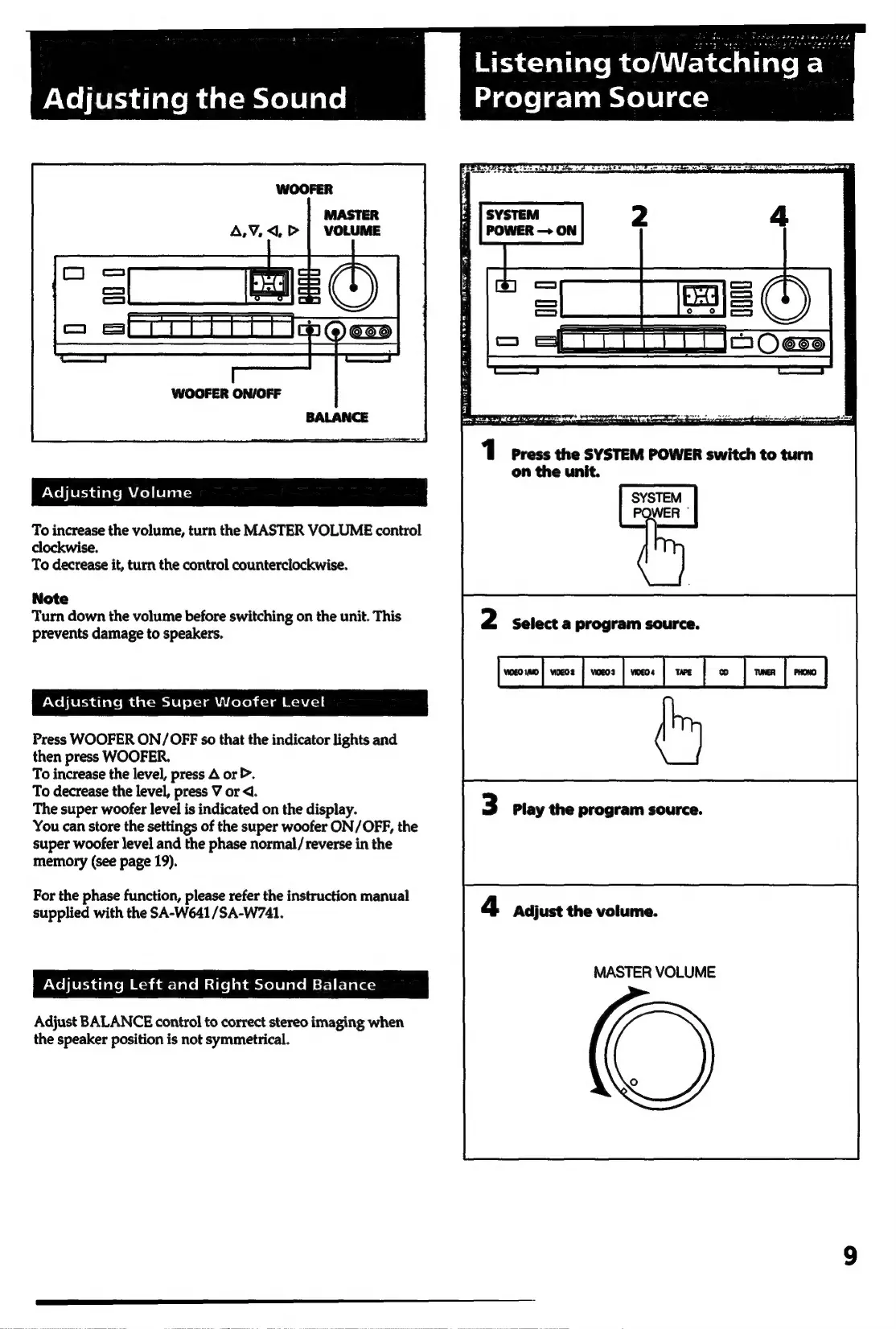
WOOFER
ON/OFF
1
Press
the
SYSTEM
POWER
switch
to
turn
on
the
unit.
rXoliersdlavem
cel
ieiialsy
To
increase
the
volume,
turn
the
MASTER
VOLUME
control
clockwise.
To
decrease
it,
turn
the
control
counterclockwise.
Note
Turn
down
the
volume
before
switching
on
the
unit.
This
prevents
damage
to
speakers.
2
Select
a
program
source.
Adjusting
the
Super
Woofer
Level
Press
WOOFER
ON/OFF
so
that
the
indicator
lights
and
then
press
WOOFER.
To
increase
the
level,
press
A
or
>.
To
decrease
the
level,
press
V
or
<d.
The
super
woofer
level
is
indicated
on
the
display.
You
can
store
the
settings
of
the
super
woofer
ON/OFF,
the
super
woofer
level
and
the
phase
normal/
reverse
in
the
memory
(see
page
19).
3
Play
the
program
source.
For
the
phase
function,
please
refer
the
instruction
manual
supplied
with
the
SA-W641/SA-W741.
4
Adjust
the
volume.
MASTER
VOLUME
rNelleridiatem
Moan
ar-laleMsilelat
amvole
late
sf-]
c]alaz
Adjust
BALANCE
control
to
correct
stereo
imaging
when
the
speaker
position
is
not
symmetrical.

Related product manuals