EasyManua.ls Logo

Sony TCD-D3 - Operational Buttons and Level Controls

Sony TCD-D3
35 pages
Print Icon
To Next Page IconTo Next Page
To Previous Page IconTo Previous Page
Loading...
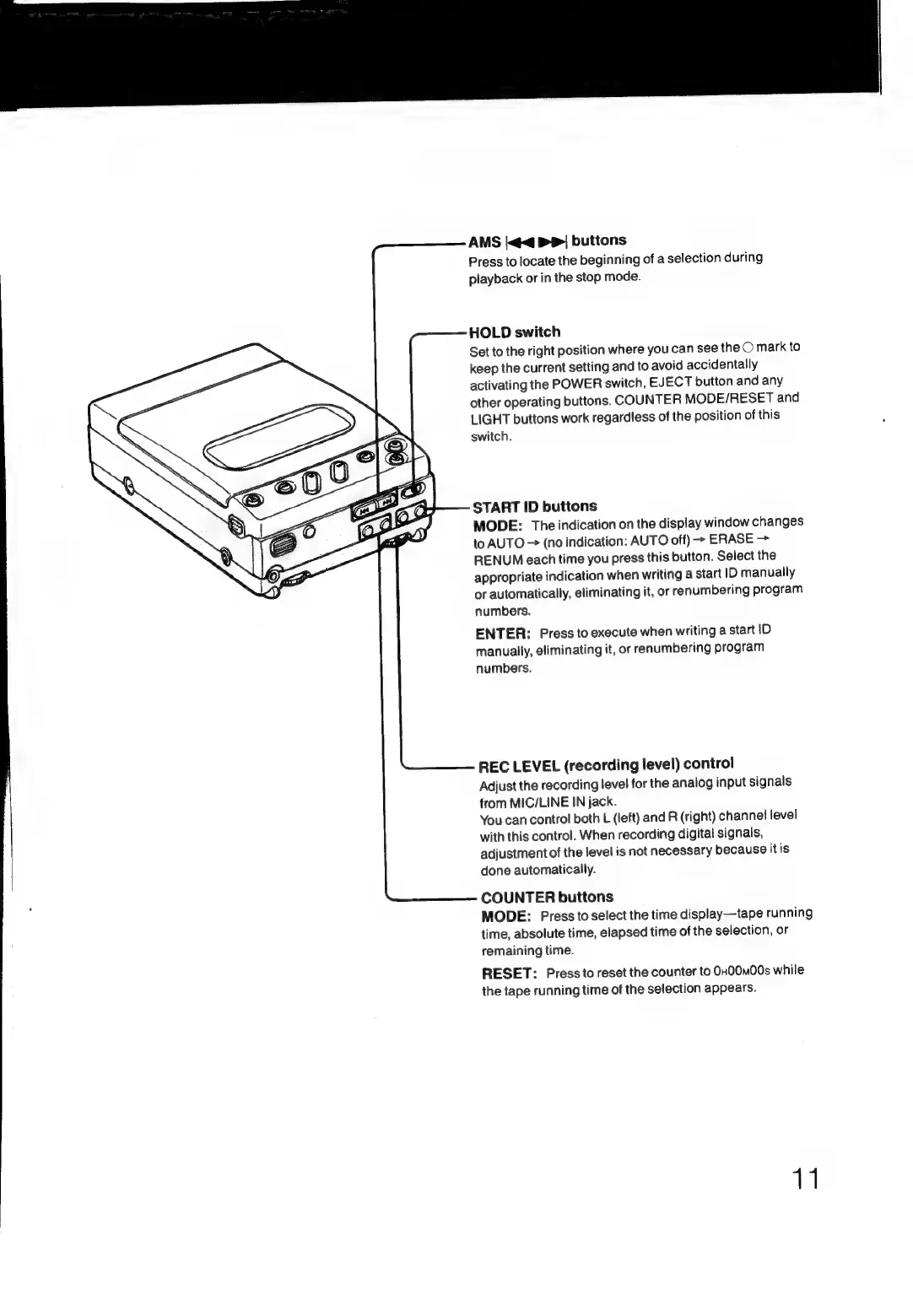
AMS
|<<
P|
buttons
Press
to
locate
the
beginning
of
a
selection
during
playback
or
in
the
stop
mode.
HOLD
switch
Set
to
the
right
position
where
you
can
see
the
O
mark
to
keep
the
current
setting
and
to
avoid
accidentally
activating
the
POWER
switch,
EJECT
button
and
any
other
operating
buttons.
COUNTER
MODE/RESET
and
LIGHT
buttons
work
regardless
of
the
position
of
this
switch.
START
ID
buttons
MODE:
The
indication
on
the
display
window
changes
to
AUTO
>
(no
indication:
AUTO
off)
>
ERASE
>
RENUM
each
time
you
press
this
button.
Select
the
appropriate
indication
when
writing
a
start
ID
manually
or
automatically,
eliminating
it,
or
renumbering
program
numbers.
ENTER:
Press
to
execute
when
writing
a
start
ID
manually,
eliminating
it,
or
renumbering
program
numbers.
REC
LEVEL
(recording
level)
control
Adjust
the
recording
level
for
the
analog
input
signals
from
MIC/LINE
IN
jack.
You
can
control
both
L
(left)
and
R
(right)
channel
level
with
this
control.
When
recording
digital
signals,
adjustment
of
the
level
is
not
necessary
because
itis
done
automatically.
COUNTER
buttons
MODE:
Press
to
select
the
time
display—tape
running
time,
absolute
time,
elapsed
time
of
the
selection,
or
remaining
time.
RESET:
Press
to
reset
the
counter
to
0H00m00s
while
the
tape
running
time
of
the
selection
appears.
11

Related product manuals