EasyManua.ls Logo

Sony TCD-D3 - Adjusting and Erasing Start IDs

Sony TCD-D3
35 pages
Print Icon
To Next Page IconTo Next Page
To Previous Page IconTo Previous Page
Loading...
Nice
to
Know
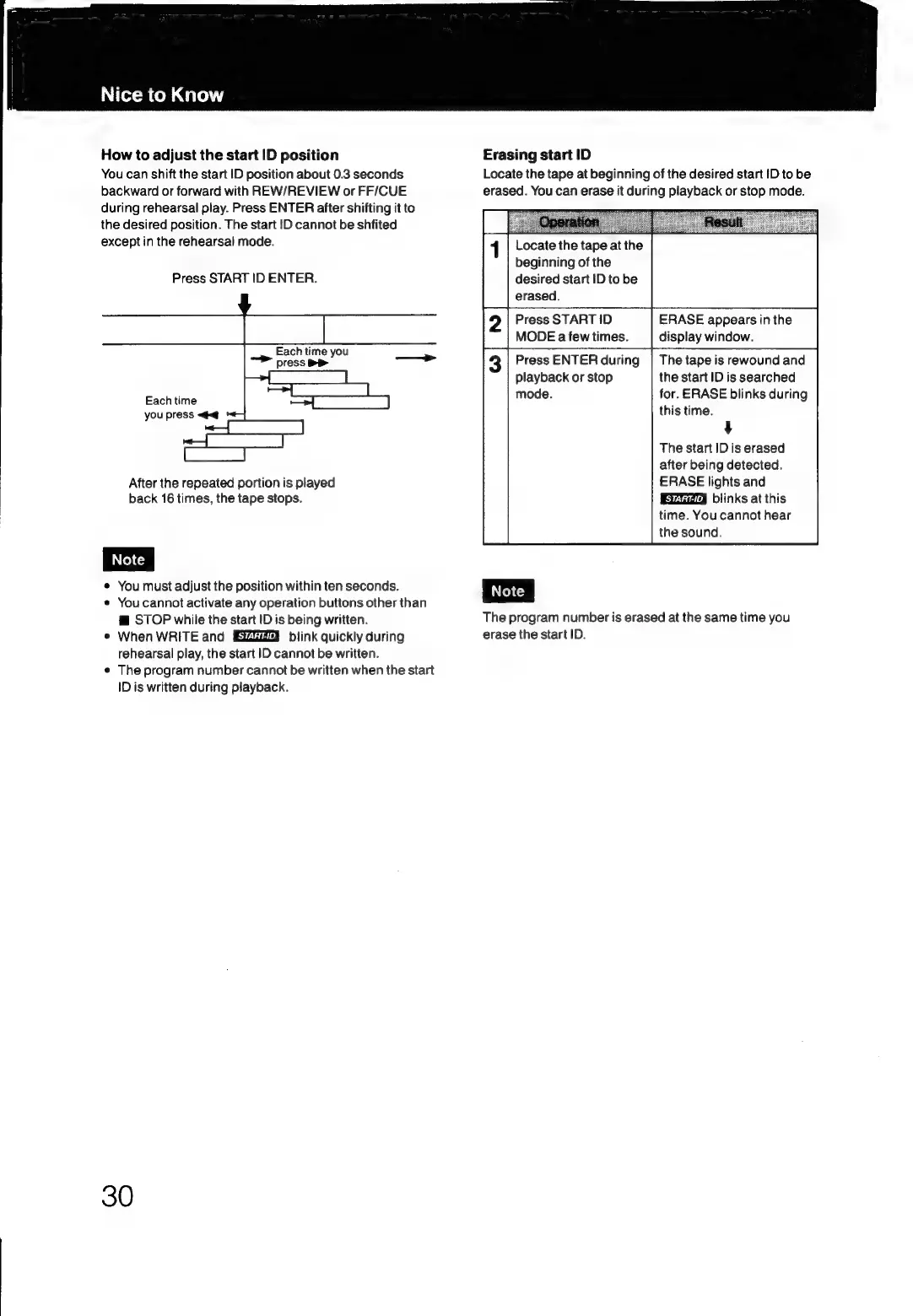
How
to
adjust
the
start
ID
position
You
can
shift
the
start
ID
position
about
0.3
seconds
backward
or
forward
with
REW/REVIEW
or
FF/CUE
during
rehearsal
play.
Press
ENTER
after
shifting
it
to
the
desired
position.
The
start
ID
cannot
be
shfited
except
in
the
rehearsal
mode.
Press
START
ID
ENTER.
Each
time
you
press
DP
Each
time
you
press
<#<@
After
the
repeated
portion
is
played
back
16
times,
the
tape
stops.
e
You
must
adjust
the
position
within
ten
seconds.
*
You
cannot
activate
any
operation
buttons
other
than
@
STOP
while
the
start
ID
is
being
written.
e
When
WRITE
and
blink
quickly
during
rehearsal
play,
the
start
ID
cannot
be
written.
¢
The
program
number
cannot
be
written
when
the
start
ID
is
written
during
playback.
30
Erasing
start
ID
Locate
the
tape
at
beginning
of
the
desired
start
ID
to
be
erased.
You
can
erase
it
during
playback
or
stop
mode.
Locate
the
tape
at
the
beginning
of
the
desired
start
ID
to
be
erased.
Press
START
ID
MODE
a
few
times.
ERASE
appears
in
the
display
window.
Press
ENTER
during
playback
or
stop
mode.
The
program
number
is
erased
at
the
same
time
you
erase
the
start
ID.
The
tape
is
rewound
and
the
start
ID
is
searched
for.
ERASE
blinks
during
this
time.
4
The
start
ID
is
erased
after
being
detected.
ERASE
lights
and
blinks
at
this
time.
You
cannot
hear
the
sound.

Related product manuals