EasyManua.ls Logo

Sony TCD-D3 - Display Window Indicators and Meters

Sony TCD-D3
35 pages
Print Icon
To Next Page IconTo Next Page
To Previous Page IconTo Previous Page
Loading...
Location
and
Function
of
Controls
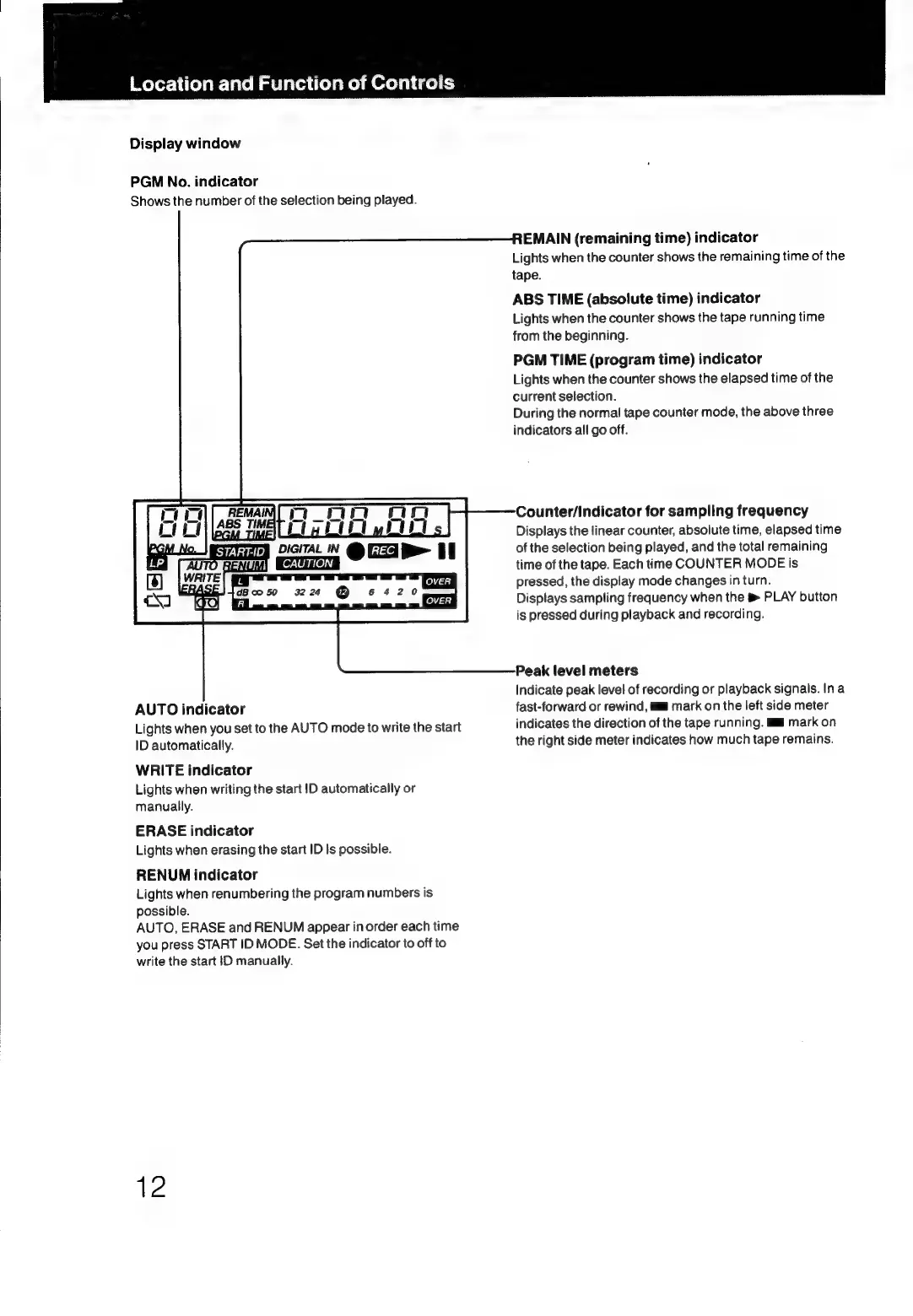
Display
window
PGM
No.
indicator
Shows
the
number
of
the
selection
being
played.
mono
oo
ianoywoen
DIGITAL
IN
cy
OHA
It
OVER
OVER
AUTO
indicator
Lights
when
you
set
to
the
AUTO
mode
to
write
the
start
ID
automatically.
WRITE
indicator
Lights
when
writing
the
start
1D
automatically
or
manually.
ERASE
indicator
Lights
when
erasing
the
start
ID
Is
possible.
RENUNM
indicator
Lights
when
renumbering
the
program
numbers
is
possible.
AUTO,
ERASE
and
RENUM
appear
in
order
each
time
you
press
START
ID
MODE.
Set
the
indicator
to
off
to
write
the
start
ID
manually.
12
REMAIN
(remaining
time)
indicator
Lights
when
the
counter
shows
the
remaining
time
of
the
tape.
ABS
TIME
(absolute
time)
indicator
Lights
when
the
counter
shows
the
tape
running
time
from
the
beginning.
PGM
TIME
(program
time)
indicator
Lights
when
the
counter
shows
the
elapsed
time
of
the
current
selection.
During
the
normal
tape
counter
mode,
the
above
three
indicators
all
go
off.
Counter/indicator
for
sampling
frequency
Displays
the
linear
counter,
absolute
time,
elapsed
time
of
the
selection
being
played,
and
the
total
remaining
time
of
the
tape.
Each
time
COUNTER
MODE
is
pressed,
the
display
mode
changes
in
turn.
Displays
sampling
frequency
when
the
PLAY
button
is
pressed
during
playback
and
recording.
Peak
level
meters
Indicate
peak
level
of
recording
or
playback
signals.
Ina
fast-forward
or
rewind,
ml
mark
on
the
left
side
meter
indicates
the
direction
of
the
tape
running.
ml
mark
on
the
right
side
meter
indicates
how
much
tape
remains.

Related product manuals