CPD-G500
– 3 –
This monitor is equipped with a self-diagnosis function. If there is
a problem with your monitor or computer(s), the screen will go
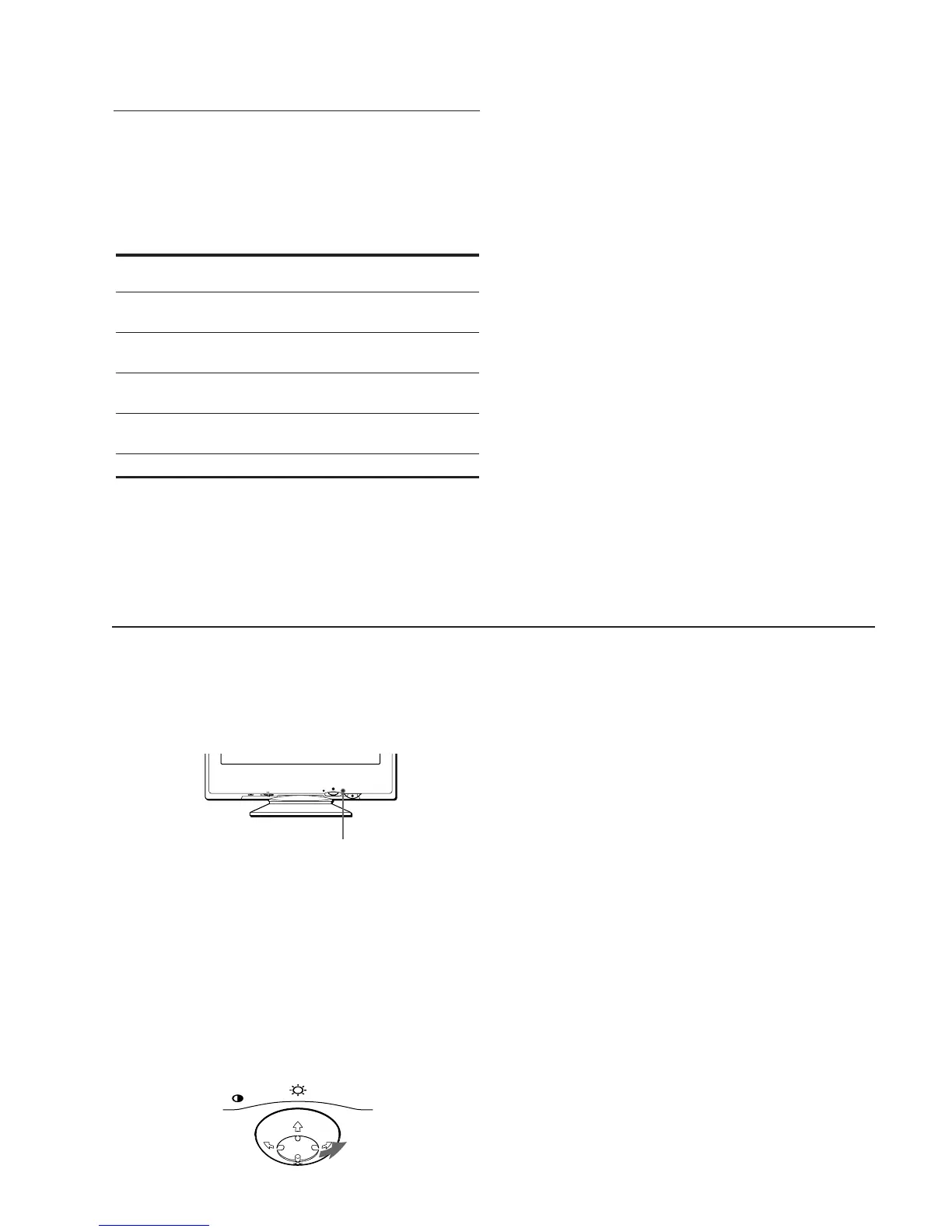
blank and the 1 (power) indicator will either light up green or
flash orange. If the 1 (power) indicator is lit in orange, the
computer is in power saving mode. Try pressing any key on the
keyboard.
If the 1 (power) indicator is green
1
Remove any plugs from the video input 1 and 2
connectors, or turn off the connected computer(s).
2
Press the 1 (power) button twice to turn the monitor
off and then on.
3
Move the control button , for 2 seconds before the
monitor enters power saving mode.
If all four color bars appear (white, red, green, blue), the monitor
is working properly. Reconnect the video input cables and check
the condition of your computer(s).
If the color bars do not appear, there is a potential monitor failure.
Inform your authorized Sony dealer of the monitor’s condition.
If the 1 (power) indicator is flashing orange
Press the 1 (power) button twice to turn the monitor off
and then on.
If the 1 (power) indicator lights up green, the monitor is working
properly.
If the 1 (power) indicator is still flashing, there is a potential
monitor failure. Count the number of seconds between orange
flashes of the 1 (power) indicator and inform your authorized
Sony dealer of the monitor’s condition. Be sure to note the model
name and serial number of your monitor. Also note the make and
model of your computer and video board.
MENU
RESET INPUTHD15 BNC
1 (power) indicator
MENU
Power saving function
This monitor meets the power-saving guidelines set by VESA,
E
NERGY
S
TAR, and NUTEK. If the monitor is connected to a
computer or video graphics board that is DPMS (Display Power
Management Signaling) compliant, the monitor will automatically
reduce power consumption in three stages as shown below
.
* “Sleep” and “deep sleep” are power saving modes defined by the
Environmental Protection Agency.
** When your computer enters a power saving mode, the input signal is
cut and NO INPUT SIGNAL appears on the screen. After a few
seconds, the monitor enters a power saving mode.
Power mode Power consumption 1 (power)
indicator
normal
operation
≤ 145 W green
1 standby ≤ 100 W green and orange
alternate
2 suspend
(sleep)*
≤ 15 W green and orange
alternate
3 active off**
(deep sleep)*
Approx. 1 W orange
power off 0 W off
DIAGNOSIS







 To Next Page