EasyManua.ls Logo

Sony TRINITRON KV-21PM2 - Focus; Screen (G2) and White Balance; Setting the Service Adjustment Mode; White Balance Adjustments

Sony TRINITRON KV-21PM2
39 pages
Print Icon
To Next Page IconTo Next Page
To Previous Page IconTo Previous Page
Loading...
KV-21PS2/21RS22C/21RS50/21RS50C/21SD2
(RM-Y145)
KV-21PM2/21R22/21R22C/21RD2
(RM-Y146)
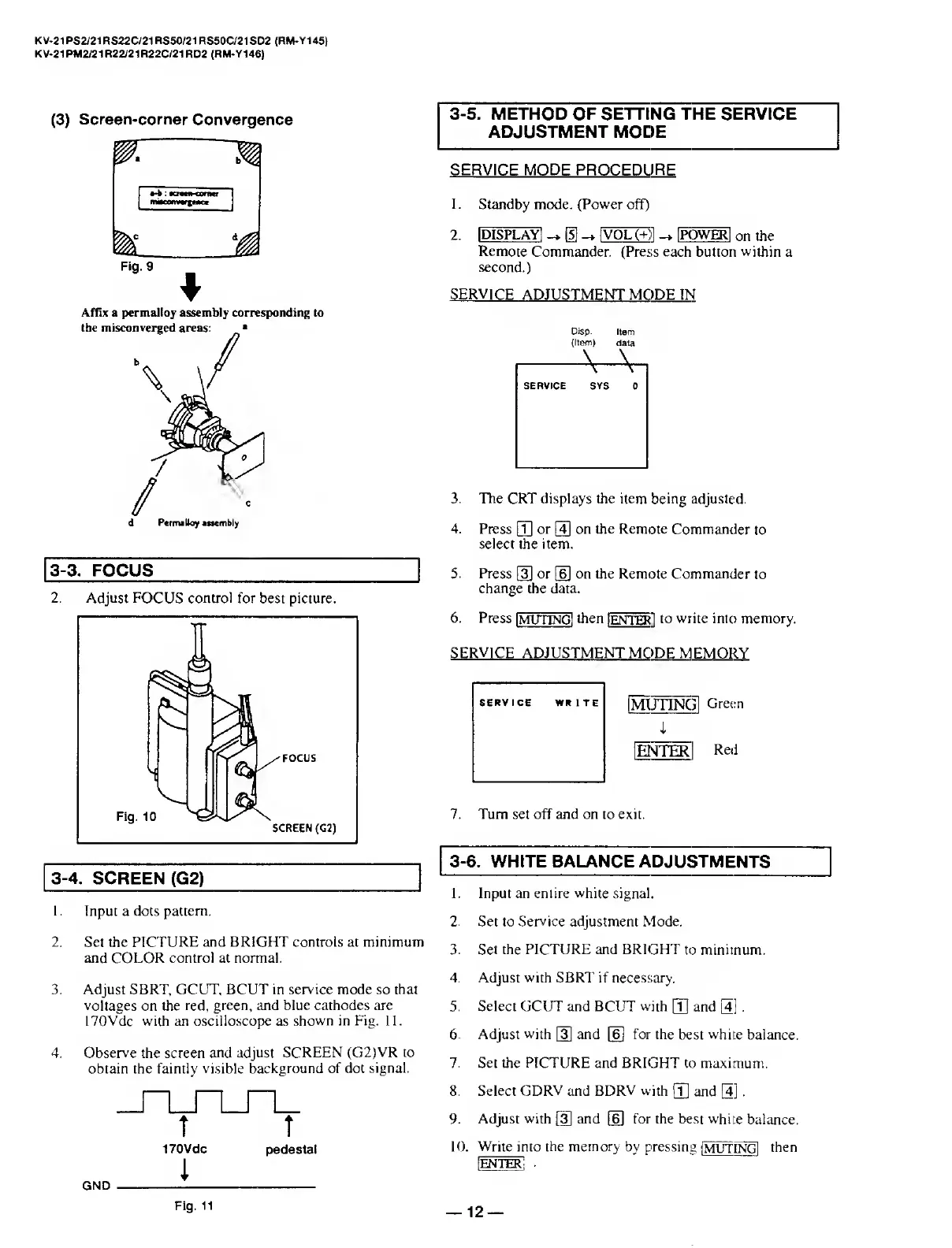
(3)
Screen-corner
Convergence
Affix
a
permalloy
assembly
corresponding
to
3-3.
FOCUS
_
2.
A
djust
FOCUS
control
for
best
picture.
3-4.
SCREEN
(G2)
1.
Input
a
dots
pattern.
2.
Set
the
PICTURE
and
BRIGHT
controls
at
minimum
and
COLOR
control
at
normal.
3.
Adjust
SBRT,
GCUT,
BCUT
in
service
mode
so
that
voltages
on
the
red,
green,
and
blue
cathodes
are
170Vdc
with
an
oscilloscope
as
shown
in
Fig.
11.
4.
Observe
the
screen
and
adjust
SCREEN
(G2)VR
to
obtain
the
faintly
visible
background
of
dot
signal.
t
T
170Vdc
pedestal
GND
----
3-5.
METHOD
OF
SETTING
THE
SERVICE
ADJUSTMENT
MODE
SERVICE
MODE
PROCEDURE
1.
Standby
mode.
(Power
off)
2.
IDISPLAYI
@
|VOL(+)l
-*
IPOWERI
on
the
Remote
Commander.
(Press
each
button
within
a
second.)
SERVICE
ADJUSTMENT
MODE
IN
Disp
Item
(Item)
data
-A-V,
SERVICE
SYS
0
3.
The
CRT
displays
the
item
being
adjusted.
4.
Press
[T)
or
g]
on
the
Remote
Commander
to
select
the
item.
5.
Press
[3]
or
[§]
on
the
Remote
Commander
to
change
the
data.
6.
Press
IMUTINGI
then
jENTER]
to
write
into
memory.
SERVICE
ADJUSTMENT
MODE
MEMORY
[MtJTINCil
Green
i
[ENTER!
Red
7.
T
urn
set
off
and
on
to
exit.
3-6.
WHITE
BALANCE
A
DJUSTMENTS
1.
Input
an
entire
white
signal.
2.
Set
to
Service
adjustment
Mode.
3.
Set
the
PICTURE
and
BRIGHT
to
minimum.
4.
Adjust
with
SBRT
if
necessary.
5.
Select
GCUT
and
BCUT
with
[T|
and
g]
.
6.
Adjust
with
and
[6)
for
the
best
white
balance.
7.
Set
the
PICTURE
and
BRIGHT
to
maximum.
8.
Select
GDRV
and
BDRV
with
\T\
and
g].
9.
Adjust
with
[3]
and
[6]
for
the
best
white
balance.
10.
Write
into
the
memory
by
pressing
[MUT
INGl
then
[ENTER;
SERVICE
WRITE
Fig.11
12

Related product manuals