EasyManua.ls Logo

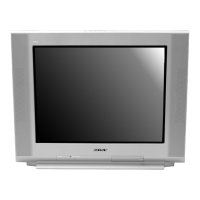
Sony Trinitron KV-29FA310 - User Manual

Sony Trinitron KV-29FA310
120 pages
Print Icon
To Next Page IconTo Next Page
Loading...
TRINITRON
®
COLOR TELEVISION
SERVICE MANUAL
BA-6
CHASSIS
MODEL NAME REMOTE COMMANDER DESTINATION CHASSIS NO.
9-965-960-01
KV-27FS120
RM-Y195 US SCC-S61N-A
KV-27FS120
RM-Y195 CANADA SCC-S59J-A
KV-29FA310
RM-Y180 LATIN NORTH SCC-S60V-A
KV-29FA310
RM-Y180 LATIN SOUTH SCC-S60W-A
KV-29FS120
RM-Y195 LATIN NORTH SCC-S73D-A
KV-29FS120
RM-Y195 LATIN SOUTH SCC-S73E-A
HISTORY INFORMATION FOR THE FOLLOWING MANUAL:
ORIGINAL MANUAL ISSUE DATE: 3/2004
REVISION DATE SUBJECT
3/2004 No revisions or updates are applicable at this time.

Table of Contents

Questions and Answers

  • T
    Thomas MyersSep 4, 2025
    Why can't my Sony Trinitron KV-29FA310 receive higher number channels (UHF) with an antenna?
    • E
      Elizabeth KiddSep 4, 2025
      If your Sony TV isn't receiving higher number channels (UHF) when using an antenna, make sure the Cable setting is set to Off in the Channel menu. You may also need to perform Auto Program to add channels not currently in the memory.
  • B
    Brittney OwensSep 18, 2025
    What to do if there is a black box on the screen of my Sony TV?
    • L
      Laurie LynchSep 18, 2025
      If your Sony TV displays a black box on the screen, you may have selected a text option in the Setup menu when no text is available. To disable this, select Off in the Caption Vision option. If you intended to use closed captioning, select CC1-4 instead of Text1-4.
  • S
    Samuel PalmerSep 16, 2025
    How to adjust color on Sony TV?
    • K
      Kathryn AllisonSep 16, 2025
      If your Sony TV doesn't display color, adjust the Color setting in the Video menu.
  • S
    susangriffinSep 14, 2025
    What to do if I lost parental password on Sony TV?
    • M
      Maria JohnsonSep 14, 2025
      If you've lost the parental password for your Sony TV, enter the following master password in the password screen: 4357. After using this master password, it's important to create a new, personal password. Note that the master password cannot unlock channels that are currently blocked.
  • M
    misty17Sep 13, 2025
    Why does my Sony TV have double images or ghosts?
    • T
      Timothy GreeneSep 13, 2025
      If you're seeing double images or ghosts on your Sony TV, check your outdoor antenna or contact your cable service provider.
  • B
    Bryan HillSep 12, 2025
    What to do if my Sony TV won't turn on after a blackout and the timer LED is flashing?
    • W
      Whitney HuffSep 12, 2025
      If your Sony TV was affected by a blackout or power outage and now won't turn on with a flashing timer LED, press the POWER button on your remote control or on the TV's front panel.
  • V
    Veronica RodriguezSep 9, 2025
    Why does my Sony TV have dotted lines or stripes?
    • D
      donnaarmstrongSep 9, 2025
      If your Sony TV has dotted lines or stripes on the screen, try adjusting the antenna. Also, move the TV away from other electronic equipment, as they can create electrical noise that interferes with TV reception.
  • L
    lesliearmstrongSep 7, 2025
    Why cable stations don’t seem to work on my Sony TV?
    • C
      colemanamberSep 7, 2025
      If your Sony TV doesn't seem to be picking up cable stations, ensure that the Cable setting is set to On in the Channel menu. If needed, perform Auto Program to add any channels that aren't currently stored in the memory.
  • C
    Christy HughesSep 5, 2025
    Why is there low or no audio on my Sony Trinitron KV-29FA310 with cable box?
    • L
      Lisa DanielsSep 6, 2025
      If you are experiencing low or no audio with your Sony TV and cable box, some cable boxes have their own volume controls. Check your cable box or its remote for volume settings.
  • N
    Nancy KellerAug 21, 2025
    How to factory reset Sony Trinitron KV-29FA310 TV?
    • A
      Alison SmithAug 21, 2025
      To reset your Sony TV to its original factory settings, turn on the TV. Then, while pressing and holding the RESET button on the remote control, also press the POWER button located on the TV's front panel. The TV will power off and then turn back on. Once it restarts, release the RESET button.

Sony Trinitron KV-29FA310 Specifications

General IconGeneral
BrandSony
ModelTrinitron KV-29FA310
CategoryTV
LanguageEnglish

Related product manuals