EasyManua.ls Logo

Sony TRINITRON KV-M2140B - 1-4. Picture and Sound Adjustments

Sony TRINITRON KV-M2140B
48 pages
Print Icon
To Next Page IconTo Next Page
To Previous Page IconTo Previous Page
Loading...
1-4.
PICTURE
AND
SOUND
ADJUSTMENTS
@
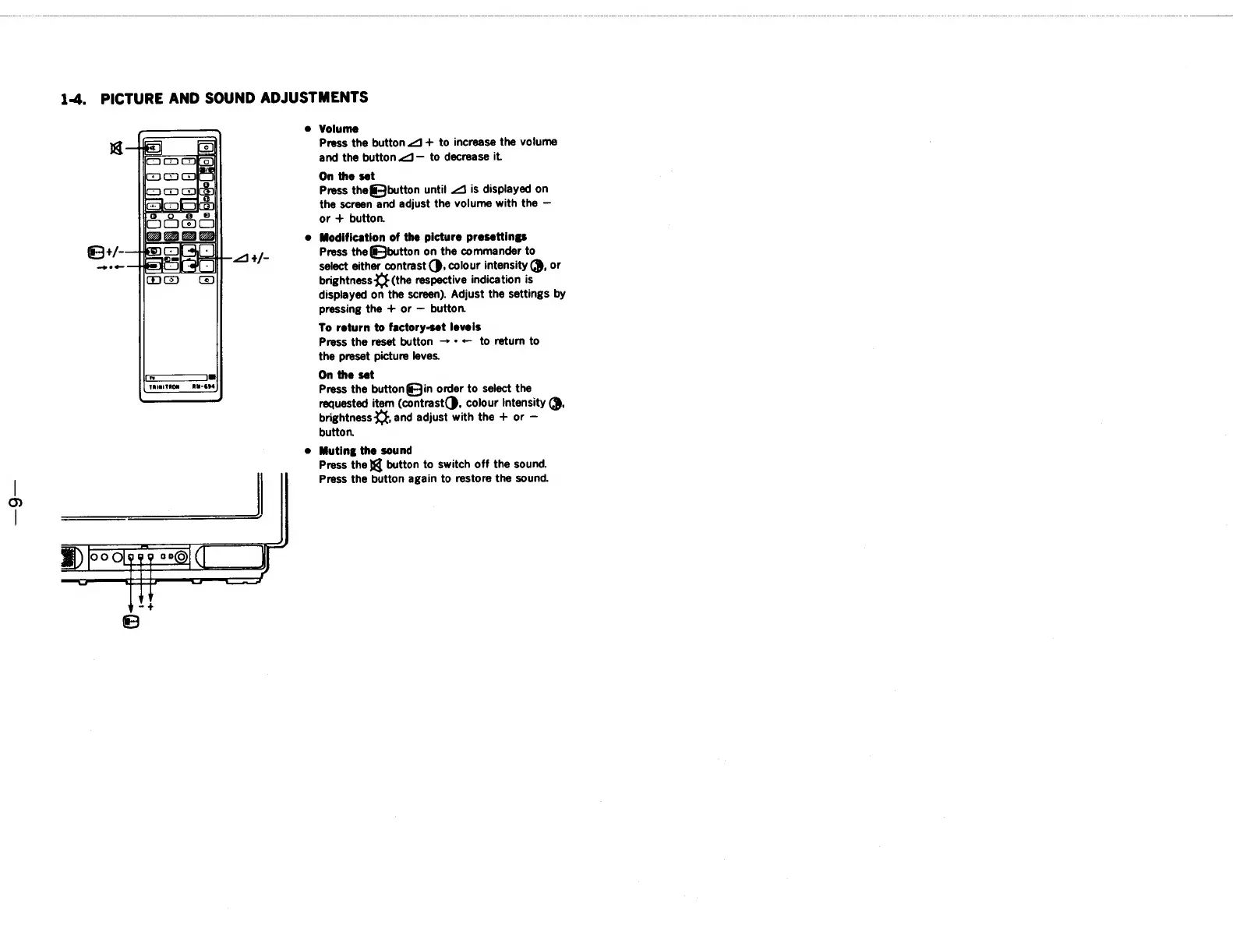
Volume
Press
the
button
J
+
to
increase
the
volume
and
the
button
<J—
to
decrease
it.
On
the
set
Press
thefi-jbutton
until
J
is
displayed
on
the
screen
and
adjust
the
volume
with
the
or
+
button.
@
Modification
of
the
picture
presettings
Press
the
&Jbutton
on
the
commander
to
select
either
contrast
(},
colour
intensity
@,
or
brightness
(the
respective
indication
is
displayed
on
the
screen).
Adjust
the
settings
by
pressing
the
+
or
button.
To
return
to
factory-set
leveis
Press
the
reset
button
*
+
to
return
to
the
preset
picture
leves.
On
the
set
Press
the
button@Jin
order
to
select
the
requested
item
(contrast(},
colour
Intensity
@,
brightness
Lf,
and
adjust
with
the
+
or
button.
e@
Muting
the
sound
Press
the
}@
button
to
switch
off
the
sound.
Press
the
button
again
to
restore
the
sound.
Ld
RM-694
TAINITRON

Related product manuals