35Additional Information
231
564
897
0
ENTER
JUMP
MUTING
MTS VIDEO
PIC
MODE
TV/VIDEO FREEZE SWAP PIP
TV
DISPLAY POWER
CHVOL
MENU
FAVORITE
SURROUND
AUTO PROGR ADD/ERASECABLE
WAKE UP
SOUND
MODE
TV
PIP CH
PIP CH
SLEEP
PageButton
Function
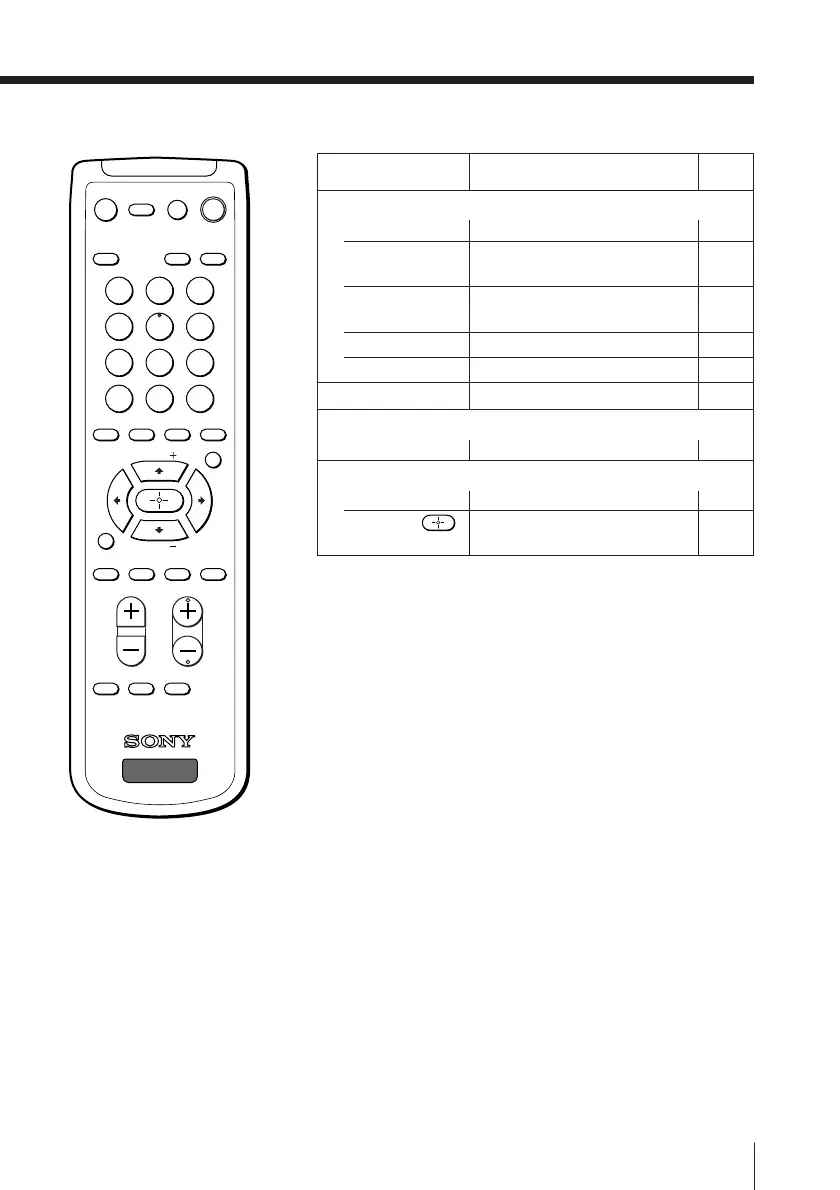
PIP operations
PIP
V (PIP CH +),
v (PIP CH –)
TV/VIDEO
SWAP
FREEZE
SURROUND
Stereo/bilingual operations
MTS
Menu operations
MENU
V, v, B, b,
Display the PIP screen. 14
Change program in PIP 15
picture.
Select video input for PIP 15
picture.
Swap main and PIP picture. 15
Freeze PIP screen. 15
Select surround mode. 16
Select stereo/bilingual mode. 17
Display the menu. 19
Select, adjust and confirm 19
selected items.



 To Next Page