11 (GB)
Submenu Setting
LANGUAGE You can select the desired language for the
menus or messages from the following
language options.
: Japanese
ENGLISH: English
DEUTSCH: German
FRANÇAIS: French
ITALIANO: Italian
ESPAÑOL: Spanish
Using the Last Control Function
If you press the M/+ or m/– button when the menu is
not displayed, one of the following menu items that
you adjusted last time is displayed.
•VOLUME
•CONTRAST
•BRIGHT
•CHROMA
•PHASE
Then you can adjust the item immediately.
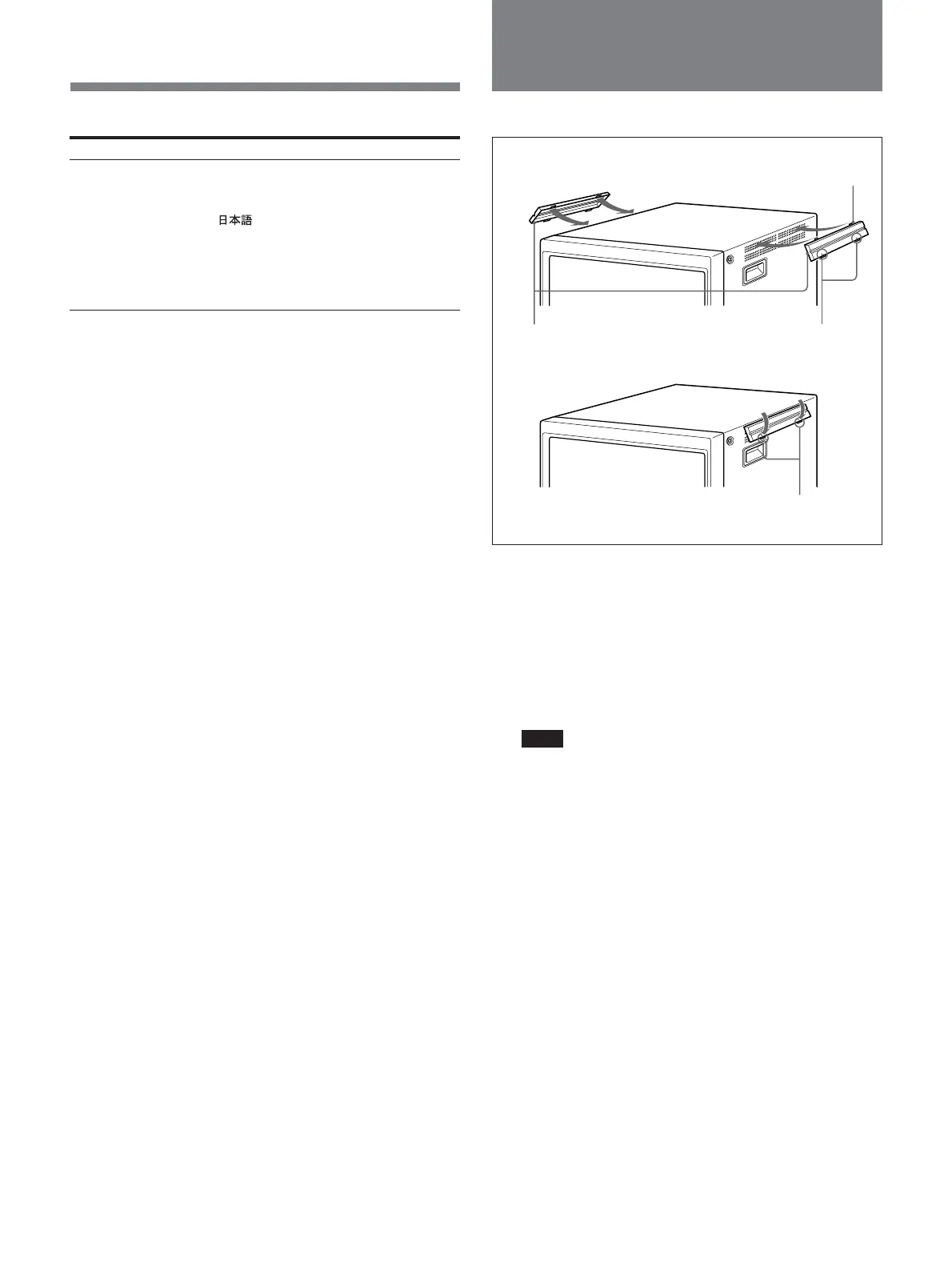
In order to protect the ventilation holes from splashes
from medicines, etc., attach the supplied side covers as
illustrated.
1 Hook the tabs on the upper edge into the
ventilation holes, making sure that the arrows on
the cover are facing down.
Note
Attach the side covers on all ventilation holes.
2 Push up the tabs on the bottom edge and fit the
cover into the lowest ventilation holes.
Attach covers on both left and right vents.
2
Side covers
1
Tabs on the upper edge
Arrows
Tabs on the
bottom edge
Attaching the Side
Covers









 To Next Page