EasyManua.ls Logo

Sony TRINITRON PVM-20N1E - Page 11

Sony TRINITRON PVM-20N1E
15 pages
Print Icon
To Next Page IconTo Next Page
To Previous Page IconTo Previous Page
Loading...
1
bl
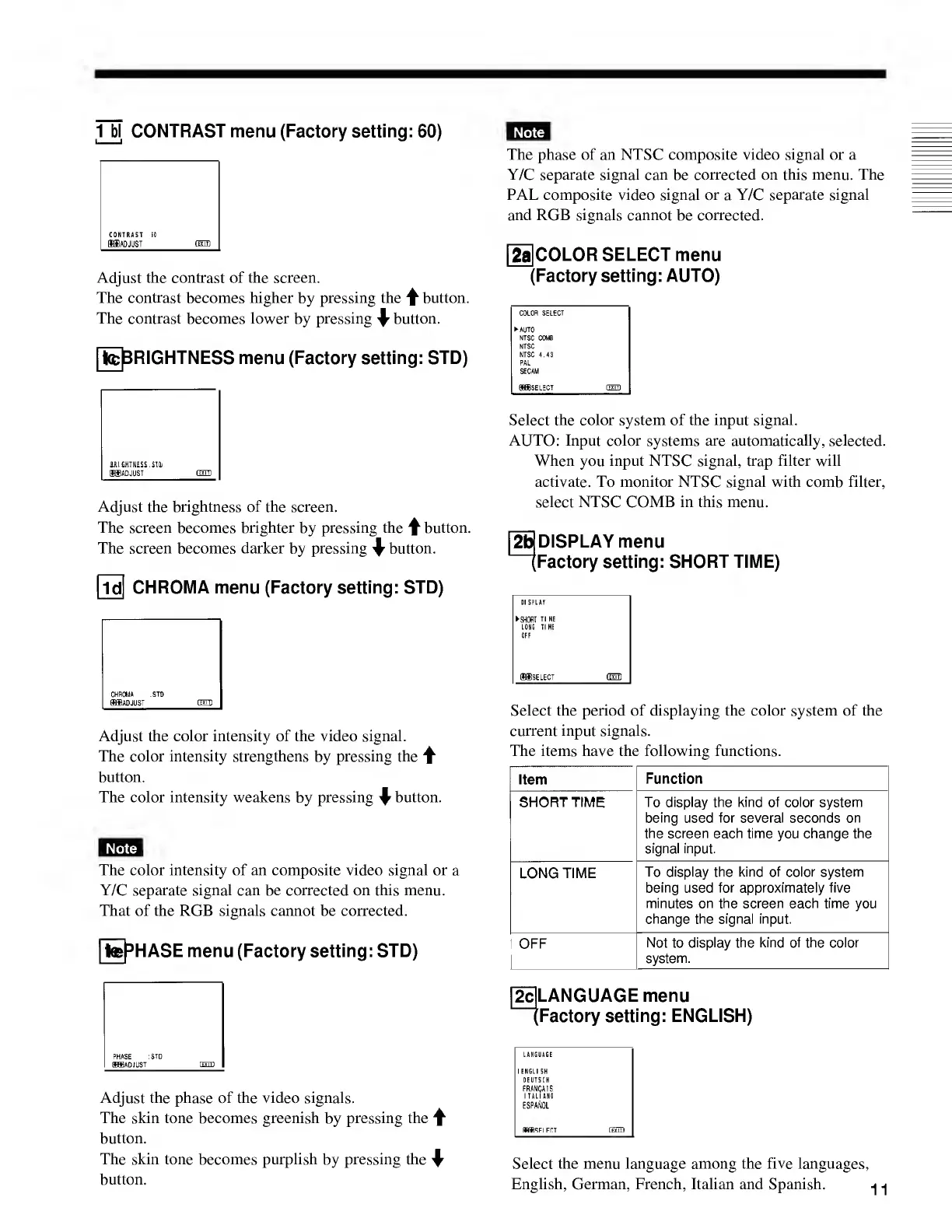
CONTRAST
menu
(Factory
setting:
60)
CONTRAST
60
fflffiAD
JUST
GED
Adjust
the
contrast
of
the
screen.
The
contrast
becomes
higher
by
pressing
the
f
button.
The
contrast
becomes
lower
by
pressing
^
button.
[tefeRIGHTNESS
menu
(Factory
setting:
STD)
BRIGHTNESS.
SI
Qj
IffiADJUST
fcTTTl
Adjust
the
brightness
of
the
screen.
The
screen
becomes
brighter
by
pressing
the
^
button.
The
screen
becomes
darker
by
pressing
^
button.
[ld[
CHROMA
menu
(Factory
setting:
STD)
CHROMA
:STD
®ffi
ADJUST
fHTD
Adjust
the
color
intensity
of
the
video
signal.
The
color
intensity
strengthens
by
pressing
the
f
button.
The
color
intensity
weakens
by
pressing
\
button.
The
color
intensity
of
an
composite
video
signal
or
a
Y/C
separate
signal
can
be
corrected
on
this
menu.
That
of
the
RGB
signals
cannot
be
corrected.
[te^HASE
menu
(Factory
setting:
STD)
PHASE
:STD
(89)
ADJUST
dm)
Adjust
the
phase
of
the
video
signals.
The
skin
tone
becomes
greenish
by
pressing
the
f
button.
The
skin
tone
becomes
purplish
by
pressing
the
^
button.
The
phase
of
an
NTSC
composite
video
signal
or
a
Y/C
separate
signal
can
be
corrected
on
this
menu.
The
PAL
composite
video
signal
or
a
Y/C
separate
signal
and
RGB
signals
cannot
be
corrected.
[2a]COLOR
SELECT
menu
(Factory
setting:
AUTO)
COLOR
SELECT
AUTO
NTSC
COMB
NTSC
NTSC
4.43
PAL
SECAM
fflfflSELECT
dm)
Select
the
color
system
of
the
input
signal.
AUTO:
Input
color
systems
are
automatically,
selected.
When
you
input
NTSC
signal,
trap
filter
will
activate.
To
monitor
NTSC
signal
with
comb
filter,
select
NTSC
COMB
in
this
menu.
DISPLAY
menu
Factory
setting:
SHORT
TIME)
Select
the
period
of
displaying
the
color
system
of
the
current
input
signals.
The
items
have
the
following
functions.
Item
Function
SHORT
TIME
To
display
the
kind
of
color
system
being
used
for
several
seconds
on
the
screen
each
time
you
change
the
signal
input.
LONG
TIME
To
display
the
kind
of
color
system
being
used
for
approximately
five
minutes
on
the
screen
each
time
you
change
the
signal
input.
OFF
Not
to
display
the
kind
of
the
color
system.
LANGUAGE
menu
factory
setting:
ENGLISH)
Select
the
menu
language
among
the
five
languages,
English,
German,
French,
Italian
and
Spanish.

Related product manuals