EasyManua.ls Logo

Sony TRINITRON PVM-20N1E - Location and Function of Parts and Controls.5; Front

Sony TRINITRON PVM-20N1E
15 pages
Print Icon
To Next Page IconTo Next Page
To Previous Page IconTo Previous Page
Loading...
Location
and
Function
of
Parts
and
Controls
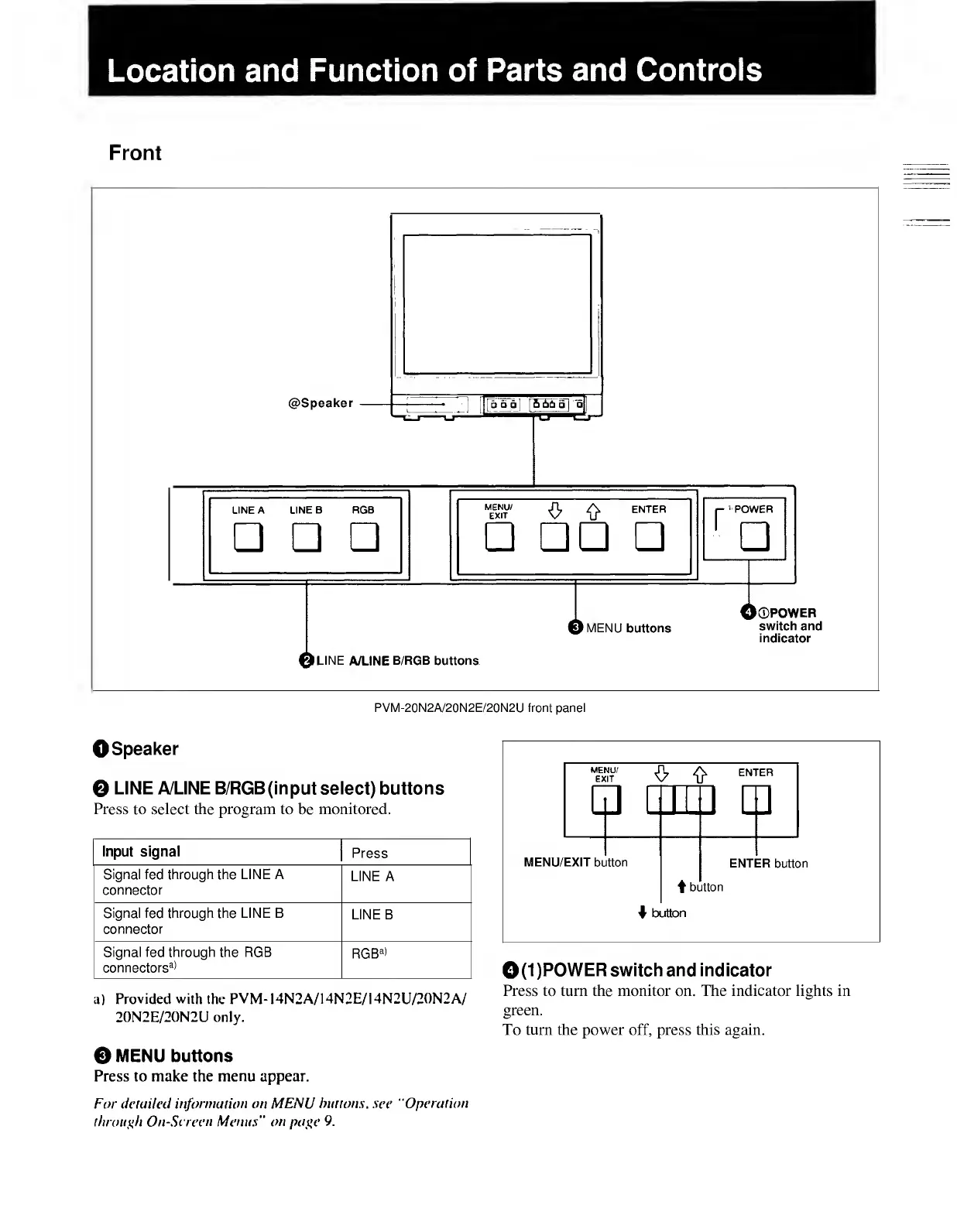
Front
PVM-20N2A/20N2E/20N2U
front
panel
0(1)POWER
switch
and
indicator
a)
Provided
with
the
PVM-
I4N2A/14N2E/I4N2U/20N2A/
Press
to
turn
the
monitor
on
The
indicator
H
§
hts
in
20N2E/20N2U
only.
§
reen
-
To
turn
the
power
off,
press
this
again.
0
MENU
buttons
Press
to
make
the
menu
appear.
For
detailed
information
on
MENU
burtons,
see
"Operation
through
On-Screen
Menus"
on
page
9.
0Speaker
Q
LINE
A/LINE
B/RGB
(input
select)
buttons
Press
to
select
the
program
to
be
monitored.
Input
signal
Press
Signal
fed
through
the
LINE
A
connector
LINE
A
Signal
fed
through
the
LINE
B
connector
LINE
B
Signal
fed
through
the
RGB
connectors
3
*
RGB
3
*

Related product manuals