[rn DEGAUSS button
Press to demagnetize the screen. Wait for 10 minutes or
more before activating this feature again. The same
interval is needed after turning on the monitor.
Irr] CH +/- buttons
(Cannot use these buttons with the monitor.)
B]J VOL +/- buttons
Press to obtain the desired volume.
jj]j APERTURE +/- buttons
Press the+ button for more sharpness or the - button for
less sharpness. (This adjustment has no effect on the
pictures of RGB signals.)
l2Q] PHASE +/- buttons
Press the + button to make the skin tones greenish or the
- button to make them purplish. (NTSC signal only)
lg1] CHROMA +/- buttons
Press the+ button to increase the color intensity and the
- button to decrease it. (This adjustment has no effect on
the pictures of RGB signals.)
Power sources
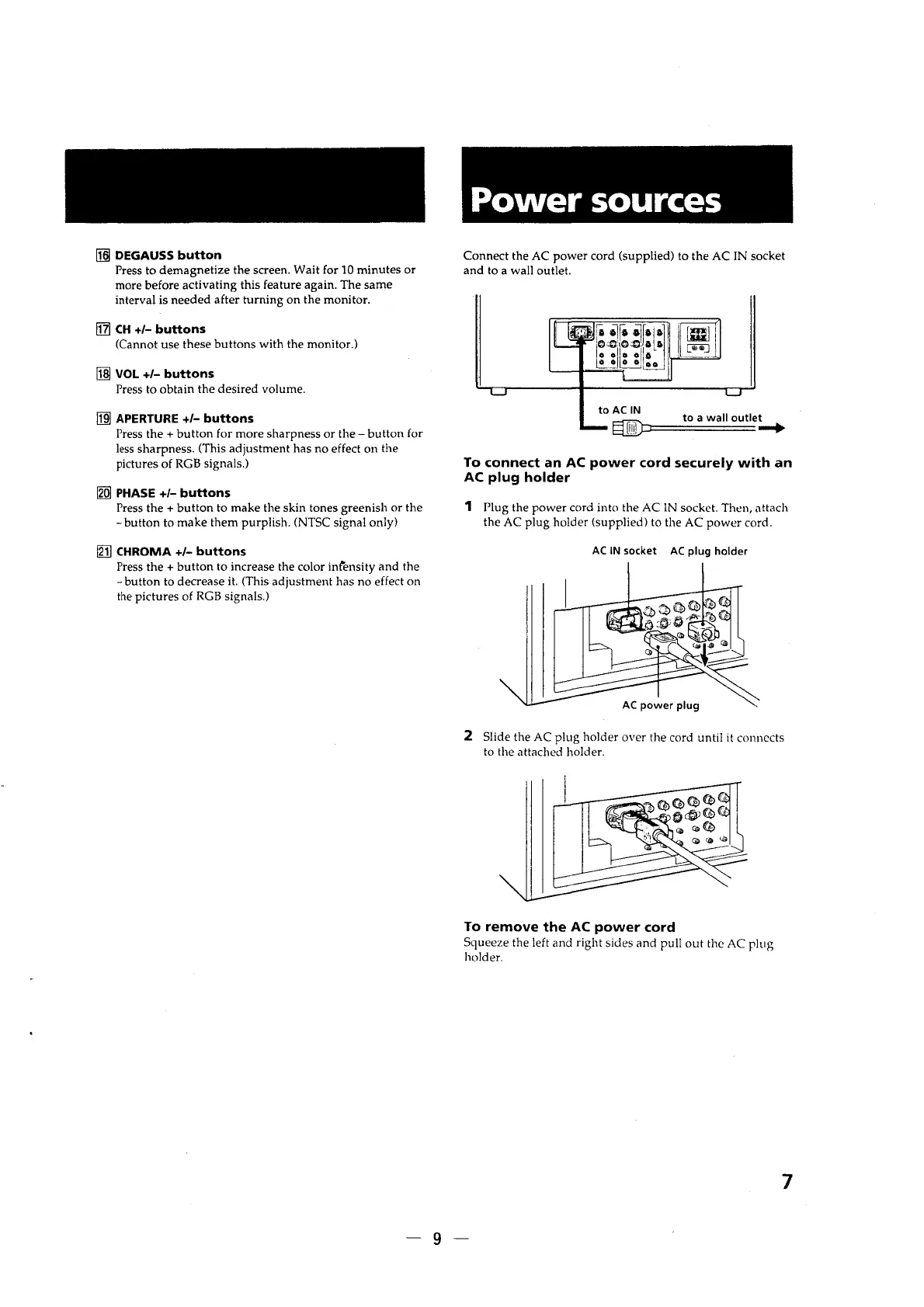
Connect the AC power cord (supplied) to the AC IN socket
and to a wall outlet.
to AC IN
to a wall outlet
§]D:=====-+
To connect an AC power cord securely with an
AC plug holder
1 Plug the power cord into the AC IN socket. Then, attach
the AC plug holder (supplied) to the AC power cord.
AC IN socket AC plug holder
AC power plug
2 Slide the AC plug holder over the cord until it connects
to the attached holder.
To remove the AC power cord
Squeeze the left and right sides and pull out the AC plug
holder.
7
-9-




 To Next Page