58
nN
Using Your VAIO Computer
Before you use the remote commander
Before using the remote commander, you need to insert the supplied AA manganese batteries to enable communication
between the computer and the remote commander. If an external remote sensor is supplied with your computer, you also
need to connect the sensor and probably the remote sensor control. See To connect the remote sensor (page 60) and To
connect the remote sensor control (page 60) for the detailed instructions.
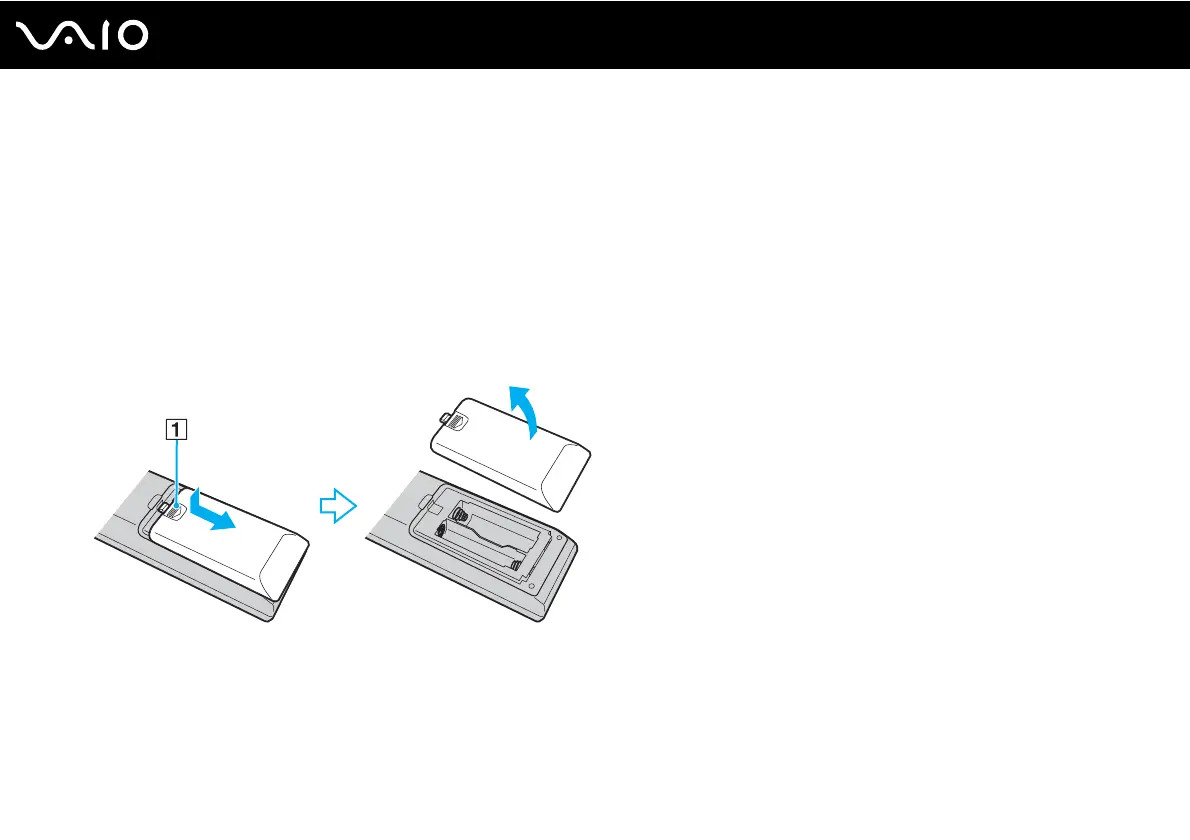
To insert batteries
1 Turn the remote commander over.
2 Slightly push down the dented area (1), slide the battery cover in the direction of the arrow, and remove the cover.



 To Next Page