107
nN
Upgrading Your VAIO Computer >
Adding and Removing Memory
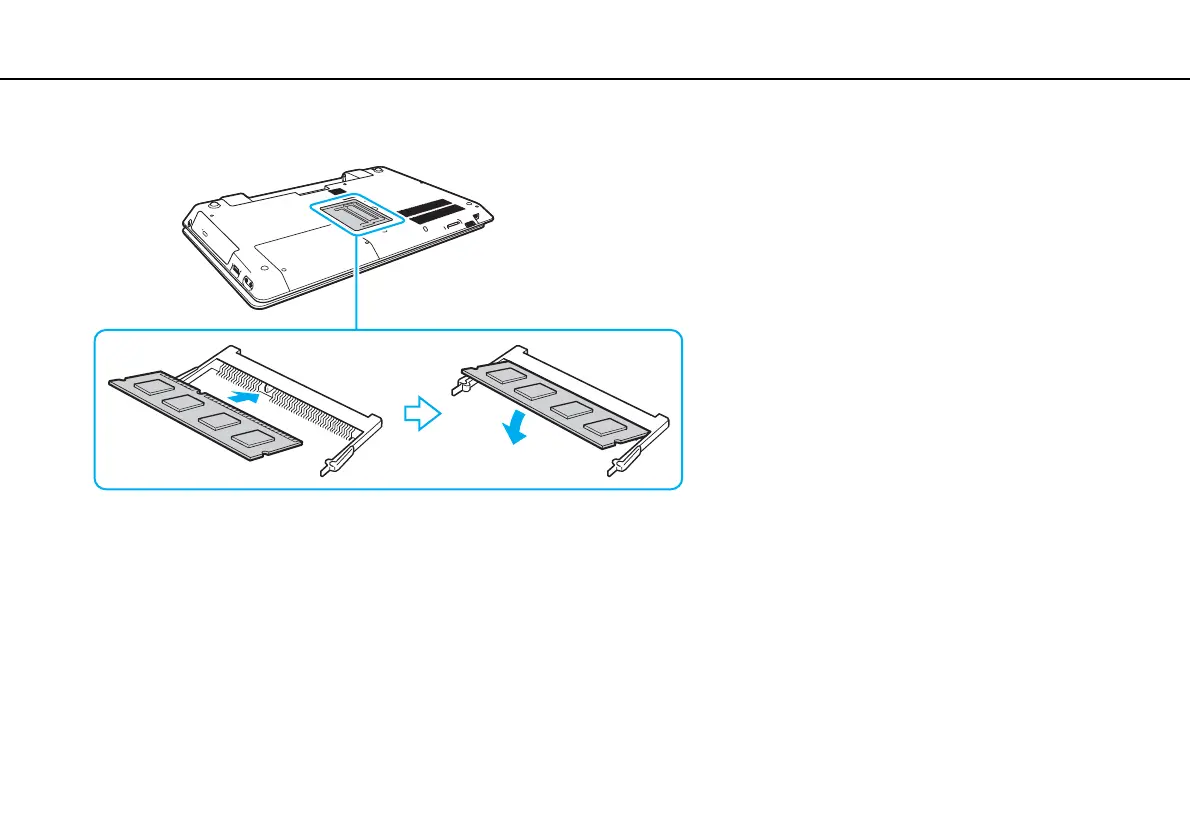
8 Slide the memory module into the memory module slot and push it in until it clicks into place.
!
Do not touch any components on the motherboard other than the memory module.
If you want to install only one memory module, be sure to use the lower slot.
Be sure to insert the connector edge of the memory module into the slot while aligning the notch on the module with the small projection in the open
slot. Do not force the memory module into the slot in a wrong orientation, as it may cause damage to the slot and the module.
9 Replace the memory module compartment cover.
10 Tighten the screw on the bottom of the computer.
11 Reinstall the battery pack and turn on the computer.



 To Next Page