10
Connecting the Projector
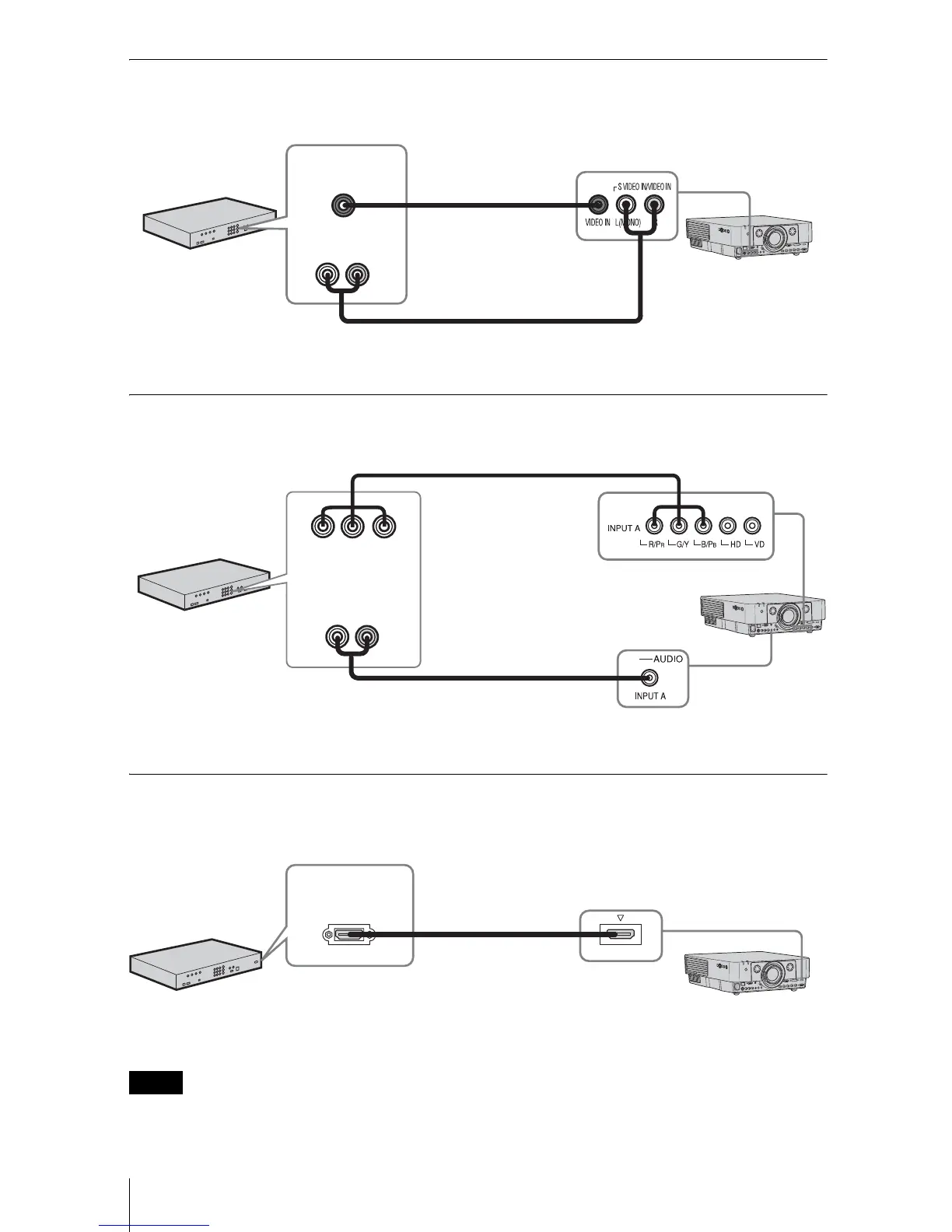
VIDEO IN
For connecting video equipment with a video output terminal.
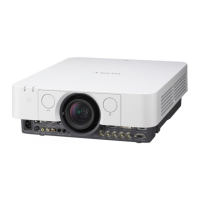
INPUT A
For connection when there is some long distance between the video equipment and projector.
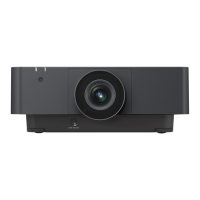
INPUT D (VPL-FH36/FH35/FH31/FH30 only)
For connecting video equipment with a HDMI output terminal.
• The HDMI terminal of this projector is not compatible with DSD (Direct Stream Digital) Signal
or CEC (Consumer Electronics Control) Signal.
• Be sure to use the HDMI cable with an HDMI logo.
Notes
Video cable
(not supplied)
Audio cable (Phono plug × 2) (not supplied)
Video output
terminal
Audio output
terminal
Video equipment
Component – BNC
cable (not supplied)
Audio cable (Phono plug
× 2 – stereo mini plug)
(not supplied)
Video equipment
YP
BPR output
terminal
Audio output
terminal
INPUT D HDMI
HDMI cable
(not supplied)
Video equipment
HDMI output
terminal





 To Next Page