35
Using Network Features
Network
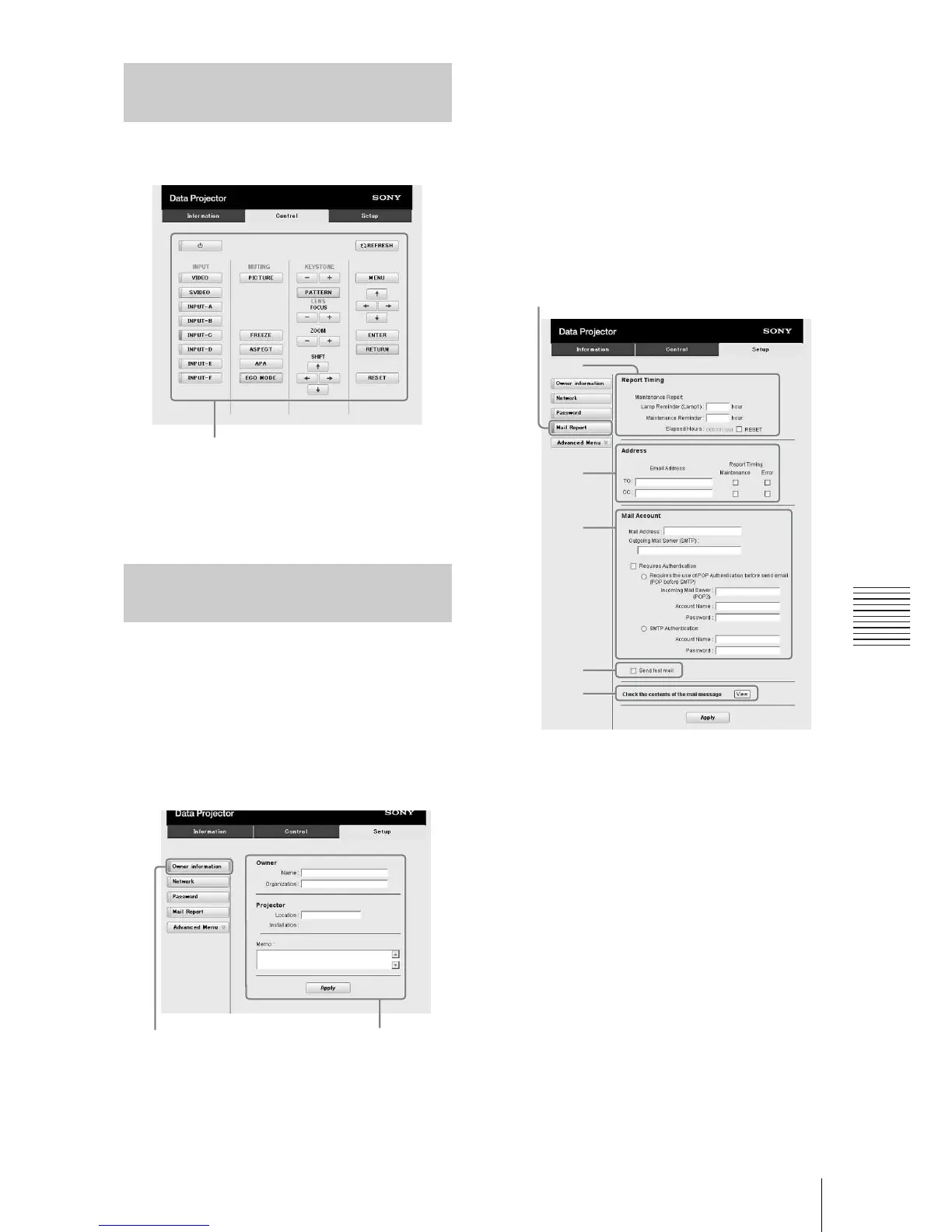
You can control the projector from the
computer on the Control page.
The functions of the keys shown in the
operation area are the same as those of the
keys on the supplied Remote Commander.
Set the e-mail report function on the Setup
page.
Entered values will not be applied unless
you click on [Apply].
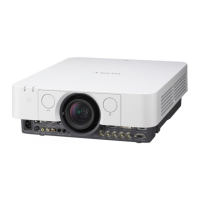
1 Click on [Owner information] to enter
the owner information recorded in the
e-
mail report.
2 Set the timing of the e-mail report.
Click on [Mail Report] to open the Mail
Report page.
Lamp Reminder (Lamp1): Set the
timing for lamp replacement. To reset
Lamp Reminder, execute “Lamp
Timer Reset” on the projector
(page 26).
Maintenance Reminder: Set the timing
for maintenance. To reset
Maintenance Reminder, check the
RESET check box and then click on
[Apply].
3 Enter the outgoing e-mail address in
the Email Address box then check the
Report Timing check box of the e-mail
report to be sent.
4 Set the mail account for sending e-
mail reports.
Mail Address: Enter the e-mail address.
Outgoing Mail Server (SMTP): Enter
the address of outgoing mail server
(SMTP).
Required Authentication: Check this
check box if authentication is required
for sending e-mail.
Requires the use of POP
Authentication before send email
(POP before SMTP): Check this
check box to arrange for POP
Operating the Projector from
a Computer
Using the e-mail report
Function
Operation area
1
Owner information button
2
3
4
6
5
Mail Report button




 To Next Page