49
Removing/Attaching the Projection Lens
Others
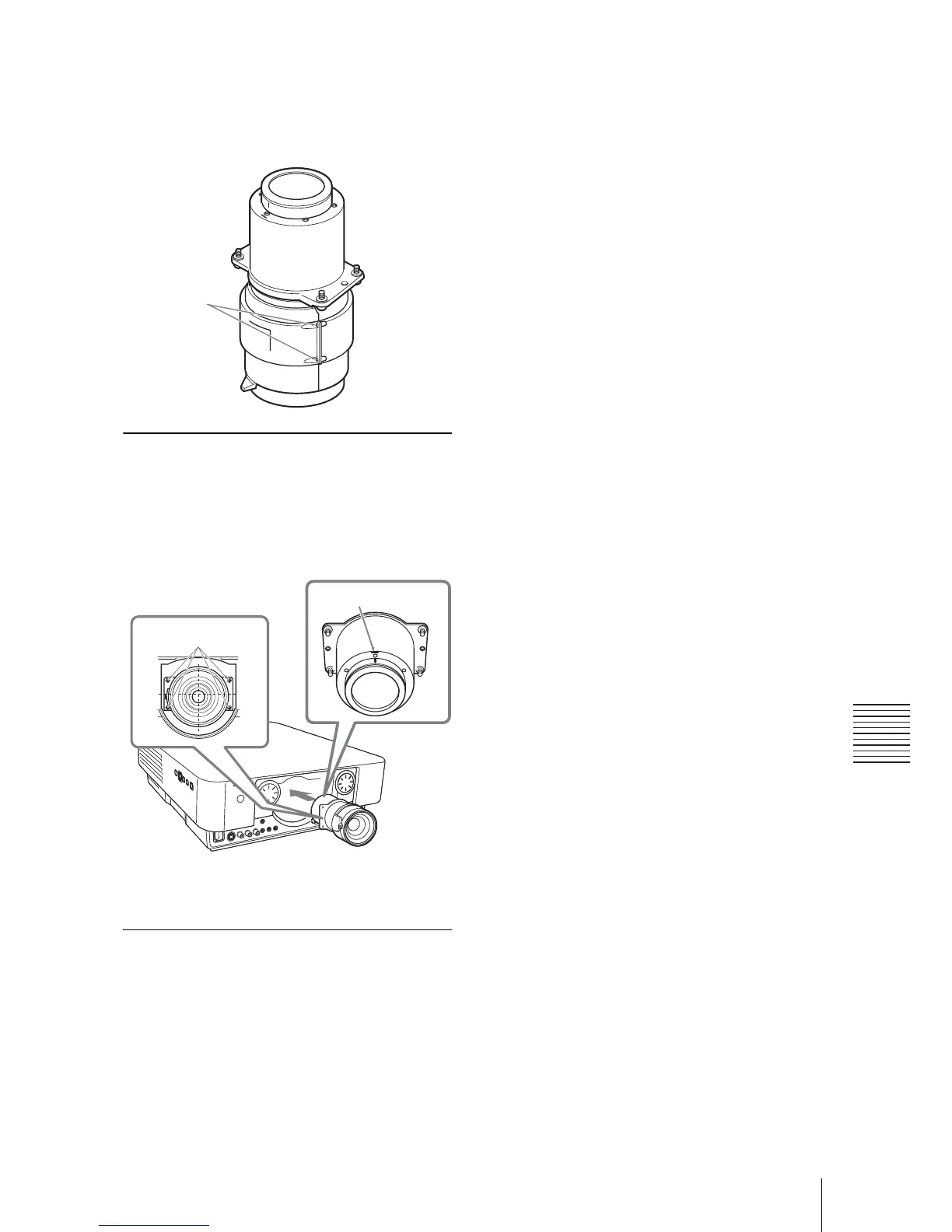
5 Secure Part A and Part B for the lens
adapter attached to the projection lens
with the two E screws supplied with
the lens adapter.
Attaching
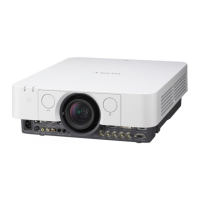
1 Insert the projection lens with a mark
upward all the way in until it is
securely in place then tighten the four
screws.
2 Replace the front panel and fasten it
with the two screws.
Removing
The removing procedures are equivalent to
that of “Removing/Attaching the Standard
Lens” (page 44).
E screws
(2)
Center mark
Screws





 To Next Page