EasyManua.ls Logo

Sony WCS-999 - Battery Installation; Battery Life

Sony WCS-999
8 pages
Print Icon
To Next Page IconTo Next Page
To Previous Page IconTo Previous Page
Loading...
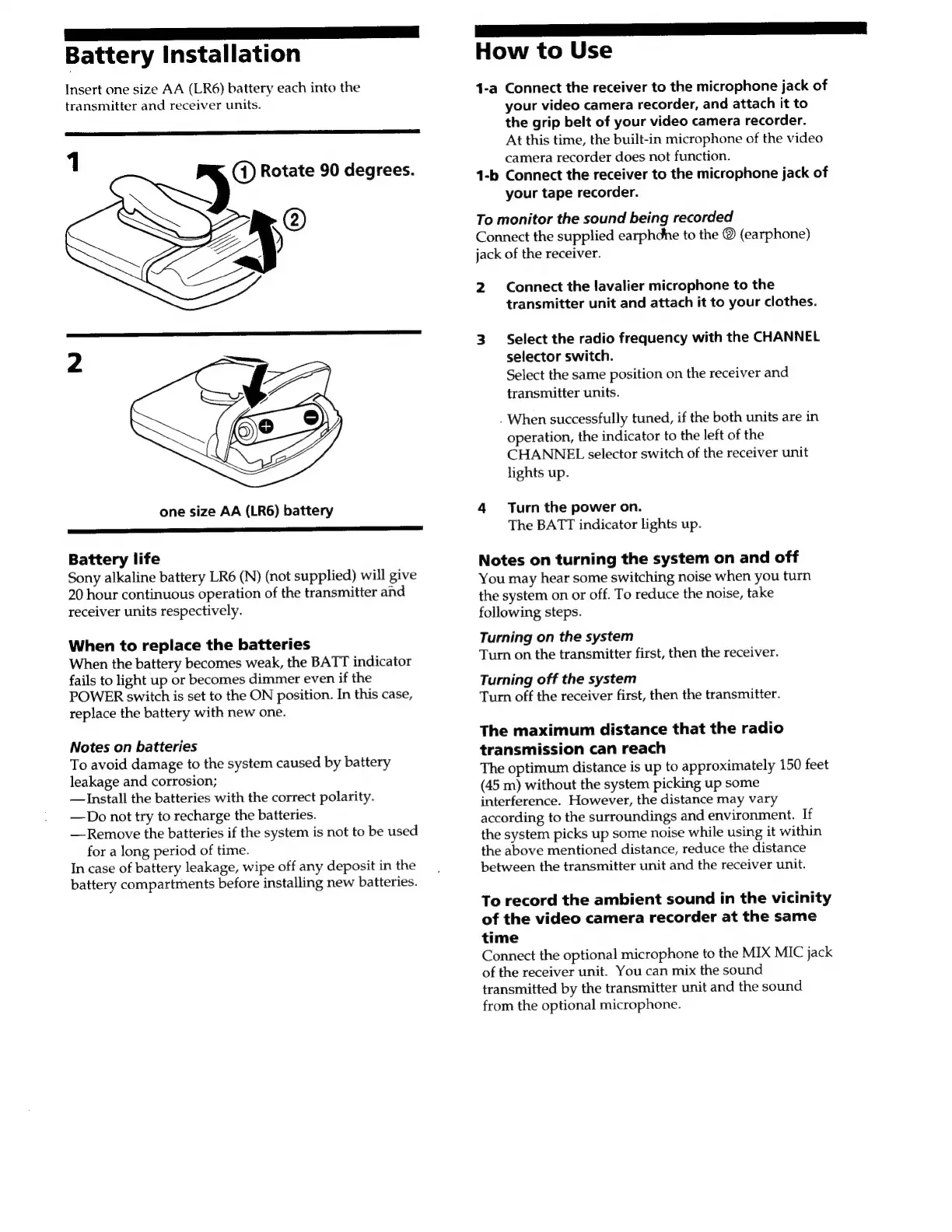
Battery
Installation
Insert
one
size
AA
(LR6)
battery
each
into
the
transmitter
and
receiver
units.
1
ay
Rotate
90
degrees.
one
size
AA
(LR6)
battery
Battery
life
Sony
alkaline
battery
LR6
(N)
(not
supplied)
will
give
20
hour
continuous
operation
of
the
transmitter
and
receiver
units
respectively.
When
to
replace
the
batteries
When
the
battery
becomes
weak,
the
BATT
indicator
fails
to
light
up
or
becomes
dimmer
even
if
the
POWER
switch
is
set
to
the
ON
position.
In
this
case,
replace
the
battery
with
new
one.
Notes
on
batteries
To
avoid
damage
to
the
system
caused
by
battery
leakage
and
corrosion;
Install
the
batteries
with
the
correct
polarity.
—Do
not
try
to
recharge
the
batteries.
—Remove
the
batteries
if
the
system
is
not
to
be
used
for
a
long
period
of
time.
In
case
of
battery
leakage,
wipe
off
any
deposit
in
the
battery
compartrnents
before
installing
new
batteries.
ee
ee
ey
How
to
Use
1-a
Connect
the
receiver
to
the
microphone
jack
of
your
video
camera
recorder,
and
attach
it
to
the
grip
belt
of
your
video
camera
recorder.
At
this
time,
the
built-in
microphone
of
the
video
camera
recorder
does
not
function.
1-b
Connect
the
receiver
to
the
microphone
jack
of
your
tape
recorder.
To
monitor
the
sound
being
recorded
Connect
the
supplied
earphdhe
to
the
©
(earphone)
jack
of
the
receiver.
2
Connect
the
lavalier
microphone
to
the
transmitter
unit
and
attach
it
to
your
clothes.
3
Select
the
radio
frequency
with
the
CHANNEL
selector
switch.
Select
the
same
position
on
the
receiver
and
transmitter
units.
.
When
successfully
tuned,
if
the
both
units
are
in
operation,
the
indicator
to
the
left
of
the
CHANNEL
selector
switch
of
the
receiver
unit
lights
up.
4
Turn
the
power
on.
The
BATT
indicator
lights
up.
Notes
on
turning
the
system
on
and
off
You
may
hear
some
switching
noise
when
you
turn
the
system
on
or
off.
To
reduce
the
noise,
take
following
steps.
Turning
on
the
system
Turn
on
the
transmitter
first,
then
the
receiver.
Turning
off
the
system
Turn
off
the
receiver
first,
then
the
transmitter.
The
maximum
distance
that
the
radio
transmission
can
reach
The
optimum
distance
is
up
to
approximately
150
feet
(45
m)
without
the
system
picking
up
some
interference.
However,
the
distance
may
vary
according
to
the
surroundings
and
environment.
If
the
system
picks
up
some
noise
while
using
it
within
the
above
mentioned
distance,
reduce
the
distance
between
the
transmitter
unit
and
the
receiver
unit.
To
record
the
ambient
sound
in
the
vicinity
of
the
video
camera
recorder
at
the
same
time
Connect
the
optional
microphone
to
the
MIX
MIC
jack
of
the
receiver
unit.
You
can
mix
the
sound
transmitted
by
the
transmitter
unit
and
the
sound
from
the
optional
microphone.

Related product manuals