Help Guide
Wireless Noise Canceling Stereo Headset
WF-SP700N
Charging the headset
The headset contains a lithium ion rechargeable battery. Charge the headset using the supplied micro-USB cable.
About charging
The required times for full charging are as follow;
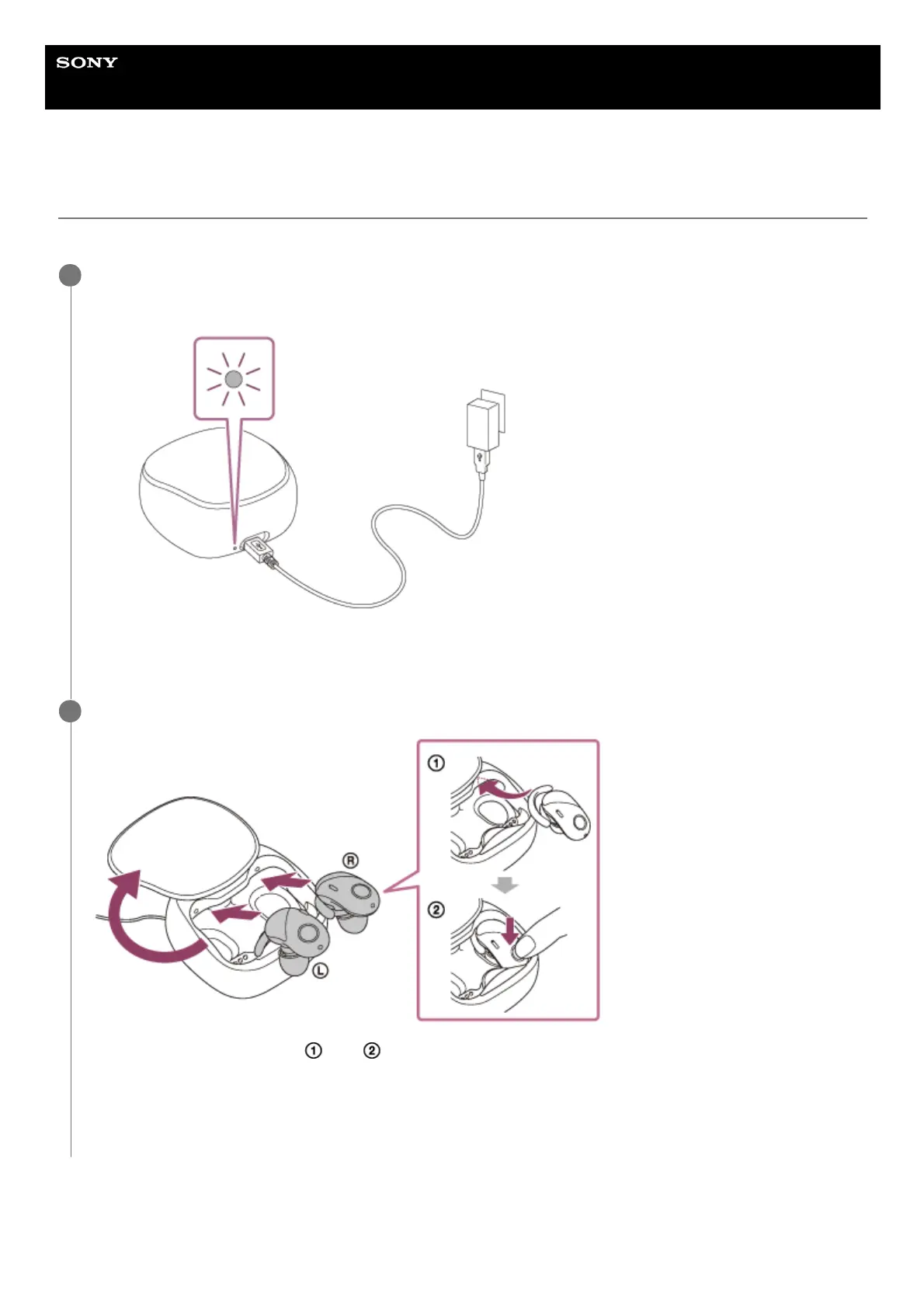
Connect the charging case and an AC outlet.
Use the supplied micro-USB cable and a USB AC adaptor to connect them.
The indicator on the back side of the charging case lights up in red while charging. The indicator turns off after
charging is complete.
1
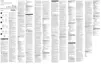
Set the headset on the charging case.
Set the headset in the order of and .
Insert the right unit and left unit until they click and make sure that the units are locked in the charging case.
Both the headset set and the charging case are charged simultaneously. The indicators both on the headset and
the charging case (back side) light up in red while charging.
The respective indicator turns off after charging is complete.
2



 To Next Page