EasyManua.ls Logo

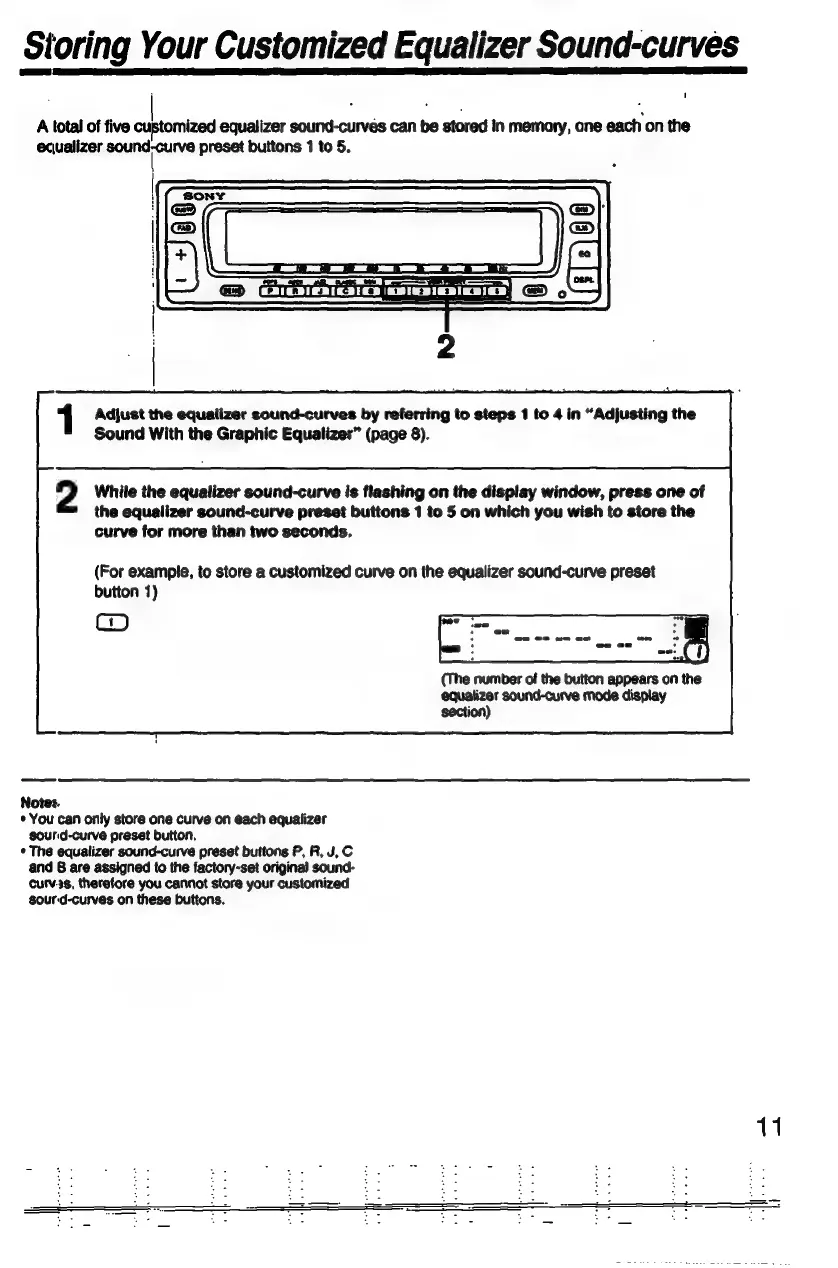
Sony XE-744 - Storing Custom Equalizer Sound Curves; Prepare Sound Curves for Storage; Save Customized Curve to Memory

Sony XE-744
65 pages
Print Icon
To Next Page IconTo Next Page
To Previous Page IconTo Previous Page
Loading...
Storing
Your
Customized
Egualizer
Sound-curves
A
total
of
five
customized
egvalizer
sound-curves
can
be
stored
in
memory,
ane
each
on
the
ecualizer
NE
preset
buttons
1
to
5.
Adjust
the
equalizer
sound-curves
by
referring
to
steps
1
to
4
in
"Adjusting
the
Sound
With
the
Graphic
Equalizer"
(page
8).
2
While
the
equalizer
sound-curve
is
flashing
on
the
display
window,
press
one
of
the
equalizer
sound-curve
preset
buttons
1
to
5
on
which
you
wish
to
store
the
curve
for
more
than
two
seconds.
(For
example,
to
store
a
customized
curve
on
the
equalizer
sound-curve
preset
button
1)
B
A.
©
(The
number
of
the
button
appears
on
the
egualizer
sound-curve
mode
display
section)
Notes.
*
You
can
only
store
one
curve
on
each
equalizer
sourid-curve
preset
button.
*
The
equalizer
sound-curve
preset
buttons
P,
R,
J,
C
and
B
are
assigned
to
the
factory-set
original
sound-
curv3s,
therefore
you
cannot
store
your
customized
Sour
d-curves
on
these
buttons.

Related product manuals