EasyManua.ls Logo

Sony XE-744 - Using Preset Equalizer Sound Curves; Select Desired Preset Curve

Sony XE-744
65 pages
Print Icon
To Next Page IconTo Next Page
To Previous Page IconTo Previous Page
Loading...
Listening
with
the
Preset
Egualizer
Sound-curves
A
selection
can
be
made
from
your
own
customized
sound-curves
or
the
five
original
preset
sound-curves
stored
on
the
preset
buttons*
P
(POPS),
R
(ROCK),
J
(JAZZ),
C
(CLASSIC)
or
B
(BGM).
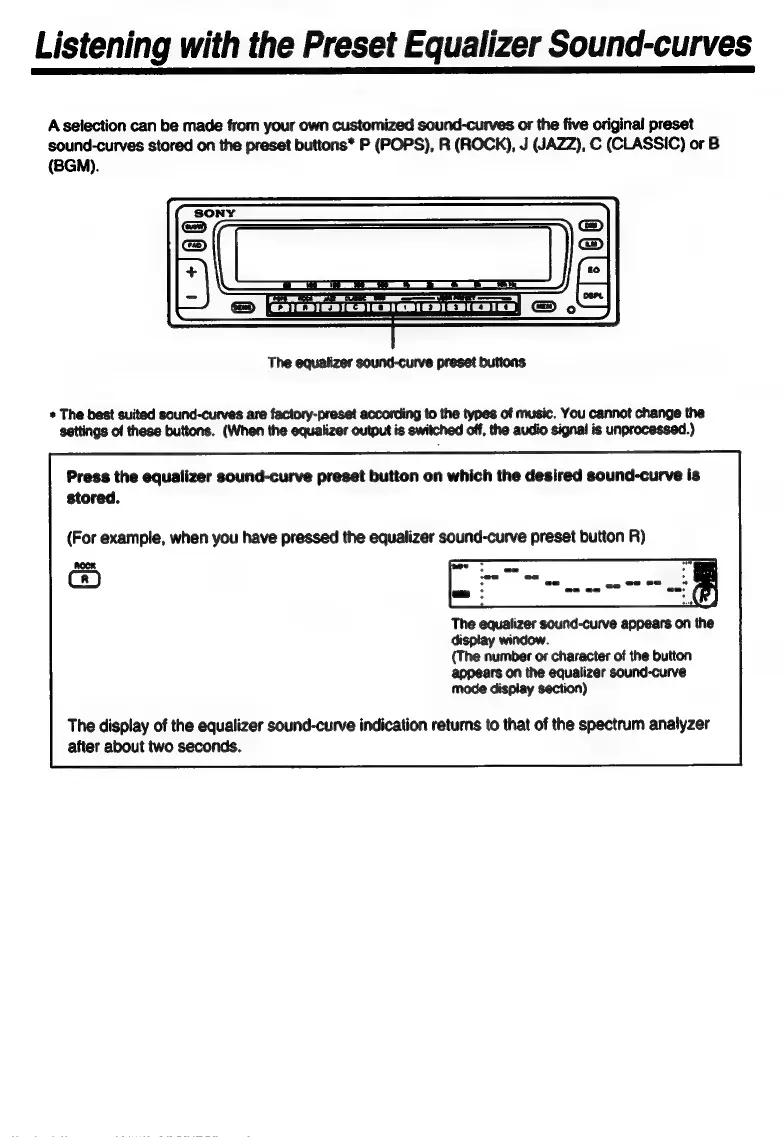
The
eaualizer
sound-curve
preset
buttons
+
The
best
suited
sound-curves
are
factory-preset
according
to
the
types
of
music.
You
cannot
change
the
settings
of
these
buttons.
(When
the
egualizer
output
is
switched
off,
the
audio
signal
is
unprocessed.)
Press
the
egualizer
sound-curve
preset
button
on
which
the
desired
sound-curve
is
stored.
(For
example,
when
you
have
pressed
the
egualizer
sound-curve
preset
button
R)
E
pod
(3
The
equalizer
sound-curve
appears
on
the
display
window.
(The
number
or
character
of
the
button
appears
on
the
equalizer
sound-curve
mode
display
section)
The
display
of
the
equalizer
sound-curve
indication
returns
to
that
of
the
spectrum
analyzer
after
about
two
seconds.

Related product manuals