Ports and jacks
Related Topic
Supported camera models
Attaching/removing the XLR adaptor to/from the camera
Attaching/removing the supplied microphone
Selecting the digital or analog input type
Using the supplied microphone
Using a device, such as an external audio device
Minimizing noise with the LOW CUT function
Adjusting the recording volume level
Selecting the audio input for recording audio to the channels on the camera
5-008-246-11(1) Copyright 2019 Sony Corporation
If your camera is compatible with the digital audio interface of the Multi Interface Shoe, set the switch to “DIGITAL.”
This allows the unit and the attached camera to communicate with each other with digital signals and provide audio
recording with minimum noise insertion.
INPUT SELECT switch
Select the audio input for recording audio to the channels on the attached camera.
14.
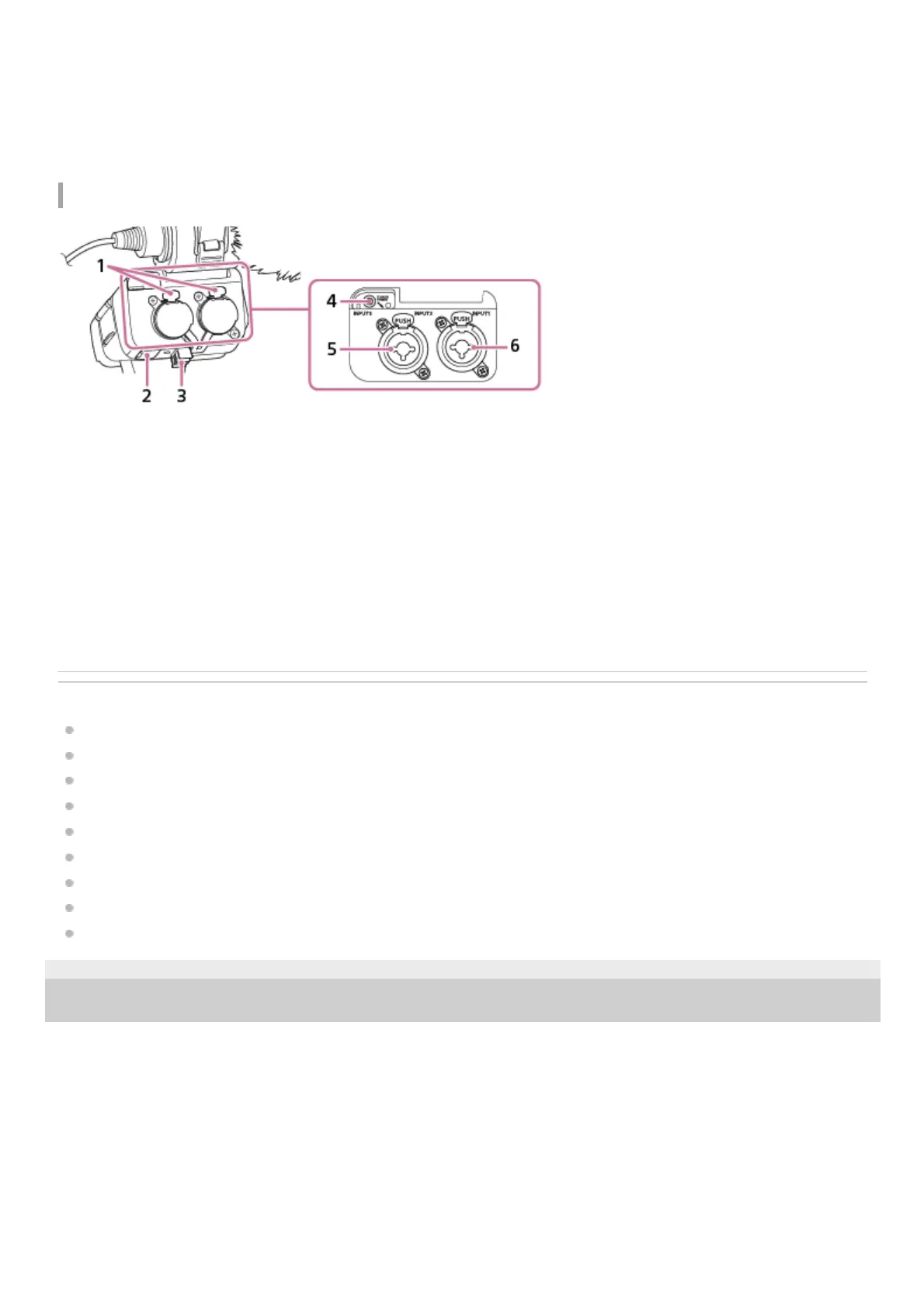
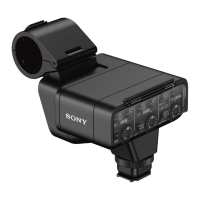
Release lever1.
Micro USB port2.
Cable holder3.
INPUT3 jack (Stereo mini-jack, plug-in-power compatible)4.
INPUT2 jack (3-pin XLR/TRS, female type, phantom-power compatible)5.
INPUT1 jack (3-pin XLR/TRS, female type, phantom-power compatible)6.


 To Next Page