Hint
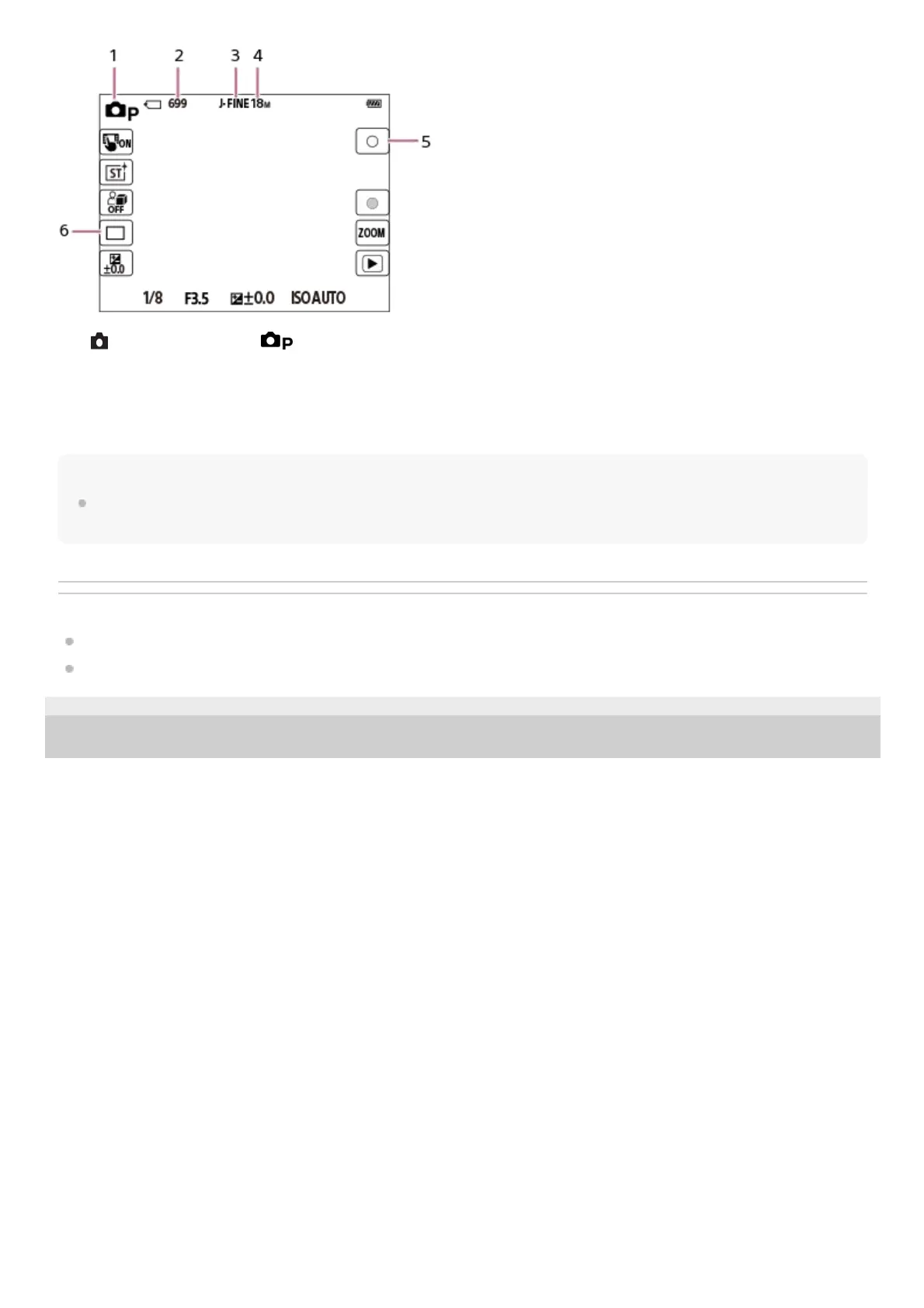
The icons on the left and right ends of the screen function as touch buttons when [Icon Touch Function] is set to [On]. You can
operate and adjust settings for functions such as shooting by touching them.
Related Topic
List of icons on the monitor
Icon Touch Function
5-041-856-11(1)
Copyright 2022 Sony Corporation
[
Shoot Mode] is set to [Program Auto].1.
Recordable number of still images2.
[JPEG Quality] is set to [Fine].3.
[JPEG Image Size] is set to [L: 18M].4.
Shoots a still image.5.
[Drive Mode] is set to [Single Shooting].6.



 To Next Page