Help Guide
Interchangeable Lens Digital Camera
ZV-E1
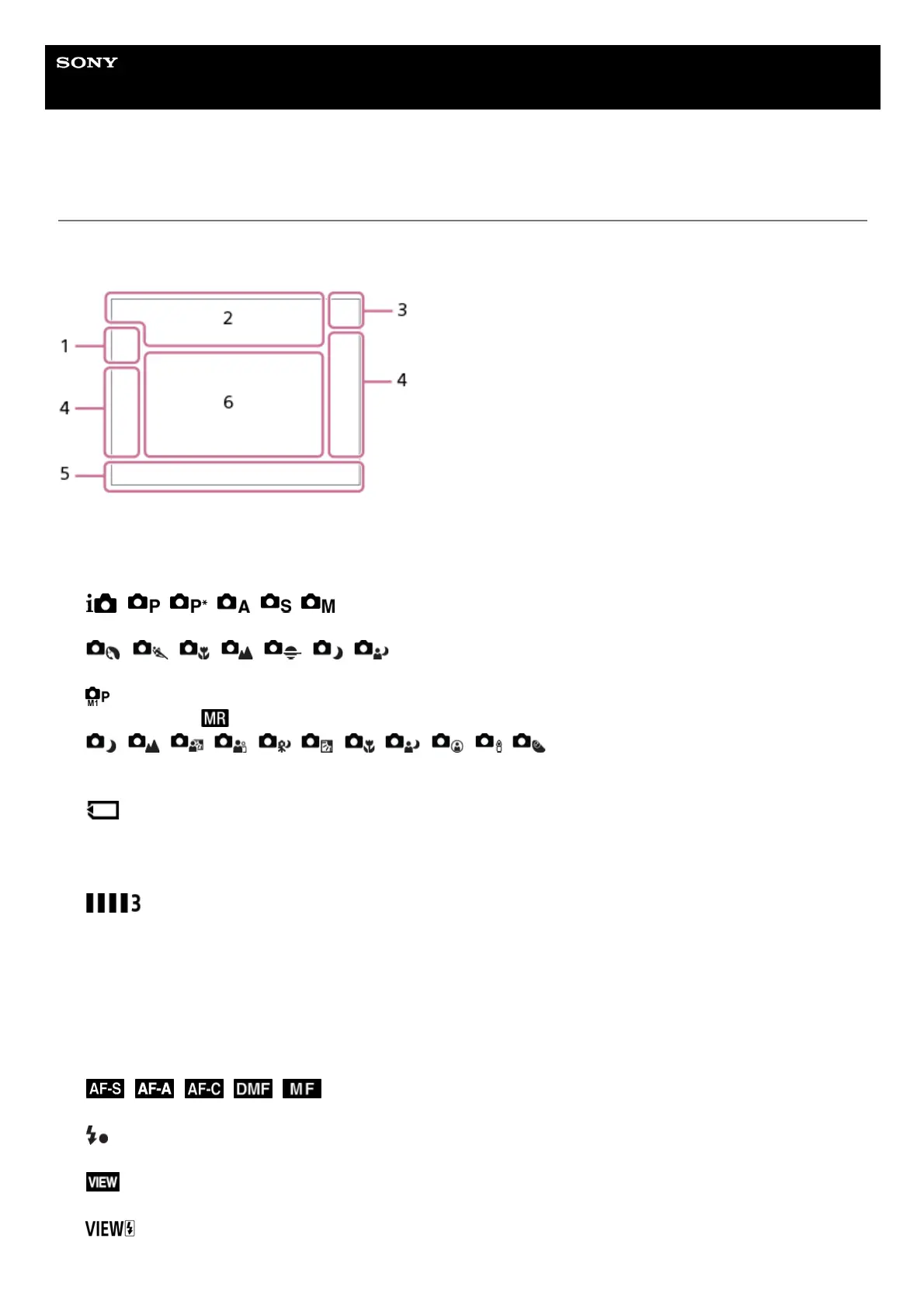
List of icons on the screen for shooting still images
The displayed contents and their positions in the illustrations are just guidelines, and may differ from the actual displays.
Descriptions are given below the indications of the icons.
In addition to the icons described on this page, there are more icons for touch operations (touch function icons) that are
displayed on the left or right side of the screen when you swipe the monitor. For details, refer to “Touch function icons.”
Shooting mode/Scene recognition
Shooting mode
Shooting mode (Scene Selection)
Shooting mode ( Cam.Set)
Scene Recognition icons
1.
Camera settings
NO CARD
Memory card status
100
Remaining number of recordable images
Writing data / Number of images left to write
12M / 11M / 10M / 8M / 5.1M / 4.6M / 4.3M / 3.4M / 3.0M / 2.7M / 2.6M / 2M
Image size of still images
J-X.FINE J-FINE J-STD H-X.FINE H-FINE H-STD
JPEG Quality / HEIF Quality
4:2:2
Color sampling for HEIF
Focus Mode
Flash charge in progress
Setting Effect OFF
Exposure Effect (Exposure Setting Only)
2.



 To Next Page