EasyManua.ls Logo

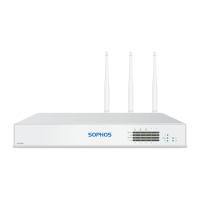
Sophos XGS 126 - User Manual

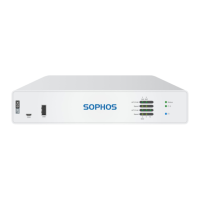
Sophos XGS 126
68 pages
Print Icon
To Next Page IconTo Next Page
Loading...
Quick Start Guide
XGS 116(w)/126(w)/136(w)

Other manuals for Sophos XGS 126

Question and Answer IconNeed help?

Do you have a question about the Sophos XGS 126 and is the answer not in the manual?

Summary

Mount and Connect the Appliance

Default Appliance Settings

Lists default IP addresses, username, password, gateway, DNS, and DHCP service.

Power Up the Appliance

Connect and Turn On Appliance

Steps to connect the power cable and turn on the appliance, noting status LED behavior.

Connect Your Administration PC

PC Connection Properties

Details required IP address, Netmask, Default Gateway, and DNS Server settings for the PC.

Access Admin Console

Instructions to access the appliance's Admin Console via a web browser using the LAN port.

Set Up the Appliance

Register the Appliance

Steps for registering the firewall with MySophos, including serial number and account setup.

Appliance LED Codes

Summary

Mount and Connect the Appliance

Default Appliance Settings

Lists default IP addresses, username, password, gateway, DNS, and DHCP service.

Power Up the Appliance

Connect and Turn On Appliance

Steps to connect the power cable and turn on the appliance, noting status LED behavior.

Connect Your Administration PC

PC Connection Properties

Details required IP address, Netmask, Default Gateway, and DNS Server settings for the PC.

Access Admin Console

Instructions to access the appliance's Admin Console via a web browser using the LAN port.

Set Up the Appliance

Register the Appliance

Steps for registering the firewall with MySophos, including serial number and account setup.

Appliance LED Codes

Sophos XGS 126 Specifications

General IconGeneral
Maximum Licensed UsersUnlimited
Power SupplyExternal
Form FactorDesktop
Threat Protection Throughput1 Gbps
Maximum Connections5, 800, 000
New Connections per Second50, 000

Related product manuals