EasyManua.ls Logo

Sophos XGS 3100 - User Manual

Sophos XGS 3100
14 pages
Print Icon
To Next Page IconTo Next Page
Loading...
Operating Instructions
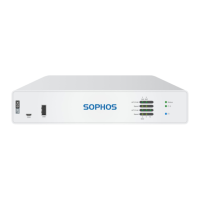
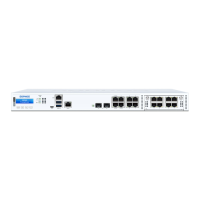
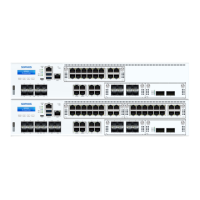
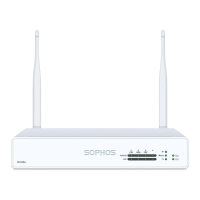
XGS 2100/2300/3100/3300

Other manuals for Sophos XGS 3100

Question and Answer IconNeed help?

Do you have a question about the Sophos XGS 3100 and is the answer not in the manual?

Sophos XGS 3100 Specifications

General IconGeneral
BrandSophos
ModelXGS 3100
CategoryFirewall
LanguageEnglish

Summary

Security Symbols and Designed Use

Important Safety Symbols

Symbols indicate danger to life/environment, appliance damage, or loss of function. Compliance is mandatory.

Hardware Overview: Operating Elements and Connections

Technical Specifications

Physical Specifications

Details on ports, CPU, memory, storage, power, mounting, dimensions, and weight.

LED Status Indicators

LCD Menu Navigation Details

Executable Actions and Control Keys

Factory Reset Operation

Resets all settings to factory defaults, deleting post-installation data.

System Shutdown Procedure

Safely shuts down the appliance and stops all running services.

System Reboot Procedure

Shuts down and restarts the security appliance.

Performing a Factory Reset

Factory Reset Steps via LCD

Step-by-step instructions for executing a factory reset using the LCD and control keys.

Shut Down Procedure

Executing System Shutdown via LCD

Step-by-step guide to shut down the appliance using the menu interface.

Reboot Machine Procedure

Executing System Reboot via LCD

Step-by-step guide to reboot the appliance using the menu interface.

Putting into Operation and Safety

Rack and Server Safety Precautions

Ensures rack stability, proper component placement, and general installation safety.

Rack Mounting Considerations and Instructions

Rack Mounting Bracket Installation

Use supplied screws; attach short or long brackets based on sliding rail usage.

Connection and Configuration

SFP;SFP+ Ports

Laser Safety Precautions

Never look directly at transmit ports; use approved transceivers and follow laser safety guidelines.

Module Installation and Removal

Serial Console Access

Connecting to the Serial Console

Access CLI via RJ45 or micro USB COM port; micro USB takes precedence.

Related product manuals