EasyManua.ls Logo

Sophos XGS 2300 - User Manual

Sophos XGS 2300
14 pages
Print Icon
To Next Page IconTo Next Page
Loading...
Operating Instructions
XGS 2100/2300/3100/3300

Other manuals for Sophos XGS 2300

Question and Answer IconNeed help?

Do you have a question about the Sophos XGS 2300 and is the answer not in the manual?

Summary

Security Symbols and Designed Use

Security Symbols Explained

Explains warning symbols and their meaning regarding safety.

Operating Elements and Connections

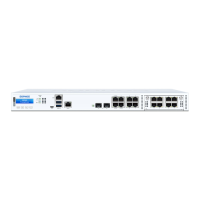
XGS 2100;2300 Front Panel

Details ports and indicators for XGS 2100/2300 models.

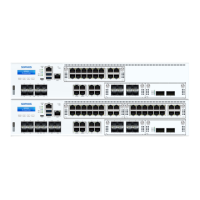
XGS 3100;3300 Front Panel

Details ports and indicators for XGS 3100/3300 models.

Rear Panel Connections

Details rear panel components like power switch and USB.

Front Panel Interfaces

LAN Ports Overview

Description of LAN ports, speed, and bypass pair configuration.

Other Port Types

Details COM, USB, and MGMT ports and their functions.

Module Slot Compatibility

Information on module slots and compatible Flexi Port modules.

Technical Specifications

Physical and Power Specifications

Details ports, CPU, memory, storage, and power supply specs.

Dimensions and Weight

Provides physical dimensions and weight for the appliances.

Environmental and Certification Data

Covers noise, temperature, humidity, MTBF, and certifications.

Status Indicator LEDs

Power and SSD Status LEDs

Explains Power, SSD, and BP 1/2 LEDs and their meanings.

RJ45 Ethernet Port LEDs

Explains ACT/LNK and Speed LEDs for RJ45 Ethernet ports.

SFP Connector LEDs

Explains ACT/LNK LEDs for SFP fiber ports.

SFP+ Connector LEDs

Explains ACT/LNK and Speed LEDs for SFP+ ports.

LCD Display and Control Keys

LCD Menu Navigation

System Menu Options

Lists system information and status options on the LCD.

Network Menu Options

Lists network port status options on the LCD.

Executable Actions Overview

Factory Reset Detailed Steps

Shut Down Steps

Reboot Machine Steps

Putting into Operation Guidelines

General Warnings and Precautions

Rack Mounting Considerations

Rack Mounting Procedure

Rack Depth Specification Check

Rack Location Selection

Securing the Unit in Rack

Connection and Configuration Overview

SFP;SFP+;QSFP+ Module Installation

SFP;SFP+ Module Removal

Serial Console Access

Summary

Security Symbols and Designed Use

Security Symbols Explained

Explains warning symbols and their meaning regarding safety.

Operating Elements and Connections

XGS 2100;2300 Front Panel

Details ports and indicators for XGS 2100/2300 models.

XGS 3100;3300 Front Panel

Details ports and indicators for XGS 3100/3300 models.

Rear Panel Connections

Details rear panel components like power switch and USB.

Front Panel Interfaces

LAN Ports Overview

Description of LAN ports, speed, and bypass pair configuration.

Other Port Types

Details COM, USB, and MGMT ports and their functions.

Module Slot Compatibility

Information on module slots and compatible Flexi Port modules.

Technical Specifications

Physical and Power Specifications

Details ports, CPU, memory, storage, and power supply specs.

Dimensions and Weight

Provides physical dimensions and weight for the appliances.

Environmental and Certification Data

Covers noise, temperature, humidity, MTBF, and certifications.

Status Indicator LEDs

Power and SSD Status LEDs

Explains Power, SSD, and BP 1/2 LEDs and their meanings.

RJ45 Ethernet Port LEDs

Explains ACT/LNK and Speed LEDs for RJ45 Ethernet ports.

SFP Connector LEDs

Explains ACT/LNK LEDs for SFP fiber ports.

SFP+ Connector LEDs

Explains ACT/LNK and Speed LEDs for SFP+ ports.

LCD Display and Control Keys

LCD Menu Navigation

System Menu Options

Lists system information and status options on the LCD.

Network Menu Options

Lists network port status options on the LCD.

Executable Actions Overview

Factory Reset Detailed Steps

Shut Down Steps

Reboot Machine Steps

Putting into Operation Guidelines

General Warnings and Precautions

Rack Mounting Considerations

Rack Mounting Procedure

Rack Depth Specification Check

Rack Location Selection

Securing the Unit in Rack

Connection and Configuration Overview

SFP;SFP+;QSFP+ Module Installation

SFP;SFP+ Module Removal

Serial Console Access

Sophos XGS 2300 Specifications

General IconGeneral
BrandSophos
ModelXGS 2300
CategoryFirewall
LanguageEnglish

Related product manuals