INSTRUCTION AND SERVICE PARTS MANUAL - FREEZER CS 800, s/n F0176-00 - ALFRED & CO
L8
9.3.3. CYLINDER PRESSURE SETTING & ADJUSTMENT
For setting up or adjusting the desired inner cylinder pressure (in bar)
please follow the instructions given below.
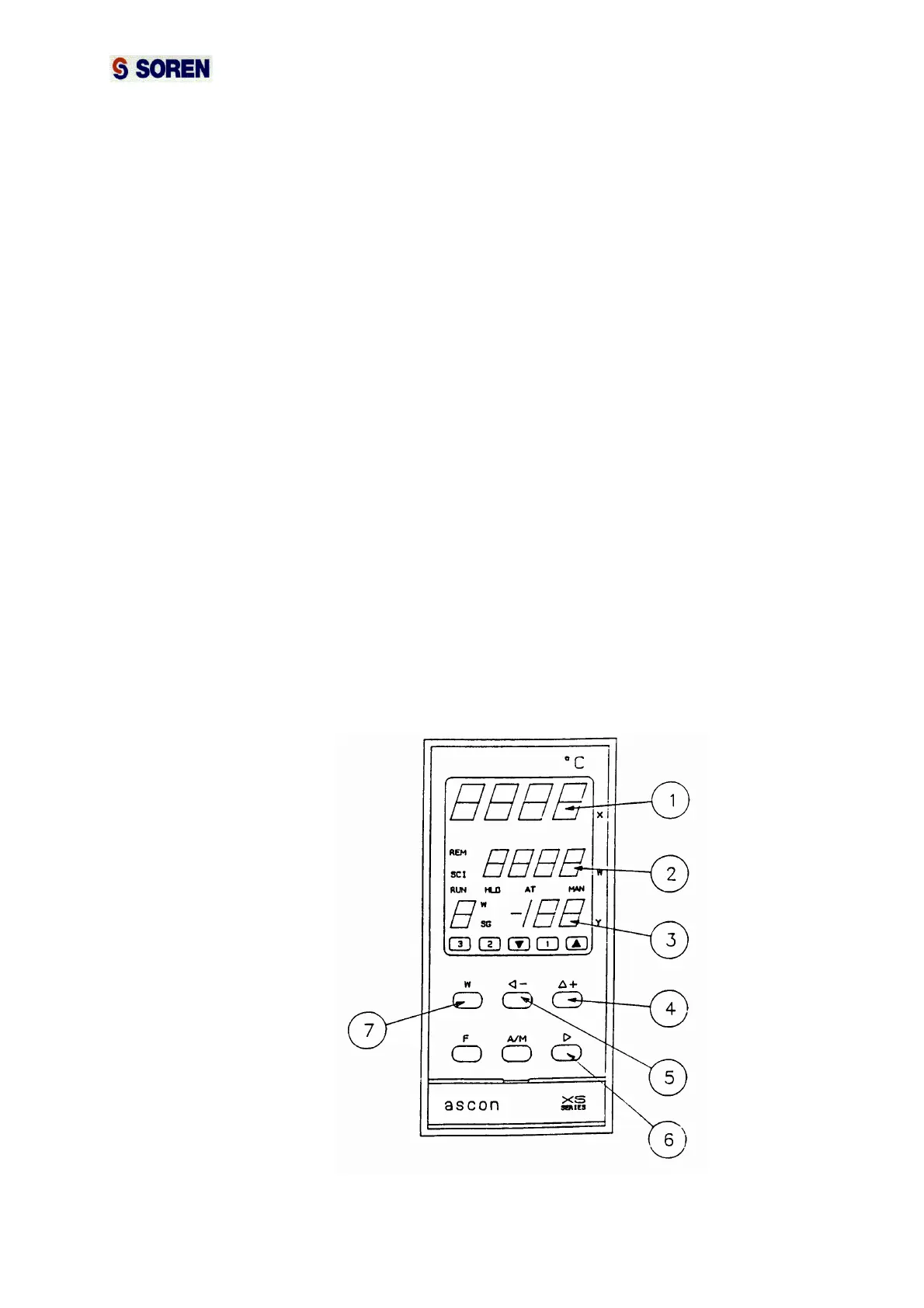
• Press the key "w" ( pos.7 ) one time. If you have inadvertently
pressed the key more than once, wait some seconds without
pressing any key and the tool will return to the starting point.
• The display "w" ( pos.2 ) will start lightening.
• Press the key "< -" ( pos.5 ) to select the digit to be changed, which
will still lighten when selected. Keep pressing key "< -" until you reach
the desired digit.
• Press the key "∆+" ( pos.4 ) until the desired digit value is reached. If
you have gone beyond the desired value, you have to keep pressed
the key “∆+” until you reach once again the desired value.
• To select another digit press key "< -" until you reach the desired
digit.
• To change value press key "∆+".
• When the desired cylinder pressure is all selected on the display "w"
press key ">" ( pos.6 ).
• Display "x" ( pos.1 ) indicates istantaneously the cylinder pressure,
misured by the pressure probe.
• Display "w" indicates the set point.
• Display "y" indicates the % of the ice cream pump speed.



 To Next Page