IR6000 / English Instruction Manual
2
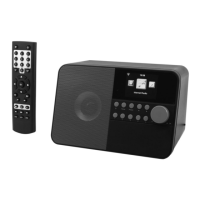
REMOTE CONTROL
OPERATION YOUR REMOTE CONTROL
1. Press and slide the back cover to open the battery compartment of the remote control.
2. Insert two AAA size batteries. Make sure the (+) and (-) ends of the batteries match
the (+) and (-) ends indicated in the battery compartment
3. Close the battery compartment cover
Preset the current playing station to favorite
Cursor left / back to previous menu
Switch between the functions of radio
Previous station on the list /
previous track on UPnP
Play/pause for internet radio
Next station on the list /
Next track on UPnP
Access the local station list (Local area set
up in Configuration)
View detailed info of the radio channel or the
music info under UPnP
Dim down the backlight of display






 To Next Page