MCD4850 / English instruction manual
ENG 4
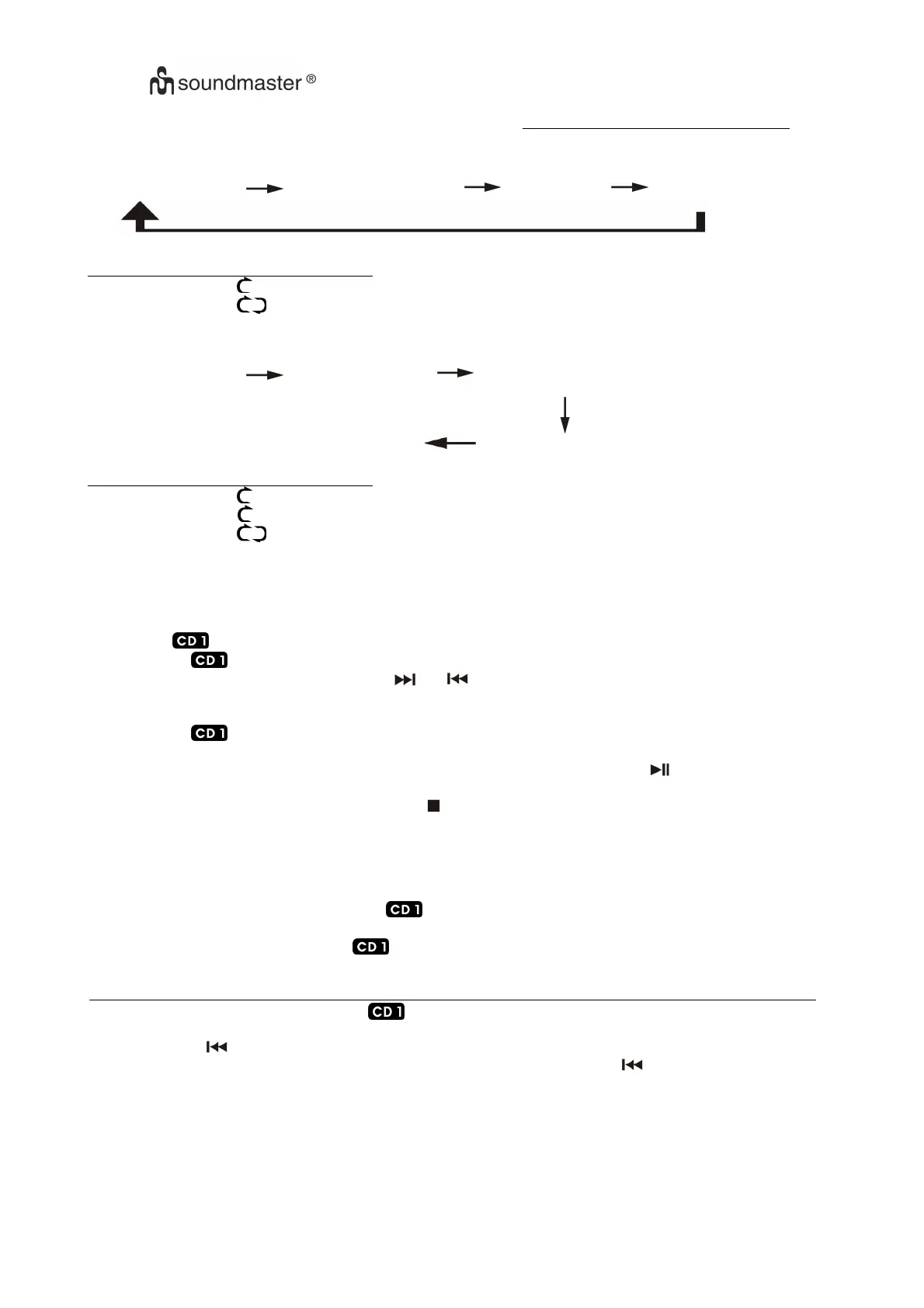
FOR CD
(2) REPEAT ALL TRACKS (3) RANDOM (4)OFF MODE (1) REPEAT 1 TRACK
INDICATOR
PLAY MODE ON LCD DISPLAY
REPEAT 1 TRACK
REPEAT ALL
OFF MODE --------------
FOR MP3 Disc
(2) REPEAT FOLDER (3) REPEAT WHOLE DISC (1) REPEAT 1 TRACK
OFF MODE (4) RANDOM
INDICATOR
PLAY MODE ON LCD DISPLAY
REPEAT 1 TRACK
REPEAT FOLDER F
REPEAT ALL
OFF MODE --------------
CD/MP3 DISC PROGRAMMING(AT REMOTE CONTROL ONLY)
Up to 20 tacks can be programmed for CD and play in any order. Before use, be sure the system is at stop
mode before programming:-
1. Set in “ /Aux “ mode & stop the CD playback.
2. Press the “ Program” button, “ PROG “ will appear on LCD display & flashing (2).
3. Select a desired track by pressing Skip or buttons (12) or press folder to select the folder in
MP3 disc, press +10/-10 button on remote control to select the track faster if total track inside the
folder were more than 10.
4. Press the “ Program ” button again to store the trace into memory.
5. Repeat steps 3 and 4 to enter additional tracks into the memory if necessary.
6. When all the desired tracks have been programmed, press CD “ play/pause ” button (10) to play
the disc in assigned order.
7. To cancel the programmed file, press “ stop ” button once until the program indicator “ PROG “ is
disappear on LCD display (2)
IMPORTANT NOTICES:-
- Press the “ CD Stop ” button (11) every time and resume the LCD to the original information
before pressing the “ CD Door Open ” button (9) for changing disc.
- Before opening the CD door either at or CD-2 mode, make sure the system is remain at CD
“ stop “ mode & delete all programmed track already.
- Must close the CD door either at or CD-2 mode before switching to other function mode during
operation.
PLAYING COMPACT DISC AT CD-2(MP3 disc is not playable in CD2)
The basic operation of CD-2 is same as but except the following difference
:-
SKIP DOWN
- The system go to the previous track only whenever press the Skip Down button (30) during
playing or stop mode.
REPEAT PLAY MODE (BY REMOTE CONTROL)
-
Press the Repeat button before or during playback, a single track or all the tracks can be played in repeat mode
.















 To Next Page