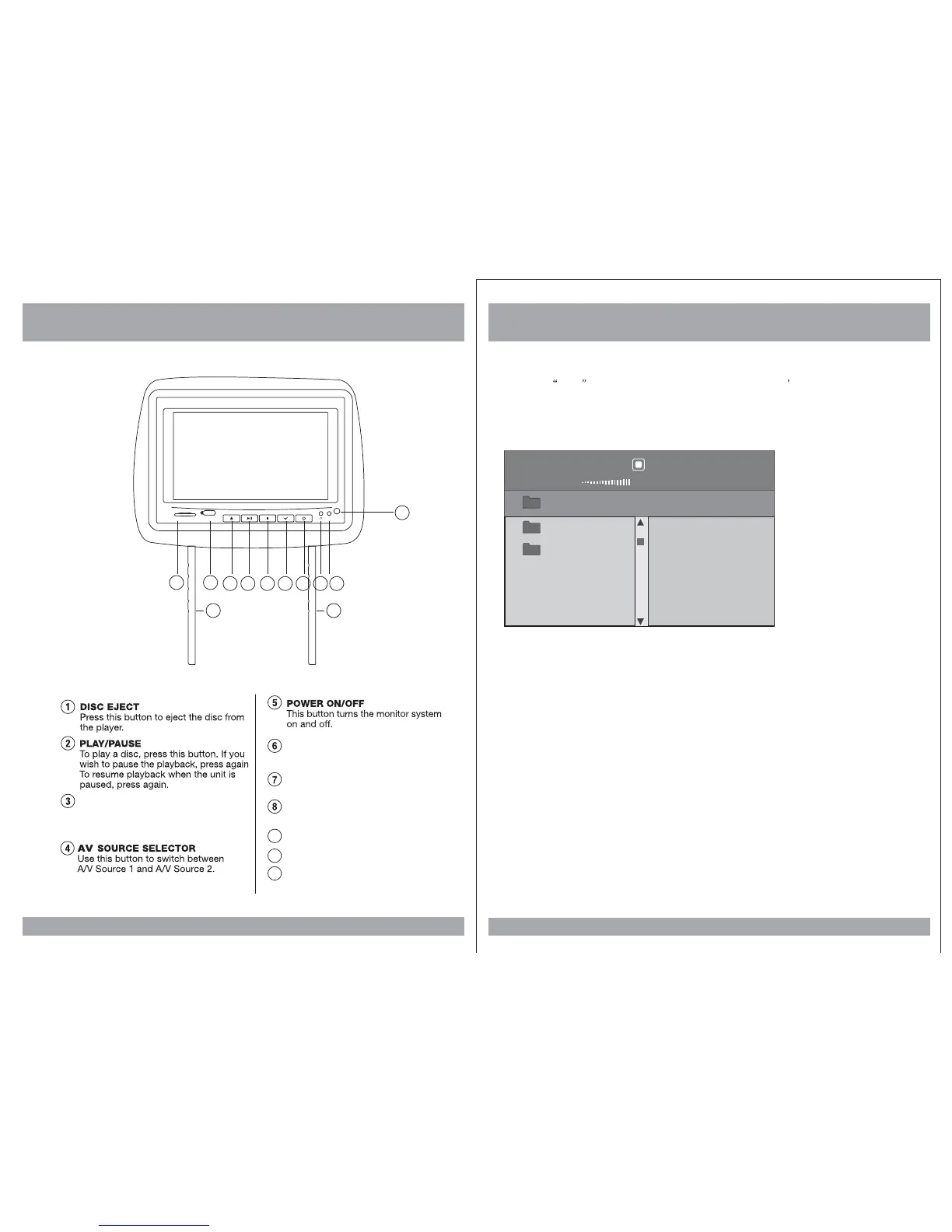
How To Control The Monitor
8
1 2 34567
88
AV2
SD
USB
Headphone output
Adjustable steel Pipe
PIPE
AV2 Inputs
HEADPHONE JACK
STOP
When this button is pressed,
playback is stopped.
9 10
SD Inputs
USB Inputs
9
10
SD/USB Functions
33
1. When USB or SD is inputed, the monitor will be displayed as shown below. But when
you input USB that the function can not change into SD state (only the SD is
moving). And you can select the desired menu by
2.
pressing the MODE button on the
remote control of monitor.
Use the (arrow and ENTER) buttons to select and set desired settings.
00:00
000/003
00:00 kbps
S
\
..
..
REMOTE IR SENSOR
11
11











 To Next Page