13
Operation
Replacing the Battery
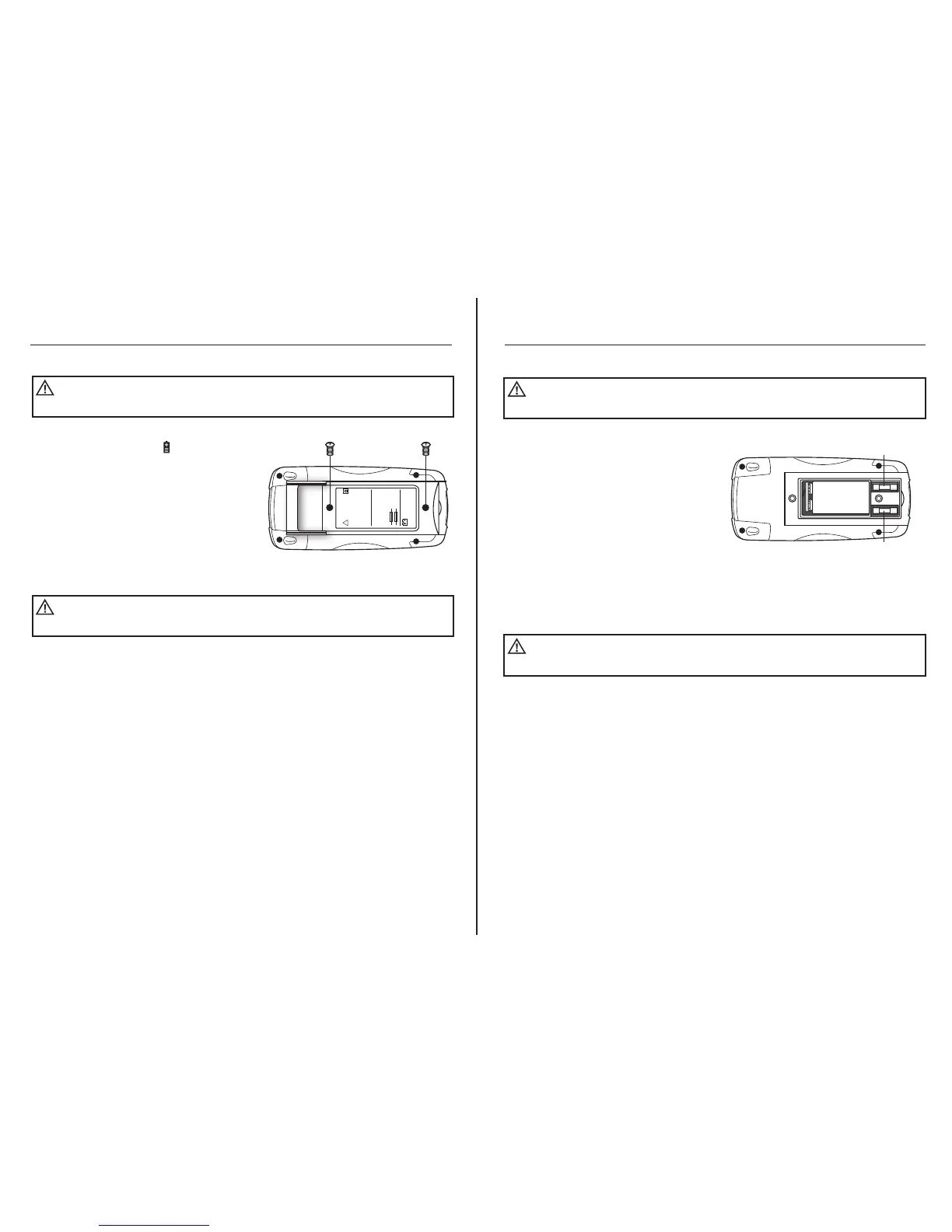
1. When the battery drops below the
operating voltage, the symbol
will appear on LCD display. The battery
should be replaced immediately.
2. Remove the two Phillips screws from
the battery/fuse door located on the
back of the meter.
3. Remove door.
4. Replace battery with a fresh 9V battery.
5. Install the battery door and tighten the
screws.
To avoid electric shock, remove test leads from the meter
before removing the battery door.
WARNING:
To avoid electric shock, do not operate your meter until the
battery door is in place and fastened securely.
WARNING:
!
WARNING
TO AVOID ELECTRICAL
SHOCK, REMOVE ALL
INPUTS BEFORE
OPENING THE CASE.
TO PREVENT FIRE, INSTALL
FUSE WITH AMP/VOLT
RATING SHOWN:
F200mA/250V
F10A/250V
9V BATTERY
NEDA 1604 IEC 6F22
14
Operation
Replacing the Fuses
1. Remove the two Phillips screws from
the battery/fuse door located on the
back of the meter.
2. Remove door.
3. Remove the old fuse from its holder by
gently pulling it out.
4. Install the new fuse into the holder.
5. Always use a fuse of the proper size
and value (UL rated 500mA/600V fast blow
for the 400mA range, UL rated 10A/600V
fast blow for the 10A range).
6. Install battery/fuse door and tighten
screws.
To avoid electric shock, remove test leads from the meter
before removing the fuse door.
WARNING:
To avoid electric shock, do not operate your meter until the
fuse door is in place and fastened securely.
WARNING:
9V BATTERY
FUSE
FUSE



 To Next Page