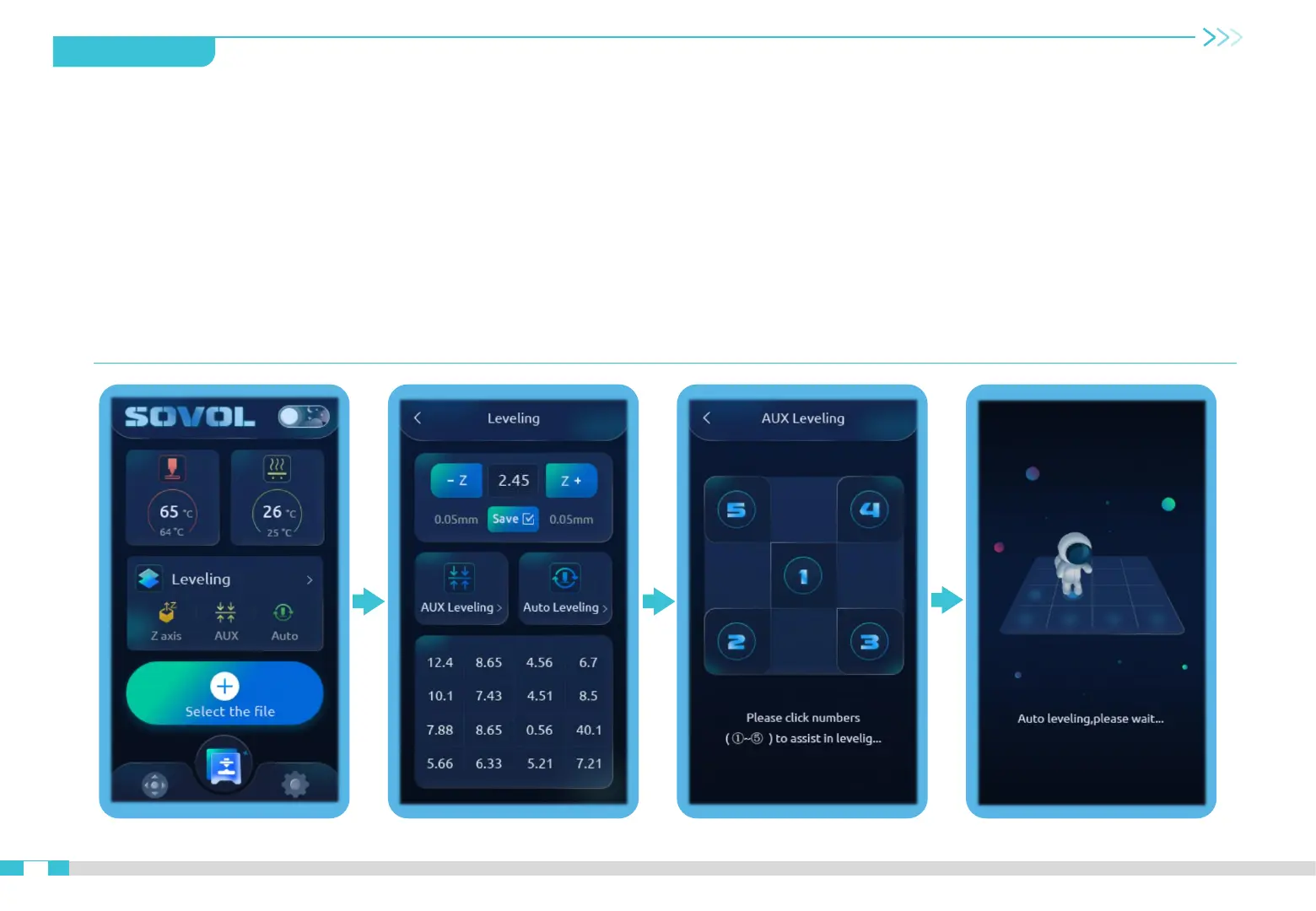
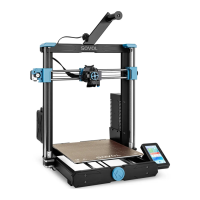
10.Bed Leveling
1. Click Leveling, the printer will start initial leveling, x y z axis will auto home, the CR touch will probe in the center.
2. When the CR Touch stop to probe, put a piece of A4 paper between the nozzle and the hotbed, click -Z or Z+ to move the extruder down
or up to adjust the distance between the nozzle and the hotbed, click Save.(Drag the paper, When you feel the nozzle can scratch the
paper slightly, that means the distance is perfect.)
3. After leveling, click AUX Leveling, then click 2,3, 4, 5 to level the 4 corners in turns. Before clicking, put the A4 paper on the hotbed,
adjust the distance between the nozzle and the hotbed by rotating the leveling wheels. It is suggested to repeat this step 2-3 times for
perfect bed leveling. (To achieve the desired hot bed level, perform step 2 again after step 3, verify, and click Save.)
4. Last, click Auto leveling for 16 points leveling, it will probe the hotbed by 4 * 4 , the leveling data can be seen on the screen.
10


 To Next Page