12.Load Filament
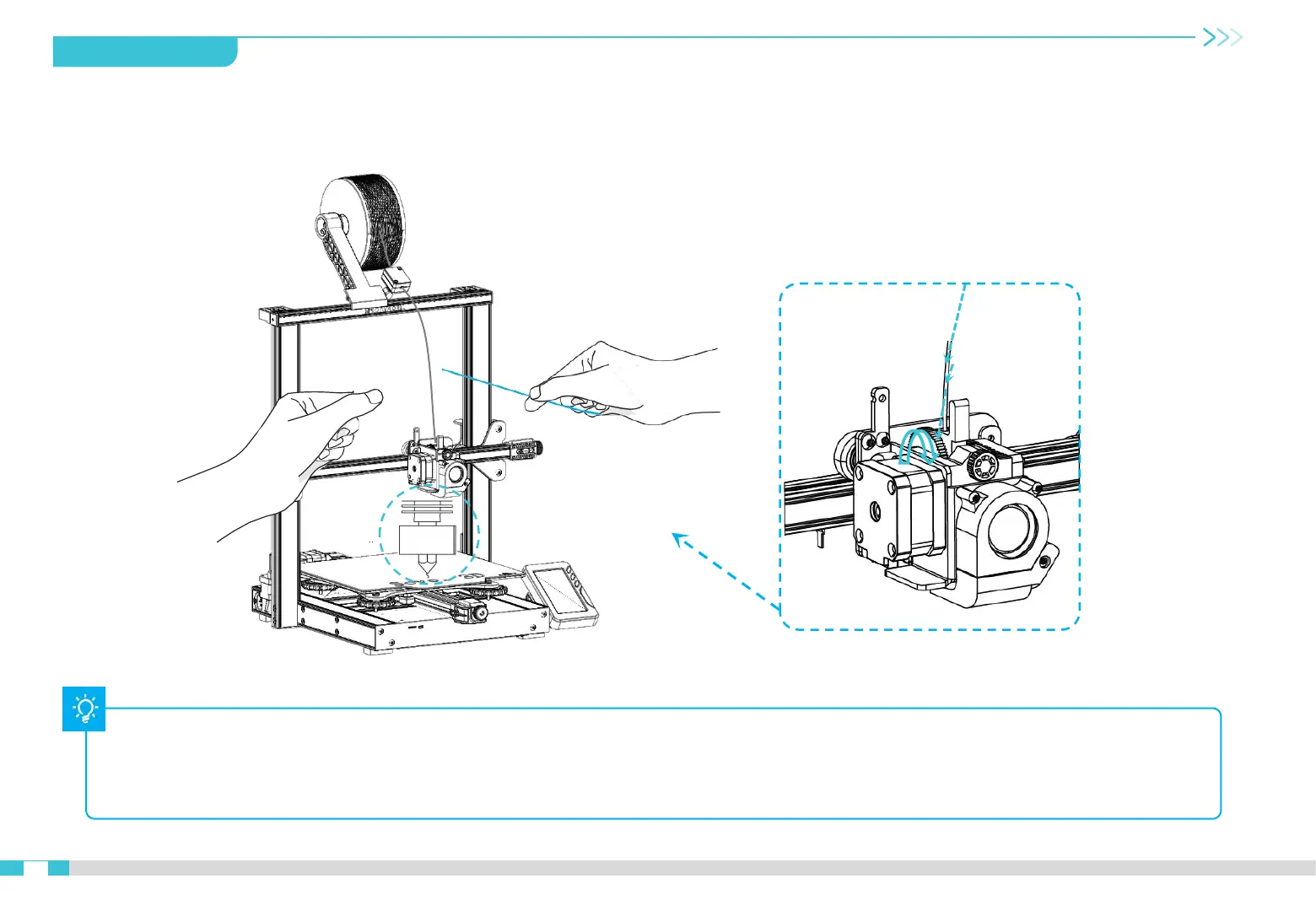
When it reaches the target temperature, load the filament through the filament sensor into the small hole of the Extruder until it reaches
the nozzle. If the filament flows out from the nozzle, it presents that the filament is properly loaded.
Q:How to replace filament?
Method 1: After preheating the nozzle, push the filament forward a little bit, quickly draw out the filament, then load the new filament.
Method 2: Click “change filament” on the touch screen, wait the filament withdraw out automatically, then load the new filament.
A
12


 To Next Page