Hardware Setup
SY-7IZB+N
15
1. Serial Ports COM1/COM2
External Devices that use the COM ports include serial mice and
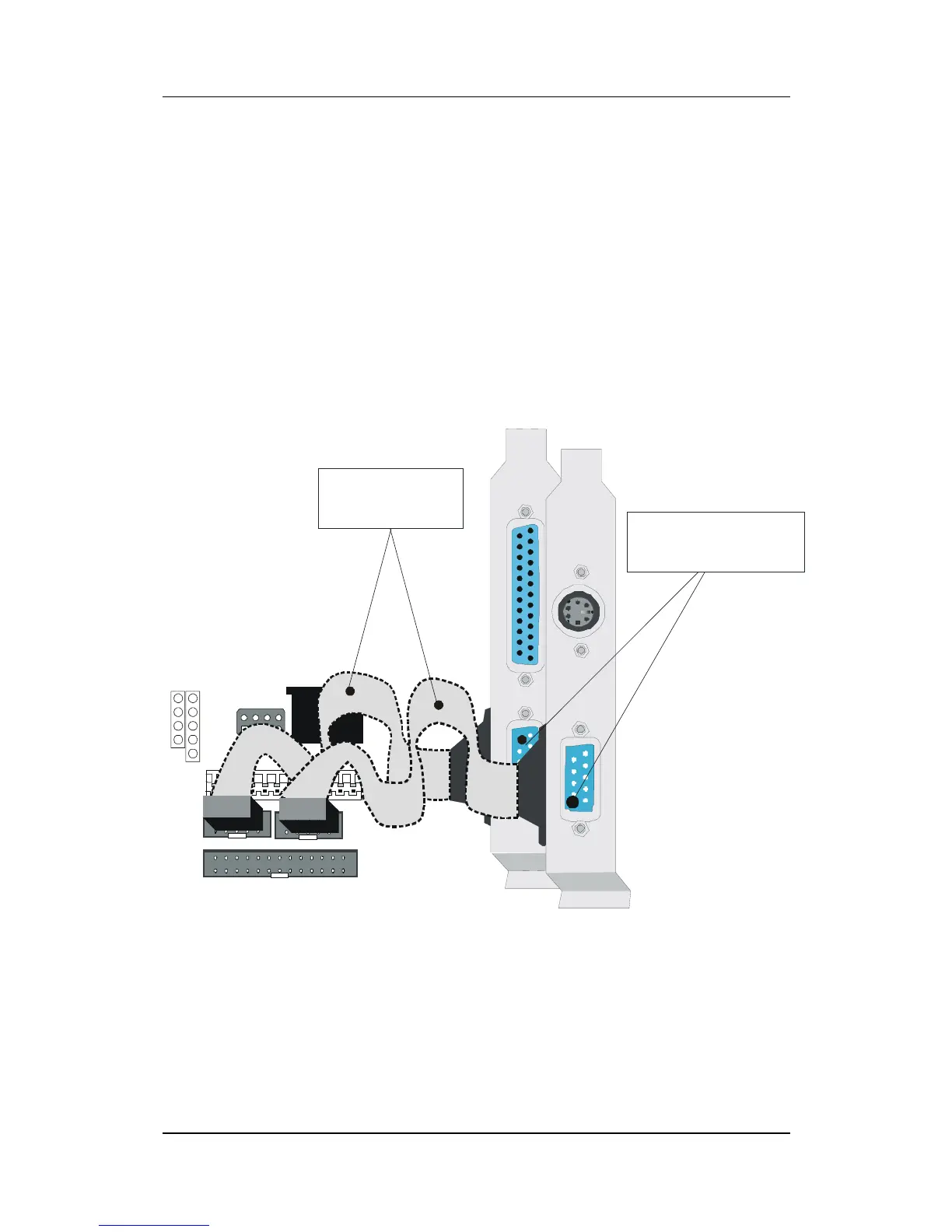
modems. The COM port connectors are located on 2 separate
brackets panels, as shown on the figure below. Please plug their
respective 10 pin flat cable connectors into the COM1 and COM 2
serial port connectors on the Motherboard.
The bracket panels should be fixed to one of the slots at the back of
the computer case using a screw, after having finished this you can
plug any serial device into the back panel connectors.
KB
Connector
PS/2 Mouse
Connector
AT Power
PRT 1
1
COM 2
1
COM 1
1
2
1
10
USB1
9-pin serial
flat cables (2x)
9-pin male external
serial connector (2x)



 To Next Page