Hardware Setup
SY-7IZB+N
25
2. Select [STANDARD CMOS SETUP]
Set [Date/Time] and [Floppy drive type], then set [Hard Disk Type]
to “Auto”.
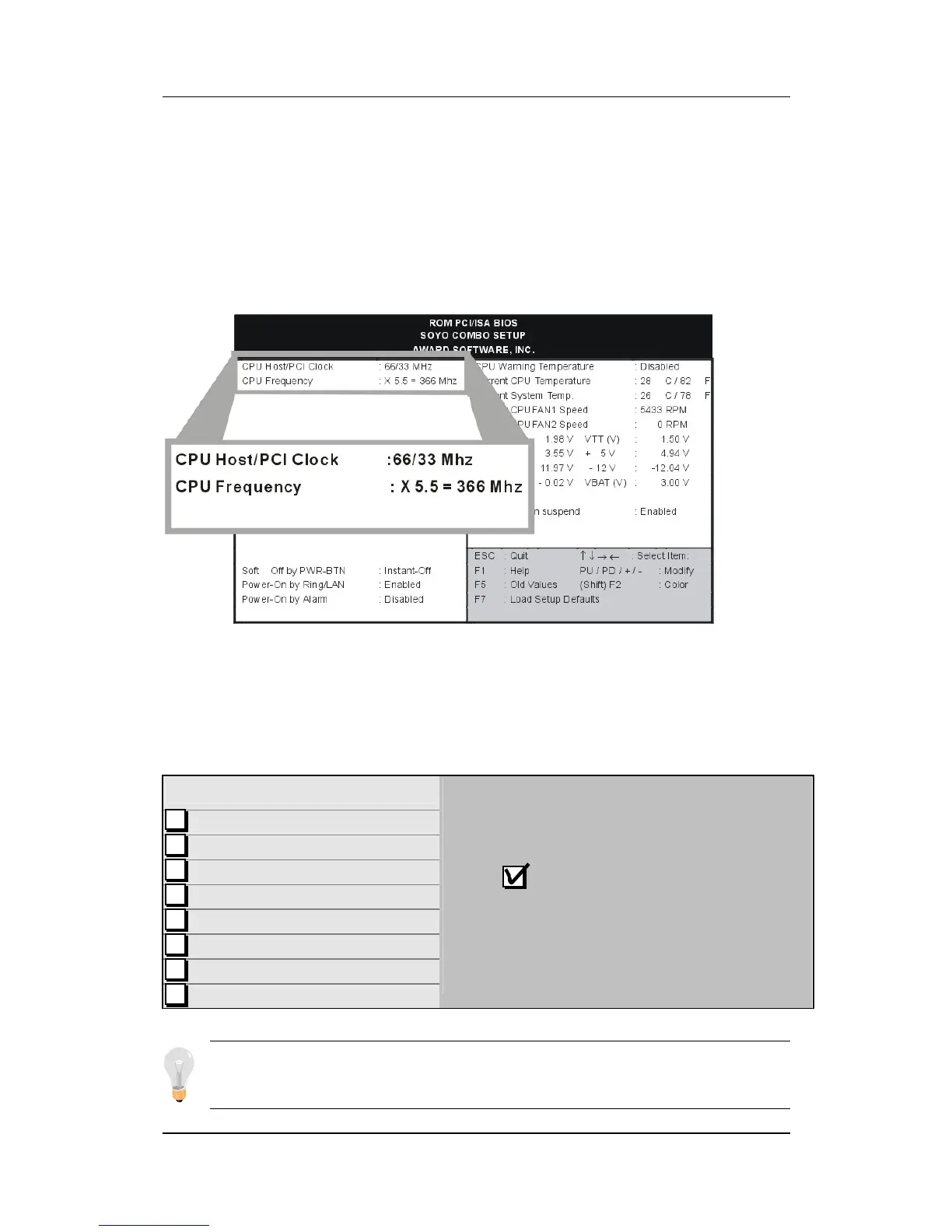
3. Select [SOYO COMBO SETUP]
Move the cursor to the [CPU Frequency] field to set the CPU
frequency, as shown in the following display.
Available [CPU Frequency] settings on your SY-7IZB+N
Motherboard are detailed in the following table. You are then
required to fill in the next two consecutive fields: (1) the CPU
Host/PCI Clock, and (2) the CPU Frequency.
CPU Frequency
300MHz (66 x 4.5)
333MHz (66 x 5.0)
366MHz (66 x 5.5)
400MHz (66 x 6.0)
433MHz (66 x 6.5)
466MHz (66 x 7.0)
500MHz (66 x 7.5)
533MHz (66 x 8.0)
Select the working frequency of your Celeron
TM
processor among these preset values.
Note: Mark the checkbox that
corresponds to the working frequency of your
Celeron
TM
processor in case the CMOS
configuration should be lost.
Note: if you use Bus Frequencies of 75 MHz, make sure that
your PCI cards can cope with the higher PCI clock.



 To Next Page