Ambulatory Blood Pressure Monitor 90217 Service Manual
2-2
4 After correctly inserting the batteries, gently slide the battery cover back into place.
5 Switch the monitor ON and verify that the display appears. If there is no display, switch the
monitor OFF and refer to in this manual. When power is first switched ON, the first four digits
of the RAM code revision are displayed for about 1 second, followed by a blanked display,
followed by the last two digits of the revision number.
Initializing the Monitor
The ABP monitor must be initialized prior to use. Initialization specifies the monitoring period,
patient information, time format, measurement interval, monitor tone ON/OFF during selected
periods, event code display, and whether or not to display pressure values. To initialize the
monitor, connect it to one of the following analysis systems.
If using 90121 or 92506 products, refer to the appropriate Operations manual for setup and
operation.
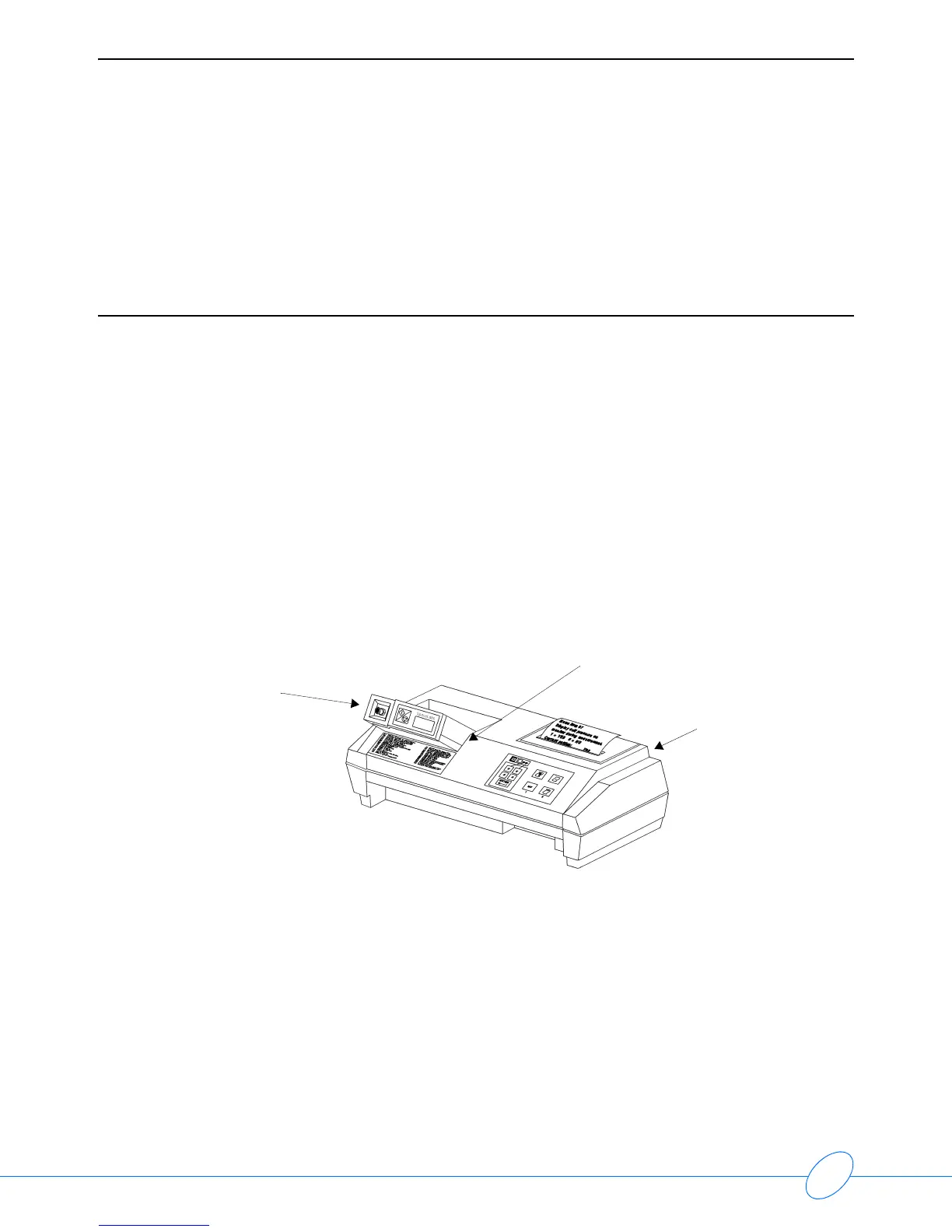
Local Report Generator
For a direct connection to a Local Report Generator, place the monitor into the chute on the Report
Generator (Model 90239A or equivalent):
PC Interface
For a direct connection to an IBM XT/AT/PS2 (or equivalent) via a Model 90219-02/90219-03
(or equivalent):
1 Connect the ABP monitor to the 90219 Analysis System.
Local Report Generator Direct Connect Configuration
Ensure that the monitor lines up
against the side to align IR ports
Local Report
Generator
(90239A)
Model
90217



 To Next Page