How to connect
your devices
2
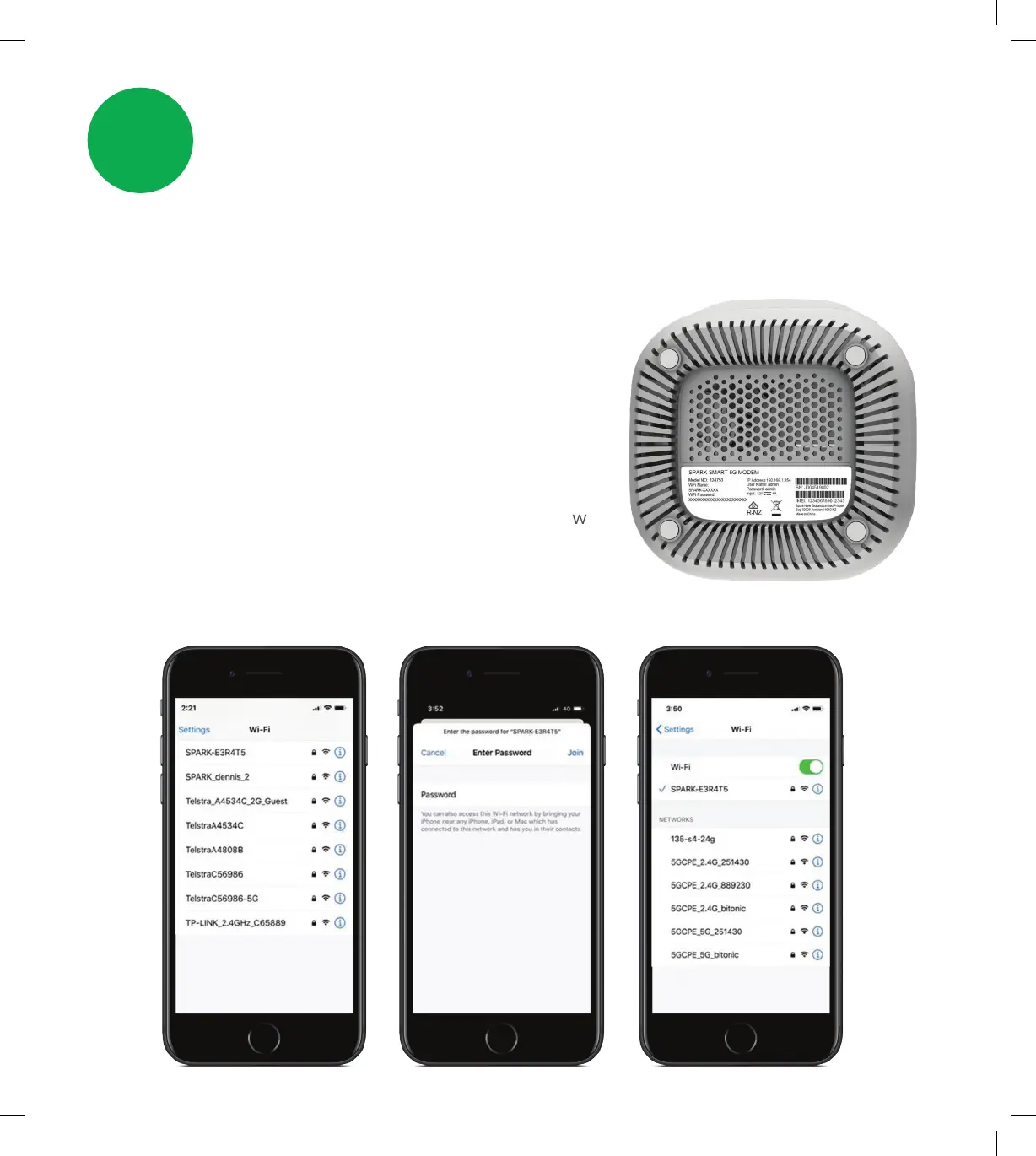
From your devices WiFi menu select the matching
WiFi name, then enter the WiFi password to connect.
NOTE: YoucanndthedefaultWiFinameand
password located underneath the modem.
You will need these details each time you set up a new
device, so make sure the modem is easily accessible
or you have the details somewhere handy.
2.1 Wireless devices (WiFi)
4
SPA5616-5G-SmartModemLaunch-QSG-200x225mm.indd 4SPA5616-5G-SmartModemLaunch-QSG-200x225mm.indd 4 15/07/20 2:53 PM15/07/20 2:53 PM


 To Next Page