A. Openyourdevice’sinternetbrowser,forexample,GoogleChrome,
SafariorMozillaFirefox.
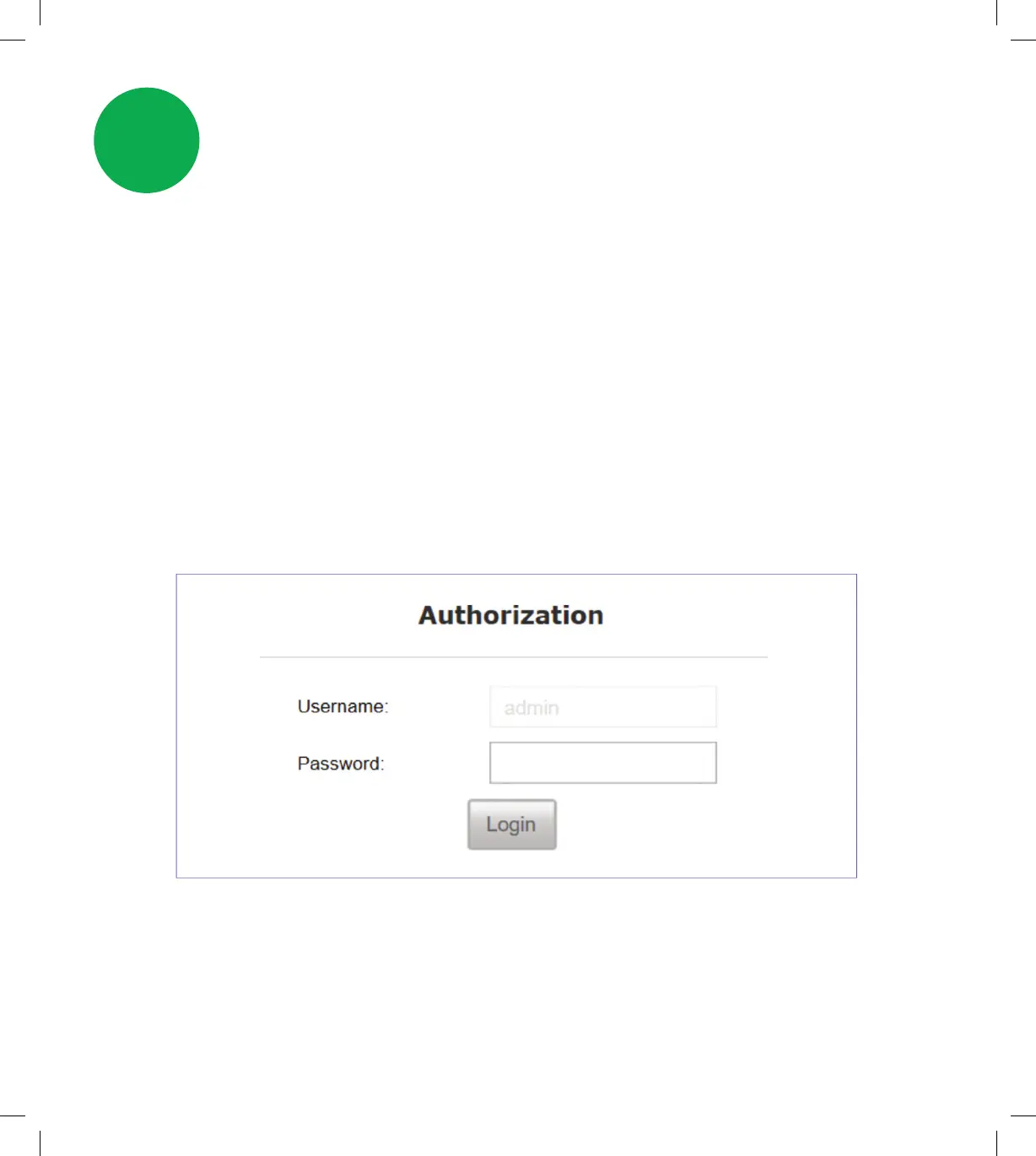
B. Type http://192.168.1.254 in the address bar and press enter.
C. Signinwiththedefaultcredentialsbelow:
Username - admin
Password - admin
D. You’ll be prompted to change the default password of the modem
to enhance the security.
See next page 8.
3.1 Accessing the modem’s web interface
Personalise your
modem settings
3
7
SPA5616-5G-SmartModemLaunch-QSG-200x225mm.indd 7SPA5616-5G-SmartModemLaunch-QSG-200x225mm.indd 7 15/07/20 2:53 PM15/07/20 2:53 PM


 To Next Page