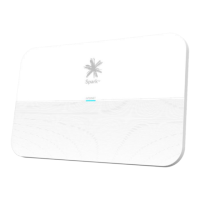
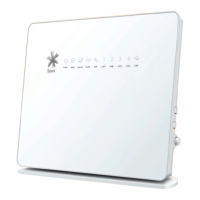
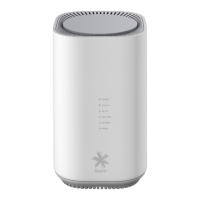
4.2 What do the lights mean?
Power Behaviour Description
No light Modemisnotconnectedtopower.
Solidgreen Modemison.
5G NR Behaviour Description
No light Modemisnotconnectedtothe5GNRmobilelink.
Solidgreen The signal strength is good.
Solidblue The signal strength is fair.
Solidred The signal strength is poor.
Thepositionofthe5GSmartModemcangreatlyinuence
the WiFi signal.
Ensureyoufollowthesetips:
• Where possible, place your modem up high.
• Denseobstaclessuchaswalls,oors,ceilings,hotwater
cylinders, aquariums etc. limit WiFi performance and range.
• Don’t place the modem near electronic devices such
as microwave ovens, cordless phones or wireless
transmitters like baby or room monitors – these can
cause interference of your WiFi signal.
• Don’t place the modem in an enclosed space such as a
cupboard, under or behind a desk or large items of furniture.
• If you want your WiFi coverage over a large area, try a
WiFiextenderorsimilarproduct.
Flashing green Modemrmwareisbeingupgraded.
Flashing red (fast)
SIMfailure,accountset-upissue,ornoPIN(both4G&5G
willashinthisscenario).
Flashing blue Networkconnecting(both4G&5Gwillashinthisscenario).
10
SPA5616-5G-SmartModemLaunch-QSG-200x225mm.indd 10SPA5616-5G-SmartModemLaunch-QSG-200x225mm.indd 10 15/07/20 2:53 PM15/07/20 2:53 PM


 To Next Page