Speco HS Rev 1.0 Copyright I-View Now, LLC 2014 13
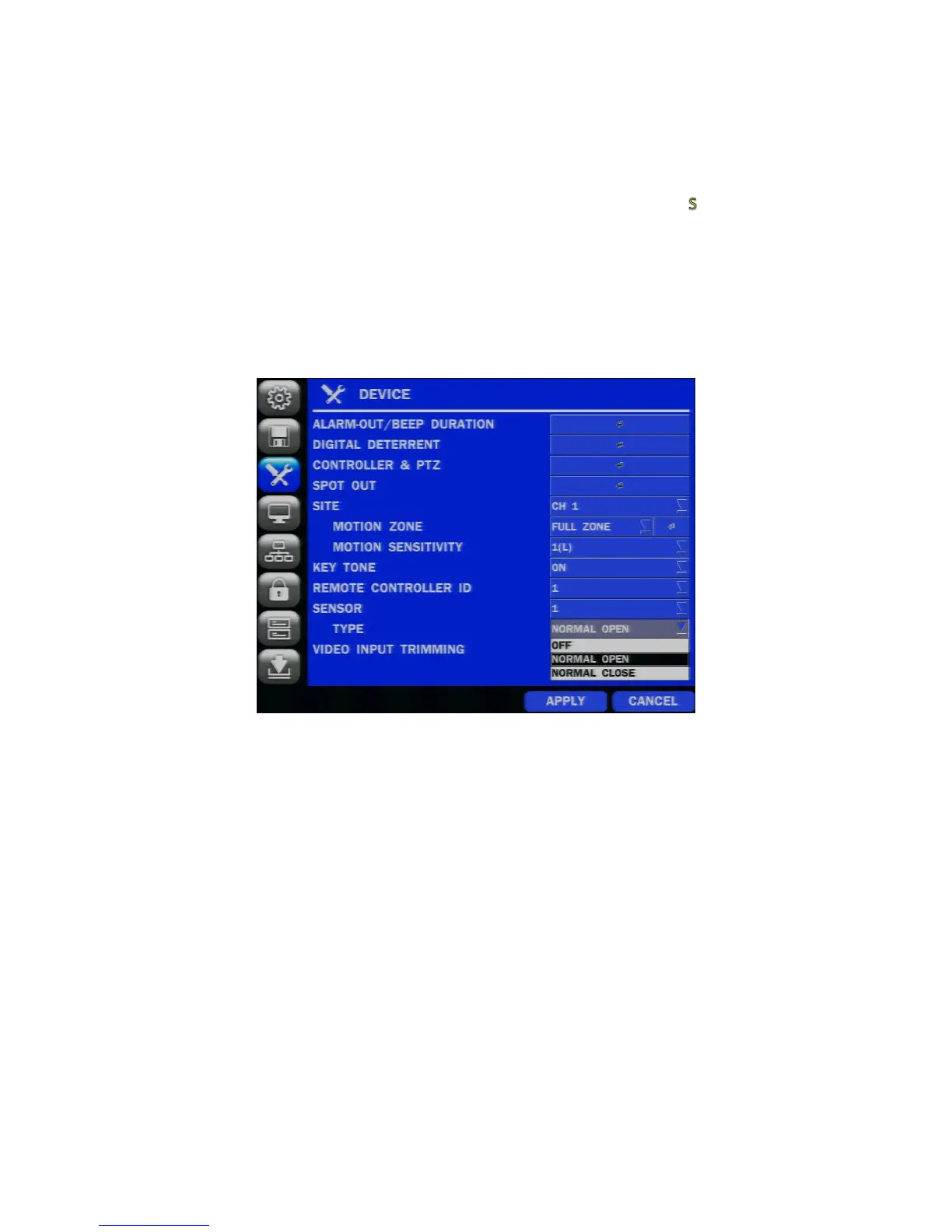
In order to set up an alarm event to cause I-View to retrieve and store a clip one of the four sensors accessible from the
backplane must be configured. A typical configuration recommended is “NORMAL OPEN” which indicates there is
normally no path from a sensor to ground. By closing this loop either by simple relay, transistor or some similar
mechanical contact an alarm event is sensed within the DVR which then initiates the sending of an email to the I-View
system using the parameters set up on the SMTP email panel above.
An indication on the monitor when the alarm is sensed can be seen by the presence of an “ ” for a few seconds.
Thereafter, a message with the time, camera and date of the alarm relative to the Speco DS/NS will be sent to I-View
using the SMTP setting set above, which will in turn cause processing within I-View to initiate Live View on the camera I-
View receives in its SMTP message for the DVR IP address and port associated with the alarm. Thereafter I-View will
initiate concurrent Live Views of the cameras a clip with pre and post alarm video based on the time of the clip. The clip
can be viewed on a browser or smart phone as the clip is stored on a URL within the I-View system accessible by the
customer. Note up to 4 sensors can be concurrently configured this way.
Figure 10
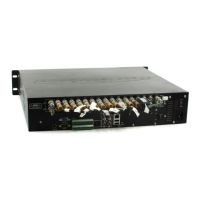
On the back panel of the Speco HS there are 4 sensors which accept physical wires. Please refer to the Speco manual as
to how to set them up to ‘trip’ an alarm and thus initiate a sensor SMTP message to I-View.


 To Next Page