Speco HS Rev 1.0 Copyright I-View Now, LLC 2014 12
Setting up an Alarm
A key feature Speco provides when integrating with I-View is the ability to have the DVR continuously record while
simultaneously sending an alarm event with pre and post alarm video which can then be collected and reviewed. This
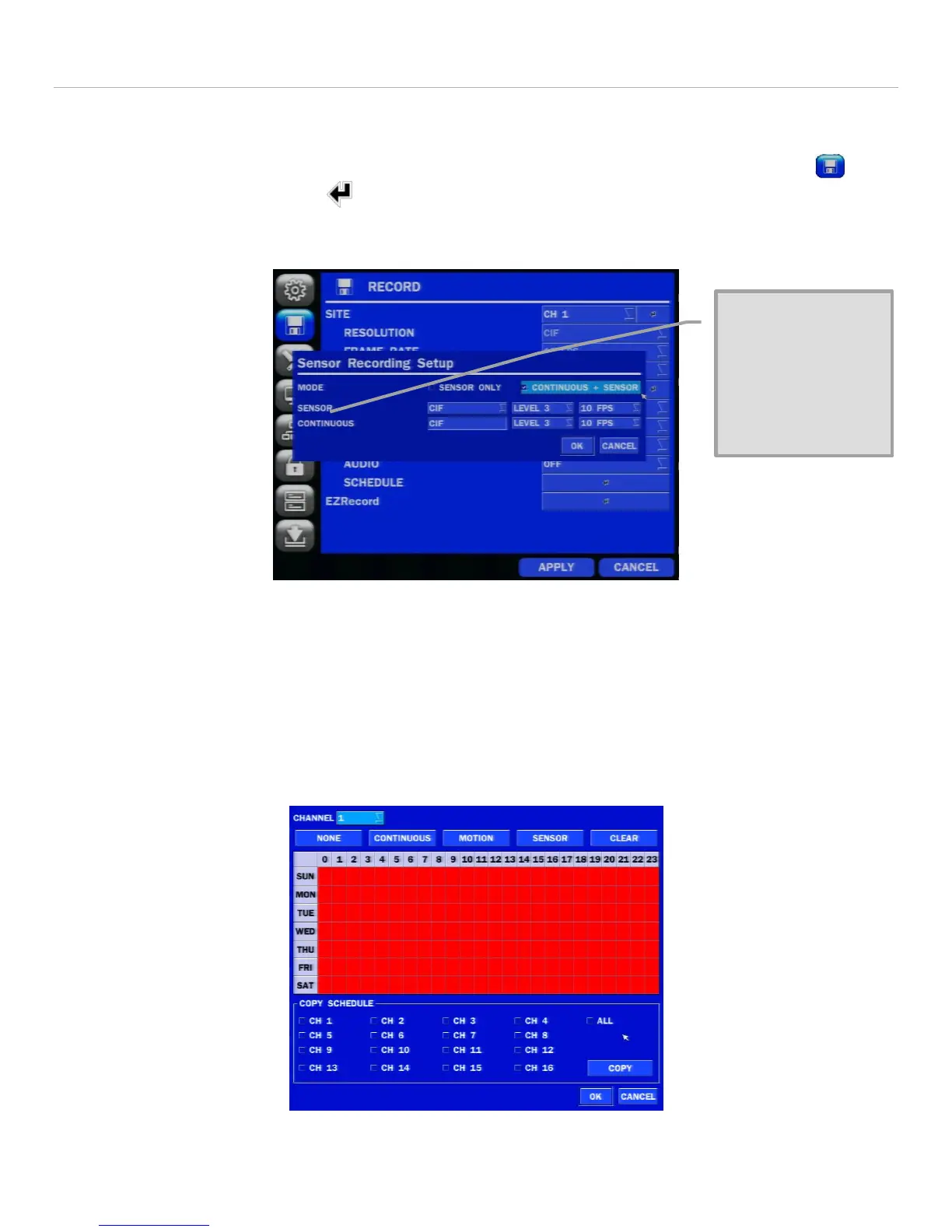
involves putting the Speco HS into a simultaneous sensing and recording mode. To do this select the RECORD icon
and then the RECORDING MODE arrow to the right of the SENSOR drop down selection. The display should look like
this with CONTINUOUS and SENSOR selected. Note, if alarm sensor mode only is preferred, without continuous
recording, this can also be selected from this menu.
Figure 8
Typically 10 Frames at CIF are sufficient for a good quality continuous and sensor combination. Note, it’s possible to
have pre and post alarm recording based only off of sensor recording if that is desired in addition to simultaneous sensor
and continuous recording.
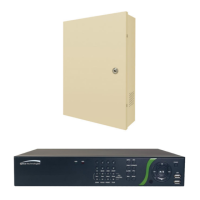
On this same page, selecting SCHEDULE will bring up a screen as shown below where various combinations of
CONTINUOUS, MOTION, SENSOR and CLEAR settings for alarm events can be set throughout the week. A sample screen
where all days and hours are set for sensor recording is shown below:
Figure 9
Note that neither the
Sensor or Continuous
options are present in the
NS menu. Only the Mode
option is available. Set
the mode to “Continuous
+ Sensor”.


 To Next Page